22 | Page Oliver Machinery 10044 Planer
Digital Readout (DRO)
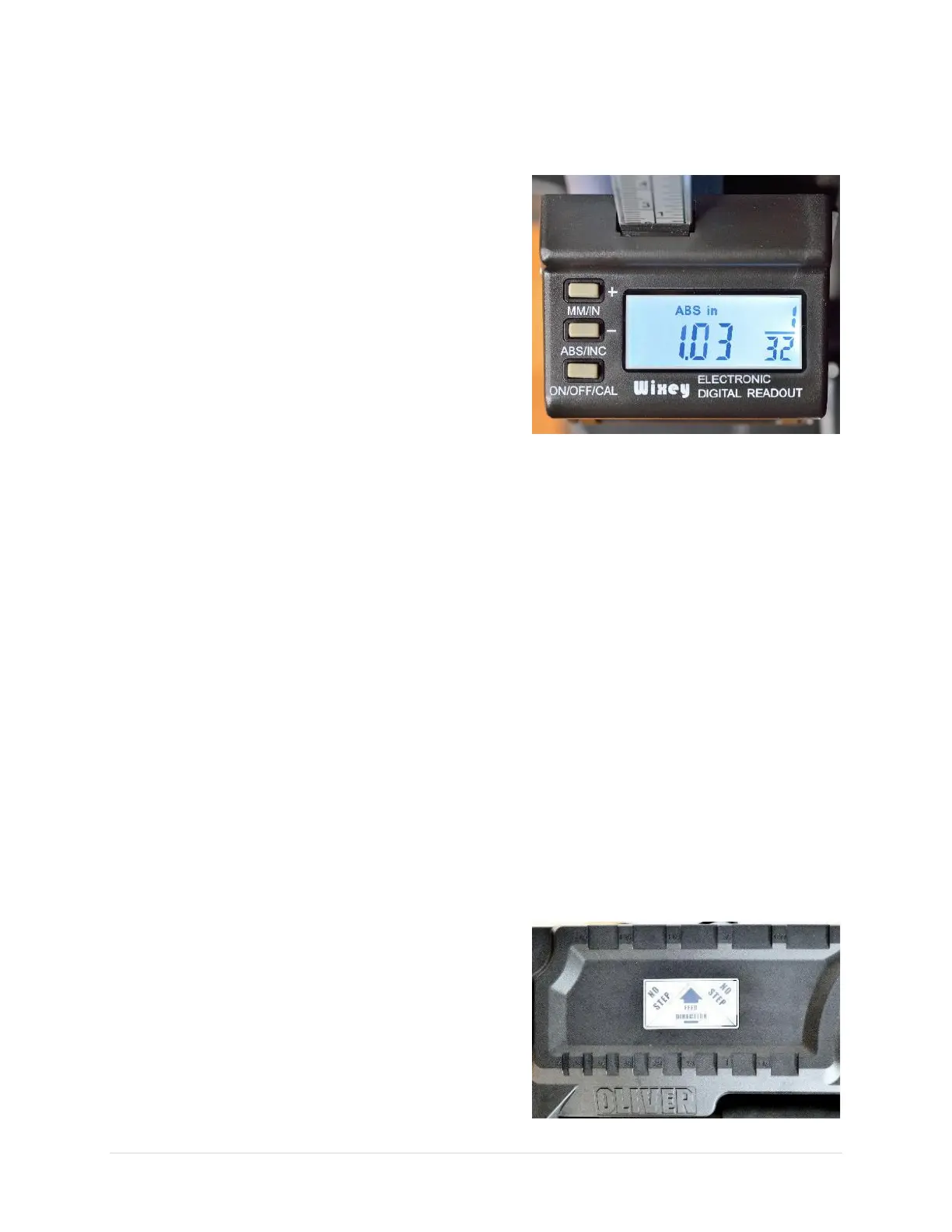
This planer is equipped with a Wixey DRO with 0.005” or 1/32” resolution. Fractional inch value will appear
if the measurement is a multiple of 1/32.
MM/IN Button
Toggle measuring unit between metric (mm) and US
standard (inch).
ABS/INC Button
Toggle between absolute mode and incremental mode.
The absolute mode shows the distance between the table
and the cutterhead. Once calibrated, the settings will be
memorized unless the battery is exhausted.
The incremental mode shows the distance the cutterhead
traveled from the last reset position. The reading can be
reset by toggling to absolute mode.
ON/OFF/CAL Button
This is the DRO power switch. Hold the button to calibrate the DRO.
DRO Calibration
You will need a piece of flat scrap wood and a caliper for calibration.
1. Plane down the scrap wood until the entire surface is cut.
2. Using a caliper, measure the thickness of the midsection of the workpiece. Note down the thickness.
3. Turn on the DRO and switch to ABS mode
4. Hold the ON/OFF/CAL button for 3-5 seconds. “ABS” will be blinking on the display when the DRO
enters the calibration mode. The reading of the absolute mode is now reset to zero.
5. To set the reading of ABS mode, press “+” (MM/IN button) or “-“ (ABS/INC button) to enter the
measurement taken in step #2. Hold the button to quickly increment/decrement the reading.
6. Press the ON/OFF/CAL button when the value is set. This will exit the calibration mode.
7. Once the DRO is calibrated, the DRO will memorize the value until the battery is exhausted.
Thickness Gauge
The integrated thickness gauge on the top panel shows the
approximate thickness of a workpiece. It helps to set the
initial cutterhead height for thickness planing.


 To Next Page