34 | Page Oliver Machinery 10044 Planer
Inspect / Replace Motor Carbon Brushes
1. Disconnect the planer from the power
source!!
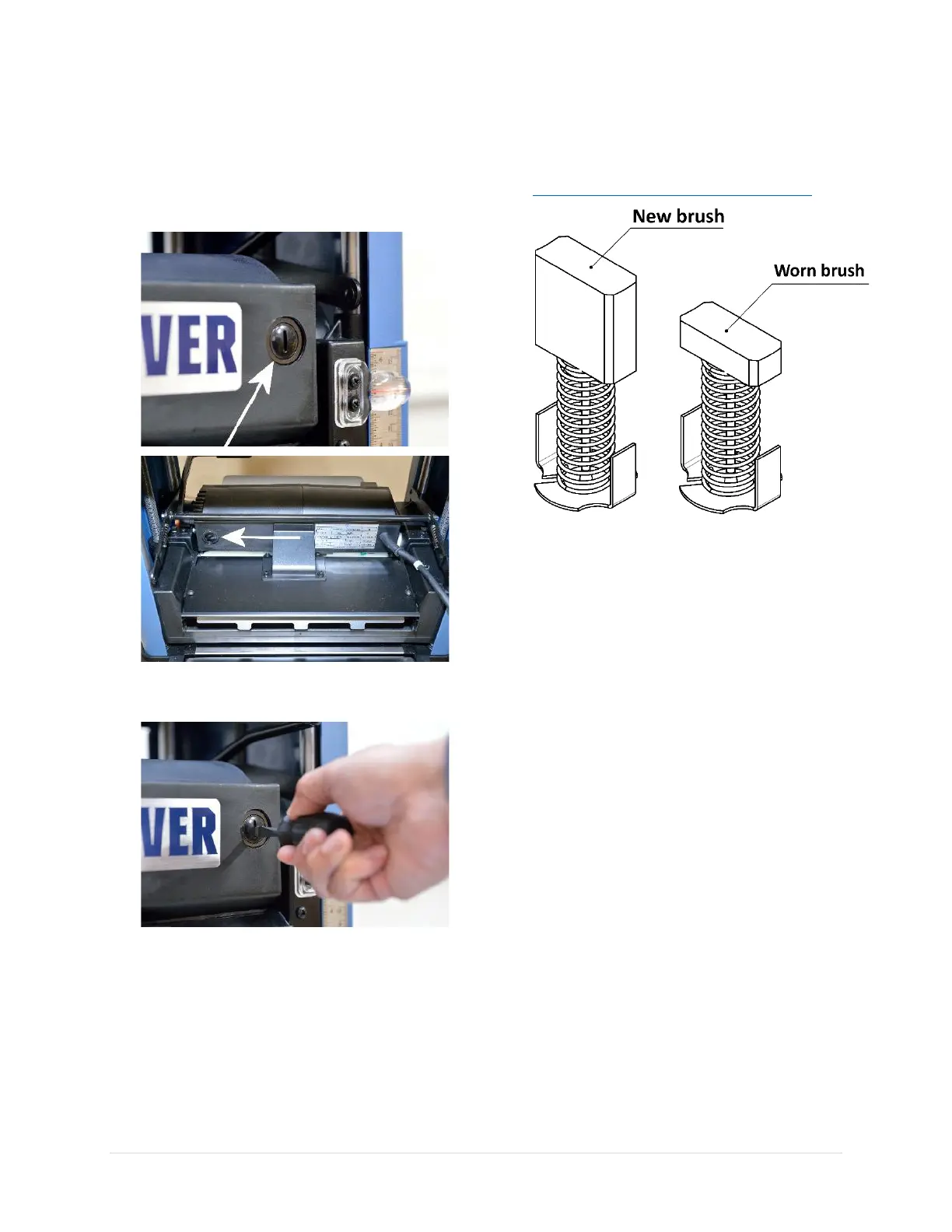
2. This planer is equipped with two motor
carbon brushes. They are located in the front
and back of the carriage.
3. To access the motor carbon brushes, remove
the cover with a flat head screwdriver.
4. Inspect motor carbon brushes and replace
them as a pair when they are significantly
worn. Carbon brushes are available on our
website:
https://olivermachinery.net/accessories
5. Reinstall motor carbon brushes and covers.


 To Next Page