EasyManua.ls Logo

Olivetti d-COPIA 3013MFplus - User Manual

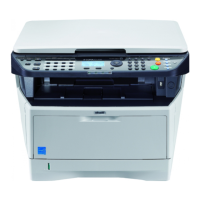
Olivetti d-COPIA 3013MFplus
483 pages
Print Icon
To Next Page IconTo Next Page
Loading...
#ODE 581406en
GUIDA ALLE FUNZIONI
OPERATION GUIDE
NÁVOD K OBSLUZE
BETJENINGSVEJLEDNING
BEDIENUNGSANLEITUNG
ΕΓΧΕΙΡΙΔΙΟ ΧΡHΣHΣ
GUÍA DE USO
MANUEL D'UTILISATION
HASZNÁLATI ÚTMUTA
GEBRUIKERSHANDLEIDING
PODRĘCZNIK OBSŁUGI
GUIA DE USO
-!.5!,$).3425##)/.3
GUIA DE USO
GHID DE OPERARE
KÄYTTÖOPAS
BRUKSANVISNING
OPERATØRHÅNDBOK
РУКОВОДСТВО ПО ЭКСПЛУАТАЦИИ
ÇALIŞTIRMA KILAVUZU
מדריך הפעלה
d-COPIA 3013MF / 3013MFplus
d-COPIA 3014MF / 3513MF / 3514MF

Table of Contents

Questions and Answers

  • W
    williamsvincentSep 4, 2025
    Why are printouts from my Olivetti All in One Printer fuzzy?
    • J
      jeremy92Sep 4, 2025
      If the printouts from your Olivetti All in One Printer are fuzzy, the machine may be used in very humid conditions. Use it in a location that has suitable humidity.
  • S
    Sarah MoranSep 3, 2025
    How to fix Olivetti d-COPIA 3013MFplus if it cannot feed originals?
    • P
      Paige MercerSep 3, 2025
      If your Olivetti All in One Printer cannot feed originals, ensure that the originals are placed correctly in the document processor. Align the original width guides securely before placing the originals.
  • G
    Gregory KennedySep 2, 2025
    Why do vertical streaks appear on prints from Olivetti d-COPIA 3013MFplus?
    • E
      Elizabeth AndradeSep 2, 2025
      If vertical streaks appear on prints from your Olivetti All in One Printer, the slit glass may be dirty. Clean the slit glass. The inside of the machine may also be dirty; check the toner container and replace it if necessary.
  • C
    clyonsSep 1, 2025
    Why are printouts from my Olivetti d-COPIA 3013MFplus wrinkled or curled?
    • J
      Joshua RichardsonSep 1, 2025
      If the printouts from your Olivetti All in One Printer are wrinkled or curled, the paper may be damp. Replace the paper with new paper.
  • T
    thamiltonAug 31, 2025
    What to do if pressing Start key does not produce copies on Olivetti All in One Printer?
    • D
      Daniel KaiserAug 31, 2025
      If pressing the Start key on your Olivetti All in One Printer does not produce copies, the machine might be in Sleep mode. Press any key on the operation panel to recover the machine from Sleep mode. The machine will be ready to copy within 15 seconds.
  • S
    Susan ConnerAug 30, 2025
    What causes paper jams in Olivetti All in One Printer?
    • W
      Wendy McculloughAug 30, 2025
      Paper jams in your Olivetti All in One Printer can occur if the paper is not loaded correctly. Also, paper that is not of the supported type or not in good condition can cause jams; try removing the paper, turning it over, and reloading it. Replace the paper with new paper if it is curled, folded, or wrinkled. Remove any jammed paper.
  • M
    mallorymasonAug 29, 2025
    Why are images skewed on my Olivetti All in One Printer?
    • J
      Justin SalazarAug 29, 2025
      If the images from your Olivetti All in One Printer are skewed, check if the originals are placed correctly. When placing originals on the platen, align them with the slit glass. When placing originals in the document processor, align the original width guides securely before placing the originals. Also, check the position of the paper width guides to ensure the paper is loaded correctly.
  • P
    Paula HerreraAug 28, 2025
    Why are my Olivetti d-COPIA 3013MFplus All in One Printer printouts too dark?
    • J
      Joseph CummingsAug 29, 2025
      If the printouts from your Olivetti All in One Printer are too dark, check if the machine is in Auto Density mode and set the correct density level. If the machine is in Manual Density mode, select the correct density level.
  • H
    hsanchezAug 27, 2025
    What to do if Olivetti d-COPIA 3013MFplus All in One Printer does not recognize USB memory?
    • E
      Emily HughesAug 27, 2025
      If your Olivetti All in One Printer does not recognize the USB memory, check that the USB memory is securely plugged into the machine. Also, check if the USB host is blocked and, if so, select Unblock in the USB host settings.
  • G
    gregoryreynoldsAug 27, 2025
    How to clean Olivetti d-COPIA 3013MFplus if printouts are dirty?
    • T
      Thomas LucasAug 27, 2025
      If the printouts from your Olivetti All in One Printer are dirty, the platen or the document processor may be dirty. Clean the platen or the document processor.

Olivetti d-COPIA 3013MFplus Specifications

General IconGeneral
BrandOlivetti
Modeld-COPIA 3013MFplus
CategoryAll in One Printer
LanguageEnglish

Related product manuals