EasyManua.ls Logo

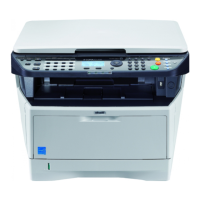
Olivetti d-COPIA 3013MFplus - User Manual

Olivetti d-COPIA 3013MFplus
483 pages
Print Icon
To Next Page IconTo Next Page
Loading...
#ODE 581406en
GUIDA ALLE FUNZIONI
OPERATION GUIDE
NÁVOD K OBSLUZE
BETJENINGSVEJLEDNING
BEDIENUNGSANLEITUNG
ΕΓΧΕΙΡΙΔΙΟ ΧΡHΣHΣ
GUÍA DE USO
MANUEL D'UTILISATION
HASZNÁLATI ÚTMUTA
GEBRUIKERSHANDLEIDING
PODRĘCZNIK OBSŁUGI
GUIA DE USO
-!.5!,$).3425##)/.3
GUIA DE USO
GHID DE OPERARE
KÄYTTÖOPAS
BRUKSANVISNING
OPERATØRHÅNDBOK
РУКОВОДСТВО ПО ЭКСПЛУАТАЦИИ
ÇALIŞTIRMA KILAVUZU
מדריך הפעלה
d-COPIA 3013MF / 3013MFplus
d-COPIA 3014MF / 3513MF / 3514MF

Table of Contents

Questions and Answers

  • J
    Jesse WatersAug 26, 2025
    What to do if Olivetti d-COPIA 3013MFplus ejects blank sheets?
    • S
      Samantha WallerAug 27, 2025
      If your Olivetti All in One Printer is ejecting blank sheets, check if the originals are loaded correctly. When placing originals on the platen, place them face-down and align them with the slit glass. When using the document processor, ensure originals are placed face-up.
  • C
    Charles WolfeAug 25, 2025
    Why are my Olivetti d-COPIA 3013MFplus All in One Printer printouts too light?
    • M
      michaelshawAug 26, 2025
      If the printouts from your Olivetti All in One Printer are too light, verify these possible causes: Ensure that the machine is not in Manual Density mode, and if it is, select the correct density level. Shake the toner container from side to side to distribute the toner evenly. If there is a message indicating the addition of toner, replace the toner container. Replace the paper if it is damp. Disable EcoPrint mode if it is enabled. Also, ensure the paper type setting is correct for the paper being used.
  • H
    hgutierrezAug 25, 2025
    Why my Olivetti d-COPIA 3013MFplus All in One Printer cannot print?
    • C
      Carla GarciaAug 25, 2025
      If your Olivetti All in One Printer is not printing, check the following: Ensure the power cord is plugged into an AC outlet, the printer is powered on, and the printer cable is securely connected. If the machine was powered on before connecting the printer cable, power it on again after connecting the cable. Also, check if the print job is paused; if so, press [Resume]. Finally, if an error message is displayed, follow the corresponding procedure.

Olivetti d-COPIA 3013MFplus Specifications

General IconGeneral
BrandOlivetti
Modeld-COPIA 3013MFplus
CategoryAll in One Printer
LanguageEnglish

Related product manuals