8
HOW TO GET STARTED QUICKLY
This section provides a basic description of the fax ma-
chine, explaining how to install it and get started quickly, us-
ing its basic functions only. For a more comprehensive use
of the fax machine, see the corresponding section.
As this section is designed to give you a gradual and sys-
tematic approach to the fax machine, we recommend you
read the topics in the order in which they are presented.
P
ACKAGE
CONTENTS
In addition to the fax machine and this manual, you will find
the following elements in the package:
• The document support.
• The printing paper support.
• The cable for connecting the fax machine to the telephone
line.
• The power cable.
• The telephone plug (if applicable).
• The box containing a free monochrome print cartridge pro-
vided with the machine.
• The telephone handset.
• Aftersales support information.
IMPORTANT
The use of non-original or refilled print cartridges makes the
product's guarantee null and void.
I
NSTALLATION
CONDITIONS
Place the fax machine on a stable, flat surface. Make sure
there is enough room for ventilation.
Keep the fax machine in a dust-free place away from sources
of excessive heat or humidity. Do not expose it to direct sun-
light.
C
ONNECTING
TO
THE
TELEPHONE
LINE
AND
POWER
SUPPLY
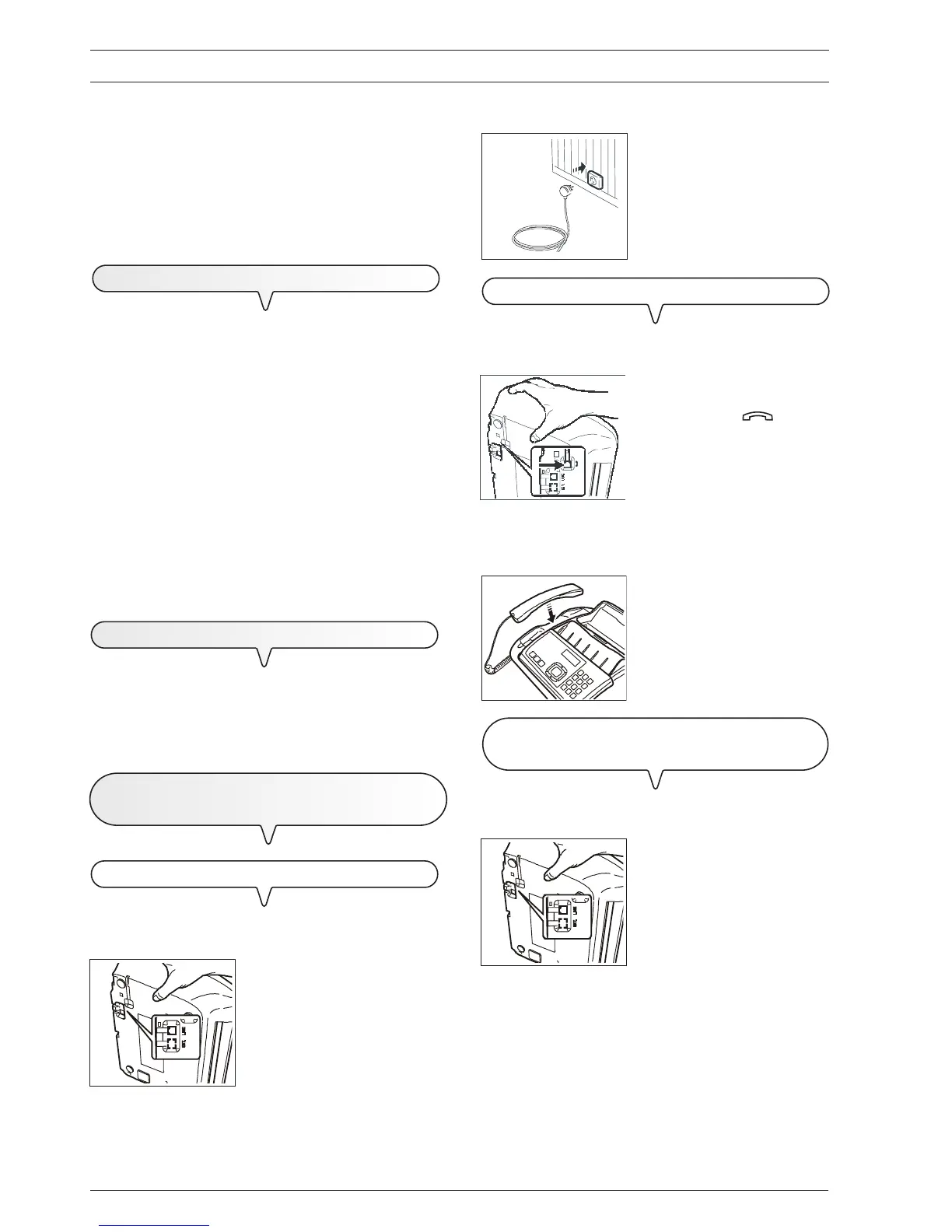
CONNECT THE FAX MACHINE TO THE TELEPHONE LINE
1. Lay the fax machine on its right side.
2. Insert the plug at the end of the
telephone line connecting cable
into the "LINE" socket on the bot-
tom of the fax machine (A).
3. Insert the connector or the plug
(if applicable) at the other end of
the cable into the wall telephone
line socket (B).
CONNECT THE TELEPHONE HANDSET
1. Lay the fax machine on its right side.
2. Insert the connector of the hand-
set cable into the socket marked
with the symbol on the fax
machine.
3. Fix the handset cable into the groove made for this purpose.
4. Replace the fax machine in its normal position.
5. Place the handset in its seat.
CONNECTING THE EXTERNAL TAD (BASE MODEL ONLY) OR
AN
EXTERNAL TELEPHONE
1. Lay the fax machine on its right side.
2. Remove the cover, if present,
from the socket for connecting to
the telephone line, "EXT", on the
fax machine and insert the plug
of the external TAD or external
telephone in this socket (C).
important
In countries where this kind of connection is not allowed (for
example, Germany and Austria), connect the external tel-
ephone directly to the telephone wall socket.
B
3
5
C
2
A
2
2



 To Next Page