5
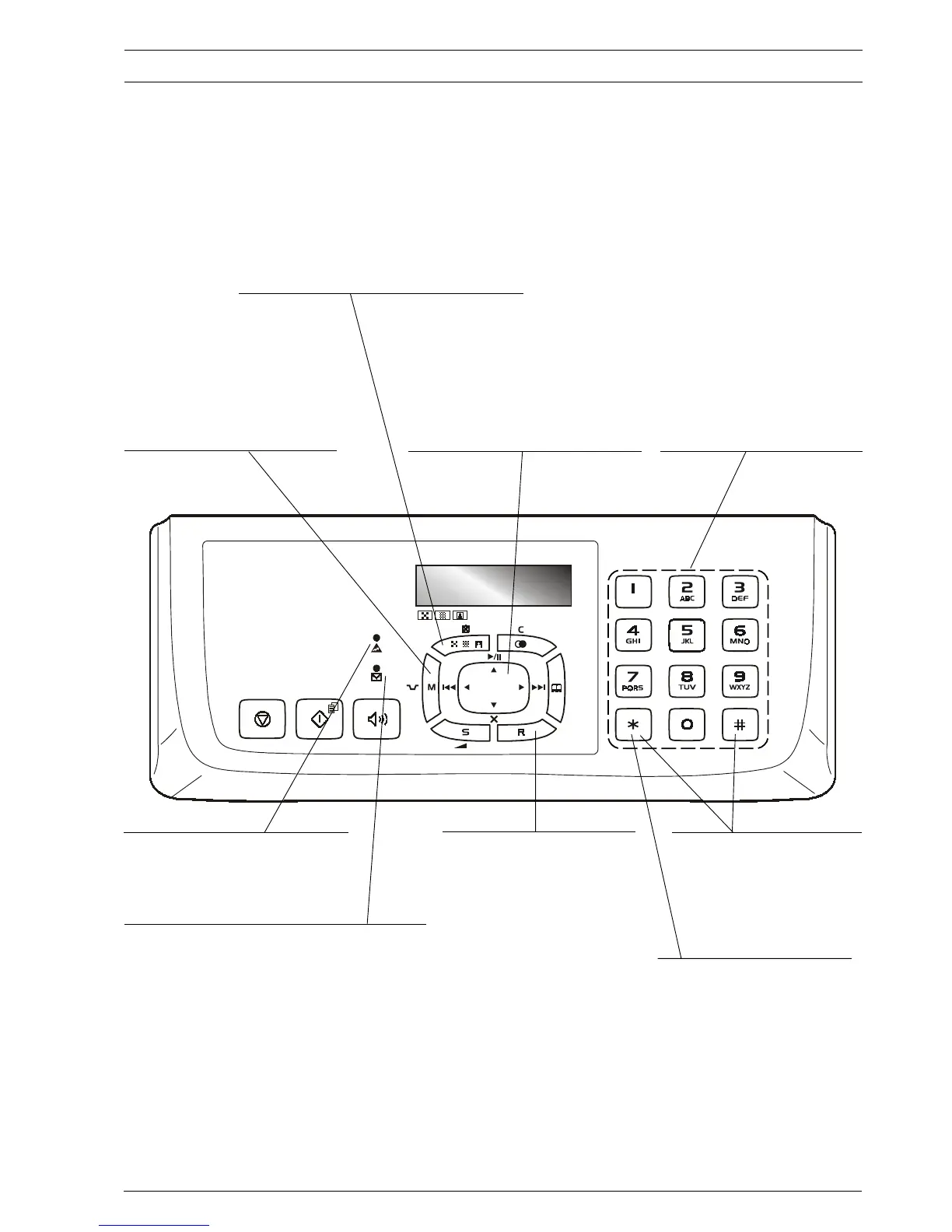
• Dial the fax or telephone number.
• If held down for more than one second,
they automatically dial (once set) the
telephone number or fax number
assigned to them.
• Enter numeric data.
• Select digits and alphanumeric characters
during the entry of numbers and names.
• Gives access to the menu and its functions.
• Inserts a pause during the dialling of the
telephone or fax number.
• Adjusts the resolution of the documents to be sent and
copied (only with the document inserted in the ADF).
• Puts the line on hold during a telephone conversation (with
the handset raised.
• Turns off the microphone, during a "handsfree" telephone
call, so that the correspondent cannot hear what is said at
your end of the line.
"Error" LED indicator
Signals an operating fault during transmission or
reception.
Blinking, indicates that the memory contains documents that
have not been printed.
Off, indicates that the memory is empty.
M
ODEL
WITH
A
BUILT
-
IN
TAD
ONLY
On, indicates that there are messages or memos in the memory
that have already been played.
Blinking, indicates that the memory contains documents that
have not been printed, messages or memos that have not been
played.
Off, indicates that the memory is empty.
• With tone dialling, they send a tone
down the line for special network
services.
• They scroll "backwards" and
"forwards" through characters and
special symbols during the entry of
names.
A
BOUT
THE
FAX
MACHINE
C
ONSOLE
With the handset lifted, gives access to the
special functions made available by the
network manager and commonly known
as REGISTER RECALL (R function).
With the fax machine connected to a
private exchange:
When pressed before the number is dialled,
it enables a call to be made on the public
line (if the output mode is Flash and if the
fax machine was programmed correctly).
• They scroll cyclically forwards or backwards
through the functions and related parameters on
the menu.
• Move the cursor to the "right" and to the "left"
while entering numbers and names.
M
ODEL
WITH
A
BUILT
-
IN
TAD
ONLY
• Used to perform TAD functions. Described in
the corresponding chapter.
When pressed before dialling a number, it
enables you to switch from pulse dialling to
tone dialling.



 To Next Page