17
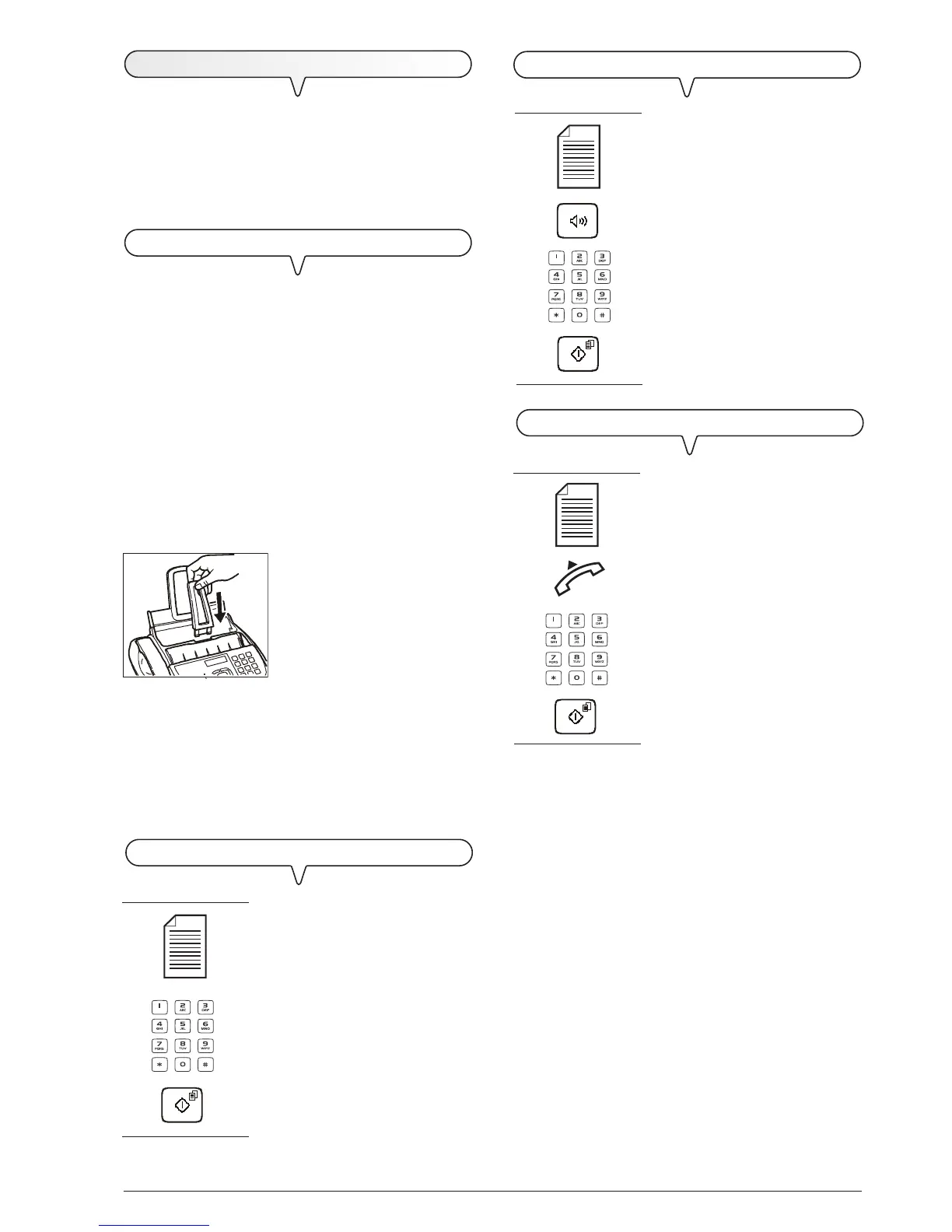
TO HEAR THE DIALLING TONE WHEN SENDING A DOCUMENT
1. If these diagrams are not enough,
see "To send a document",
section "Transmission and re-
ception operations".
TO SEND A DOCUMENT WITH THE RECEIVER RAISED
1. If these diagrams are not enough,
see "To send a document",
section "Transmission and re-
ception operations".
T
RANSMISSION
If you follow the procedures described below, you can imme-
diately use the fax machine to carry out simple trans-
mission operations. In any case, if these procedures are
not enough for you, see the "Transmission and reception
operations" chapter, which provides a detailed description
of all the transmission modes and how to program the phone
book.
WHAT DOCUMENTS MAY BE USED
For any type of tansmission, the document has to be
placed in the ADF.
CHARACTERISTICS OF THE ORIGINAL
Sizes:
• Breadth min. 148 mm - max. 216 mm
• Length min. 216 mm - max. 600 mm
Unit weight of sheet:
• 80 g/m
2
(max. 20 sheets)
• 60 - 90 g/m
2
(max. 10 sheets)
• 50 - 140 g/m
2
(1 sheet at a time)
For documents of different sizes from those specified above,
photocopy the original onto A4 sheets or another supported
format and send the copy.
1. Push the document support into
the slot until it clicks into position.
2. Place the document with the side to be sent face up (automatic
document feed).
Once the document has been inserted in the automatic docu-
ment feeder (ADF), the display shows on the top line:
DOCUMENT READY
and on the bottom line, the default contrast value: "NORMAL".
TO SEND A DOCUMENT
1. If these diagrams are not enough,
see "To send a document",
section "Transmission and re-
ception operations".
1



 To Next Page