14
8. To select the alternative parameter, press the keys:
The display shows:
FAX HEADER
OUTSIDE
9. To confirm the setting, press the key:
10. To return the fax machine to its initial stand-by mode,
press the key:
11. If you want to move back one function, press the key:
S
ETTING
UP
THE
FAX
MACHINE
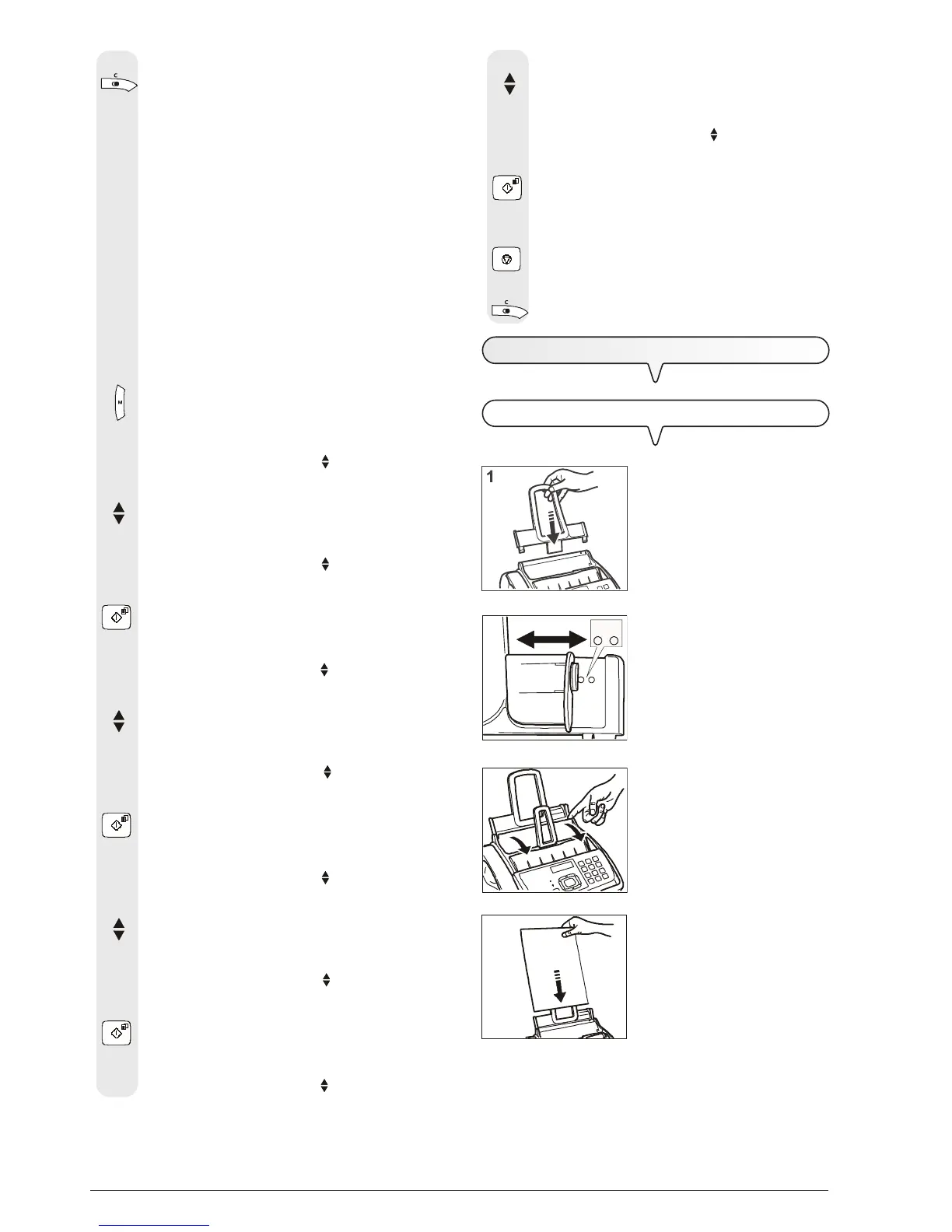
FEED THE PRINT PAPER INTO THE MACHINE
1. Push the paper support exten-
sion in the slots until it clicks into
position.
2. Using the adjusting lever, select
the paper size to be used and
put the lever in position A for A4
or B for Legal/Letter format.
3. Open the automatic sheet feeder
(ASF) panel as indicated by the
arrows.
4. Grip the sheets you want to in-
sert by the upper edge. Let them
drop loosely into the ASF without
bending them.
7. If you want to move back one function, press the key:
Position of your name and fax number:
The information at the top of the document to be sent
(name, fax number, date and time and number of pages)
may be received by your correspondent’s fax machine:
- outside the text area immediately below the top edge of
the sheet;
or
- inside the text area, slightly lower down than in the
previous case.
Your fax machine is designed to send this information
inside the text area.
To change the position:
1. Press the key:
The display shows:
MENU
RECEPT. SET-UP
2. Press the keys
until the display shows:
MENU
FAX SET-UP
3. Press the key:
The display shows:
FAX SET-UP
DATE AND TIME
4. Press the keys:
The display shows:
FAX SET-UP
VARIOUS SETT.
5. Press the key:
The display shows:
VARIOUS SETT.
ECM
6. Press the keys
until the display shows:
VARIOUS SETT.
FAX HEADER
7. Press the key:
The display shows:
FAX HEADER
INSIDE
3
4
2
BA



 To Next Page