37
S
ECURITY
AND
ACCESS
FUNCTIONS
To operate the TAD from a remote location (except to leave
messages), you must set a four-digit numeric code which
you can change or delete at any time (see "To change/de-
lete the TAD access code").
The same code may also be used to:
• prevent unauthorized subscribers from playing the mes-
sages left for you and from modifying the set-up pa-
rameters you have set on the telephone answering device
in local mode (see "To enable/disable access to the tel-
ephone answering device in local mode").
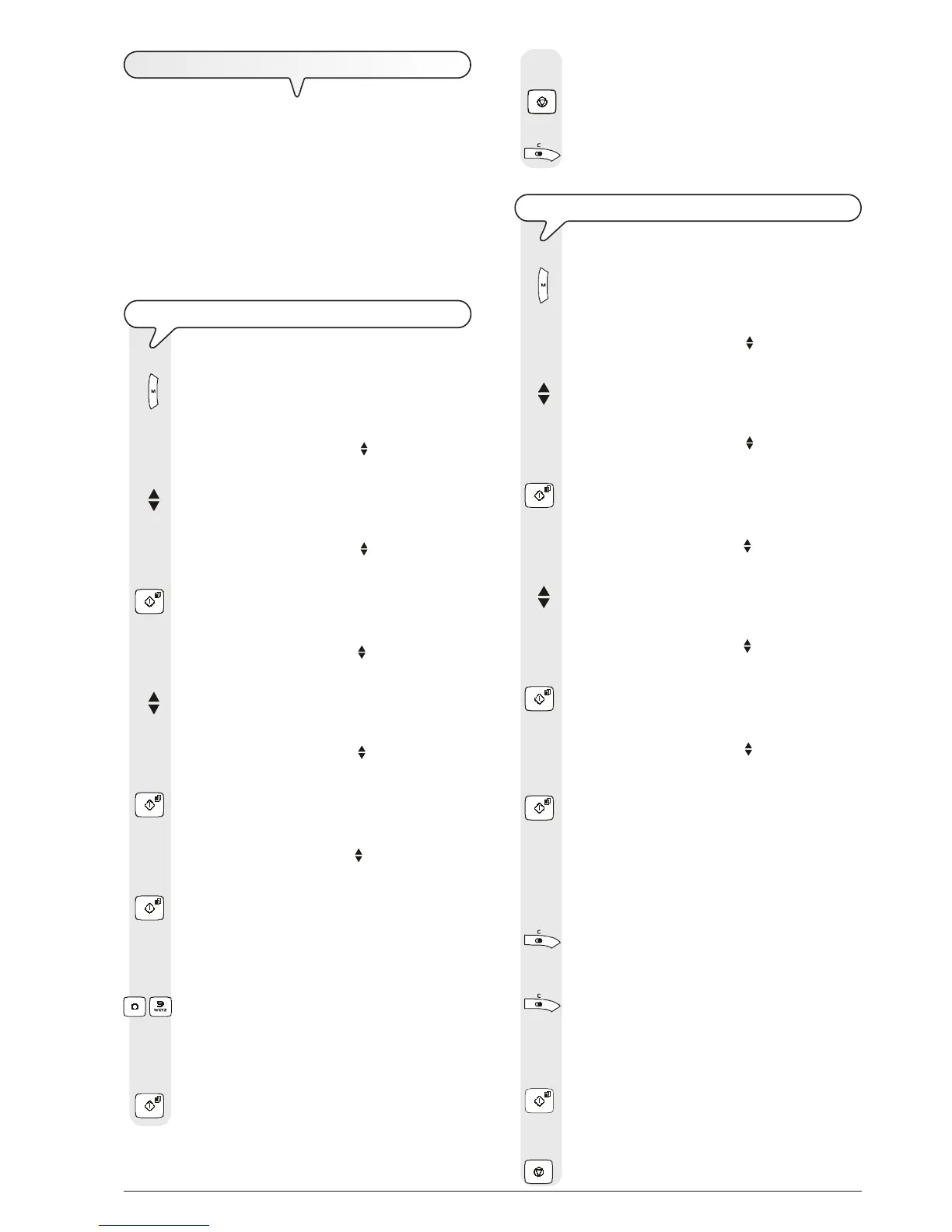
TO SET THE TAD ACCESS CODE
1. Press the key:
The display shows:
MENU
RECEPT. SET-UP
2. Press the keys
until the display shows:
MENU
TAD SET-UP
3. Press the key:
The display shows:
TAD SET-UP
ICM ON SPEAKER
4. Press the keys
until the display shows:
TAD SET-UP
SECURITY
5. Press the key:
The display shows:
SECURITY
SET ACCESS CODE
6. Press the key:
The display shows:
SET ACCESS CODE
(0-9):
7. Enter the code, for example "0001", pressing the keys:
- The display shows:
SET ACCESS CODE
(0-9): 0001
8. To confirm the setting, press the key:
9. To return the fax machine to the initial stand-by mode,
press the key:
10. If you want to move back one function, press the key:
TO CHANGE/DELETE THE TAD ACCESS CODE
1. Press the key:
The display shows:
MENU
RECEPT. SET-UP
2. Press the keys
until the display shows:
MENU
TAD SET-UP
3. Press the key:
The display shows:
TAD SET-UP
ICM ON SPEAKER
4. Press the keys
until the display shows:
TAD SET-UP
SECURITY
5. Press the key:
The display shows:
SECURITY
SET ACCESS CODE
6. Press the key:
The display shows the code set previously, for example
"1234":
SET ACCESS CODE
(0-9): 1234
7. To change the code, press the following key once for
each digit you have to replace:
and then type in the new digit.
8. If you like, you can delete the entire code by holding
down the key:
The display shows:
SET ACCESS CODE
(0-9):
9. To confirm the setting, press the key:
10. To return the fax machine to the initial stand-by mode,
press the key:



 To Next Page