Language
3
EN
46
Language [Language]
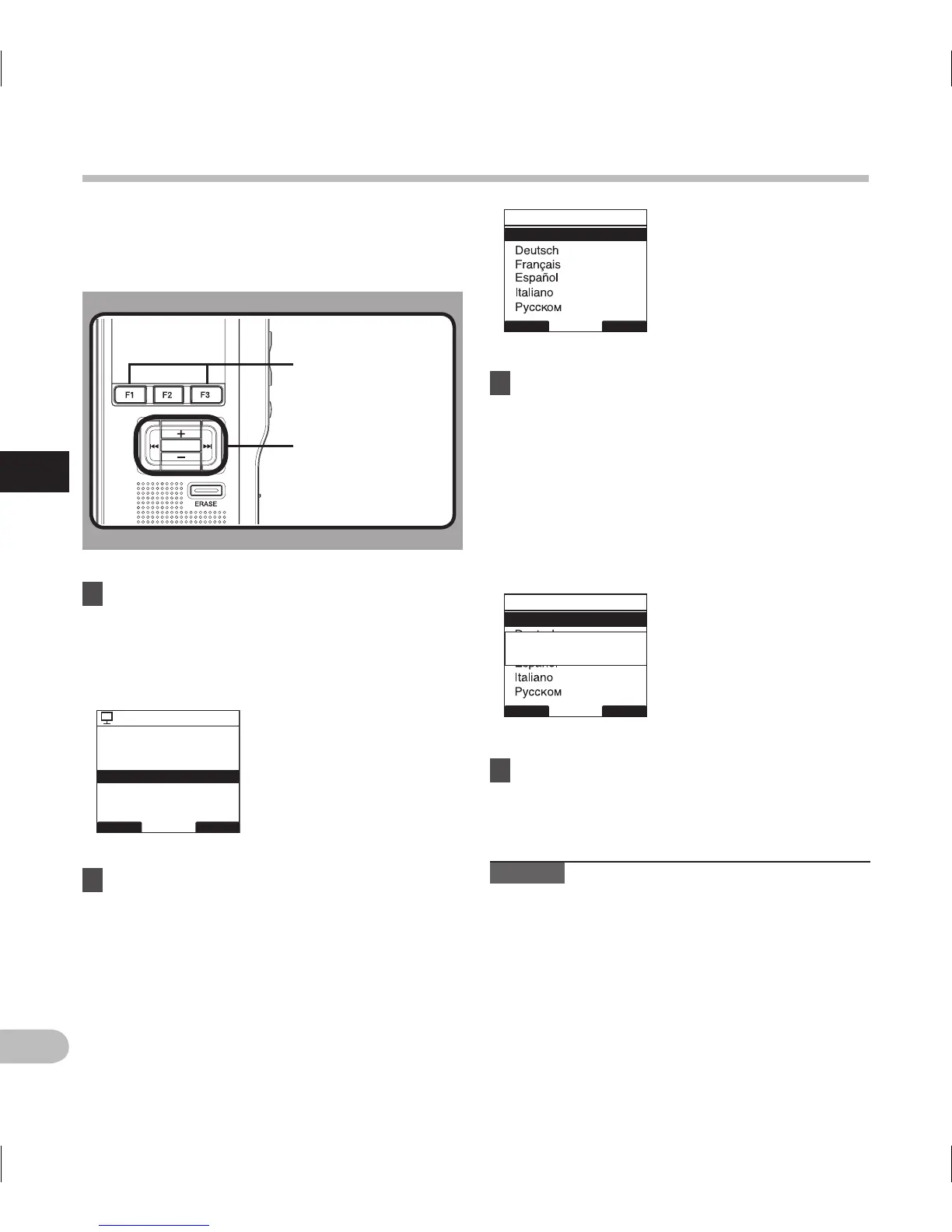
You can select the display language for this recorder.
The selectable language varies depending on the
countries where the product was purchased.
1 Select [
Language
] at the [
Display Menu
]
screen, then press the
PLAY/OK
or 9
button.
• Refer to P.41 regarding each menu item
settings.
3 Press the
PLAY/OK
button to complete
the setting.
• The displayed language is changed and will
return to the [Display Menu] screen.
• If you press the 0 or F1 (BACK) button the
setting will be cancelled and it will return to
the [Display Menu] screen.
• Pressing the F3 (EXIT) button will cancel the
contents being set and take you out of the
MENU.
4 Press the
F3
(
EXIT
) or 0 button to
close the menu screen.
Note
• The selectable language varies depending on the
countries where the product was purchased.
2 Press the
+
or
–
button to set the
language.
[English]: Displays in English.
[Deutsch]: Displays in German.
[Français]: Displays in French.
[Español] : D i s p l a y s i n S p a n i s h .
[Italiano]: Displays in Italian.
[Русском]: Displays in Russian.
PLAY/OK
PLAY/OK
button
+, −
button
9
,
0 button
F1, F3
button
BACK EXIT
Display Menu
Backlight
12
LED
Contrast
Language
BACK EXIT
Language
English
BACK EXIT
Language
English
Setting
fixed



 To Next Page