56
Chapter 3 Installation and Connection of the Workstation
OLYMPUS CAPSULE ENDOSCOPE SYSTEM
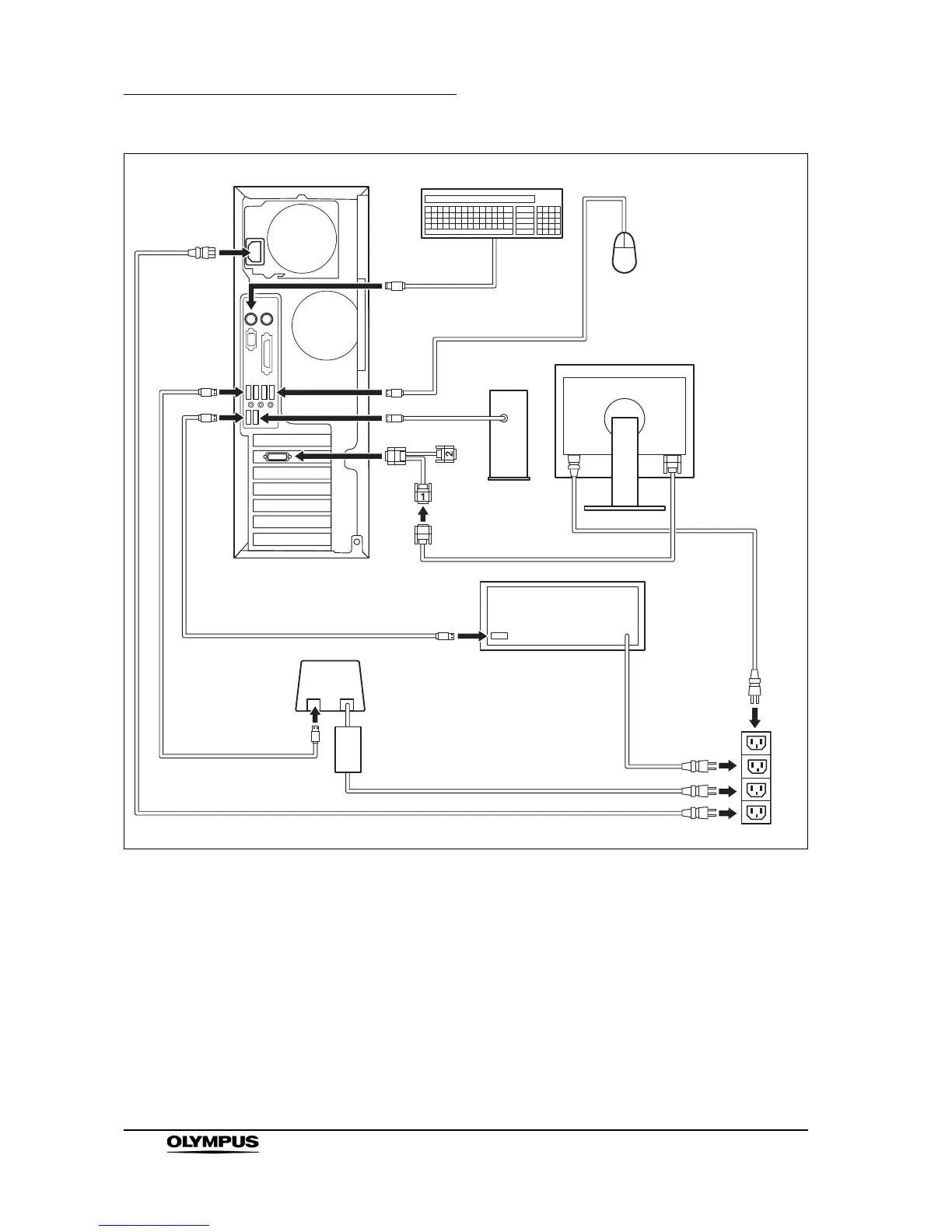
Figure 3.1
1. Connect the LCD monitor to the workstation.
2. Connect the keyboard and the mouse to the corresponding cable connector
on the back panel of the workstation (see Figure 3.1).
3. Connect the printer to the workstation.
4. Prepare the printer according to the instruction manual of the printer.
5. Connect the power supply cables for the workstation, LCD monitor, printer,
USB HDD, and recorder unit cradle.
Workstation (back panel)
Keyboard
Printer
LCD monitor
AC Power Outlet
Recorder unit cradle
Mouse
USB HDD
Conversion cable







 To Next Page