710.1760.00.04-05 22/05/2014
35
No. Device
status
Alarm
code
Alarm de-
scription
Possible cause Recommended remedy Restore (*)
2
Fan and
compressor
are not
working,
pump is
working
P1 P2
P3 P4
One of the
probe is defec-
tive
Probe can be defective or
not well connected
Check connection and in case
change probe
A
3
Unit is
working
A13
Maintenance
circuit 1 only on
request
Service on unit is required
due to length of work
Contact a refrigerant technician
M
A15
Maintenance
circuit 1 only on
request
Service on unit is required
due to length of work
Contact a refrigerant technician
M
(*) A After fault rectification system is automatically restored to standard setting – M Alarm function restored by settings made on the
control unit, procedure as described below.
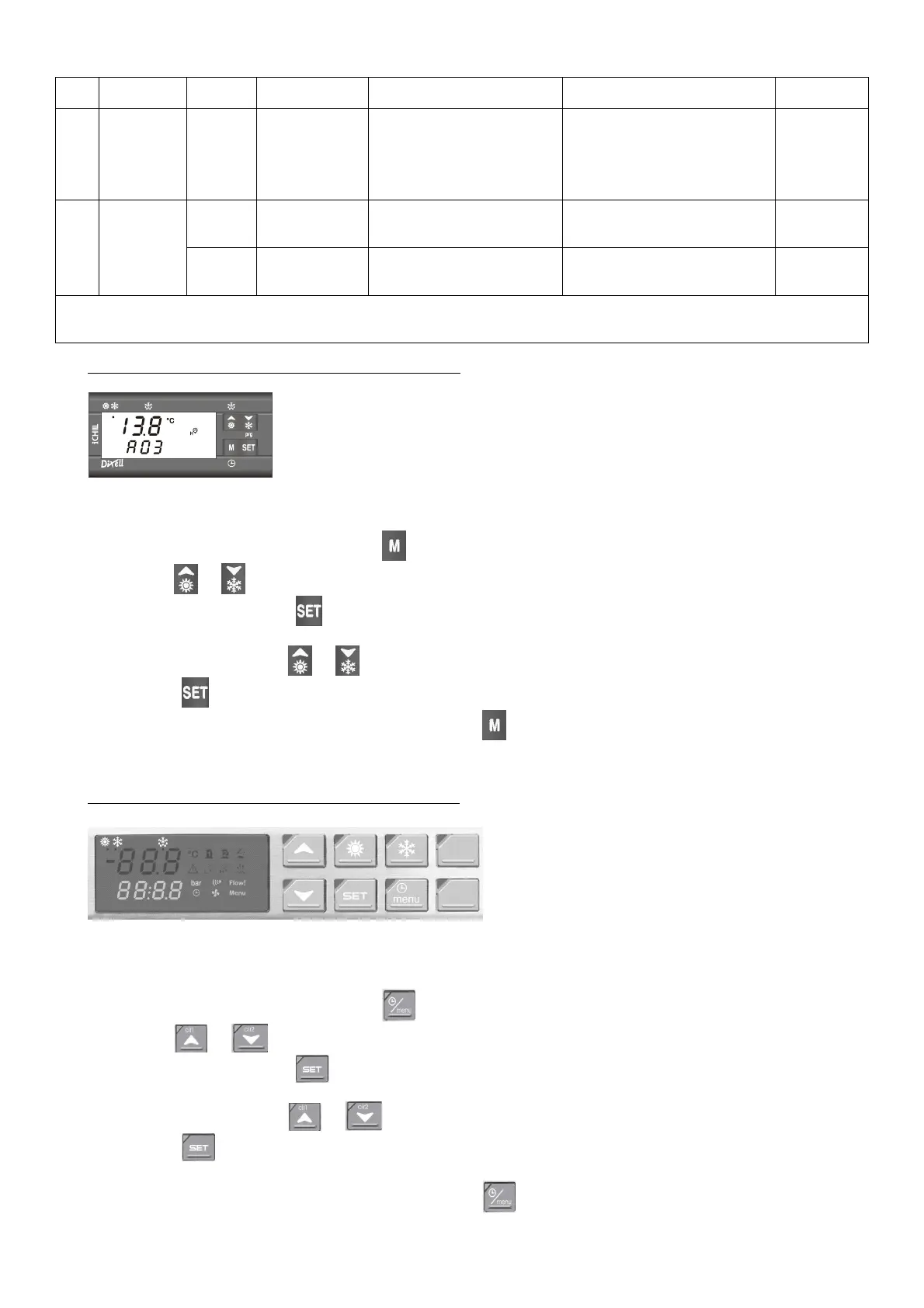
HOW TO RESET AN ALARM EVENT (CONTROLLER TYPE “B”)
Controller Type “B”
(CHW 29 to CHW 149;
CHO 29 to CHO 149;
CHG 24 to CHG 100)
1) Enter the function Menu by press key .
2) Use or keys to find the “ALrM” label.
3) Push and release the key, the lower display shows the alarm code.
4) Upper display: rSt label if the alarm can be reset, NO label if it is not possible (cause of alarm is
still persisting). Use or keys to scroll the alarm list.
5) Push key, when rSt is lighted, to reset the alarm, after a while it will move to the next alarm.
6) To exit the function menu push and release the key or wait the time-out. The “menu” icon
disappears.
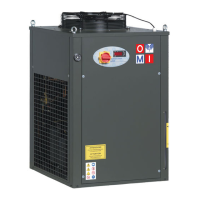
HOW TO RESET AN ALARM EVENT (CONTROLLER TYPE “E”)
Controller Type “E”
(CHW 162 to CHW 602;
CHG 140 to CHG 180)
1) Enter the function Menu by press key .
2) Use or keys to find the “ALrM” label.
3) Push and release the key, the lower display shows the alarm code.
4) Upper display: rSt label if the alarm can be reset, NO label if it is not possible (cause of alarm is
still persisting). Use or keys to scroll the alarm list.
5) Push
key, when rSt is lighted, to reset the alarm, after a while it will move to the next
alarm.
6) To exit the function menu push and release the key or wait the time-out. The “menu” icon
disappears.



 To Next Page