SOFTWARE INSTALLATION
2 Software Installation
3
Introduction
Your Omnifi is powered by an integrated, easy-to-use software application called
SimpleCenter. SimpleCenter combines all of the features and functions required to
manage and discover digital media and to make that digital media available to all Omnifi
products including the Omnifi Digital Media Player and Omnifi Digital Media Streamer.
SimpleCenter includes a CD converting function (you can create MP3 files from your
CDs) as well as a powerful Media Library, including a playlist editor, for organizing
your digital media.You can also select media from a variety of Internet information and
music services and experience it all on your existing home entertainment equipment.
Use
SimpleCenter to organize all of your music and Internet media.
System Requirements
Your computer must meet the following requirements:
• Computer with Pentium II 400Mhz or faster processor
• Windows® 98SE™,Windows Me™,Windows 2000™,Windows XP™
• Minimum 128MB RAM (256 MB recommended)
• Minimum 75 MB of available hard drive space
• CD-ROM drive for installation
• Computer monitor configured for more than 256 colors
STEP 1 Installing SimpleCenter Software
To install SimpleCenter software on your computer:
1. Insert the Omnifi SimpleCenter CD-ROM into your CD-ROM drive.
The SimpleCenter installation program automatically begins installing
SimpleCenter. If the installation program does not automatically start,
browse to your CD-ROM drive (usually the D: drive) in “My Computer”
on your desktop, and double-click SETUP.EXE.
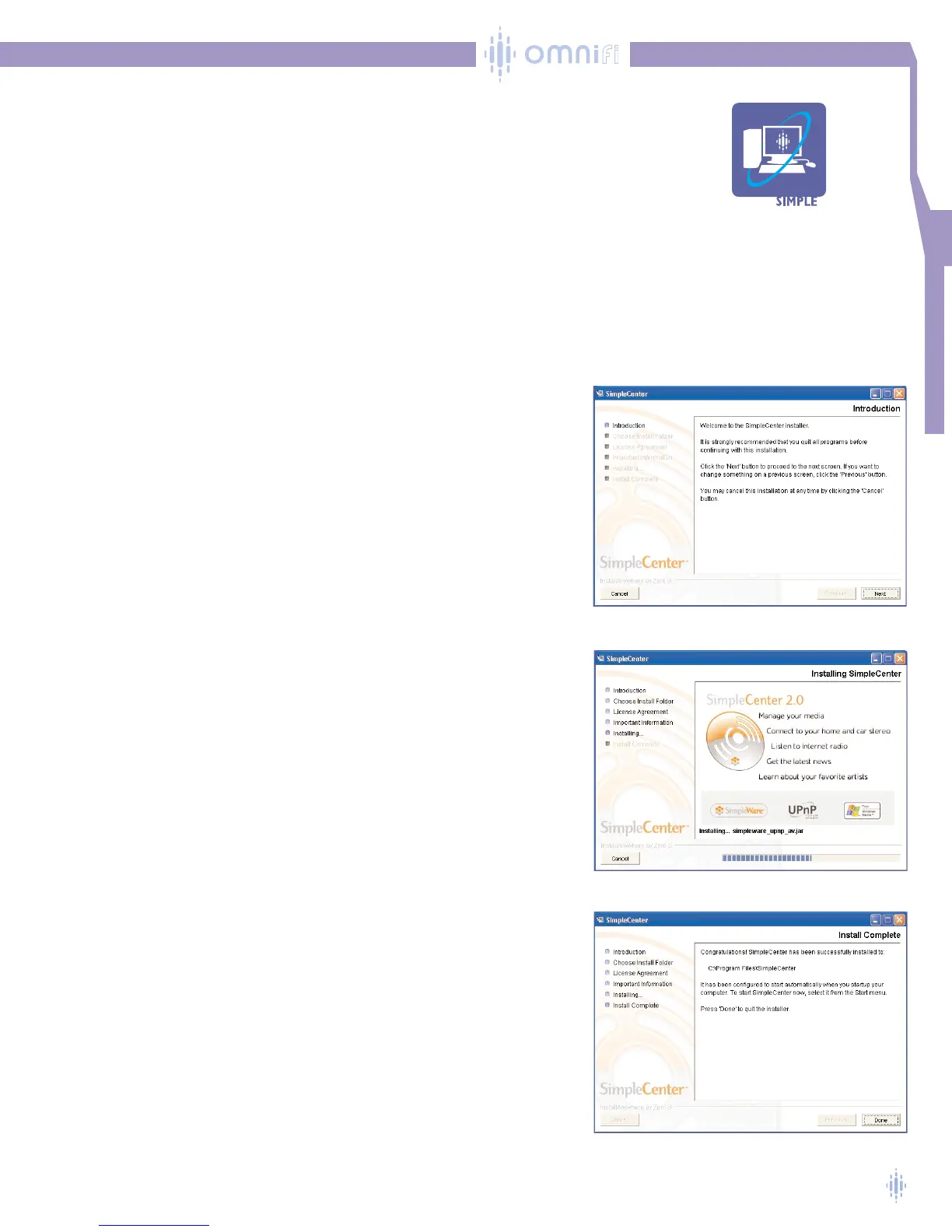
2. SimpleCenter installation dialog box launches and loads the SimpleCenter
installer, figure 1. Click Next to begin installation.
3. Follow the instructions in the dialog boxes.To install SimpleCenter,you’ll
need to accept the terms of the End User License Agreement by clicking
Next.Then, click the Install button to continue. SimpleCenter displays
figure 2 while installing software files on your PC.
4. When SimpleCenter finishes installing the files, click Done, figure 3.
5. Now you’re ready to use
SimpleCenter to manage your media.
SimpleCenter will have the basic items for using your Omnifi. Chapter 5 will
discuss using all the features SimpleCenter has to offer. For now, let's connect
the Omnifi Digital Media Streamer (DMS) to your system.
Figure 1
Figure 2
Figure 3



 To Next Page