CONNECTING THE OMNIFI DIGITAL MEDIA STREAMER
4
STEP 2 Connecting the Omnifi Digital Media Streamer
Omnifi™ Digital Media Streamer connects to your stereo via line level inputs. It
connects to your PC via a local area network.The Omnifi DMS includes an Ethernet
adapter. If you already have a Wi-Fi (802.11b) home wireless network, Omnifi can
be used with an integrated Wi-Fi wireless network adapter.This manual includes
instructions for setting up the Omnifi DMS for both Ethernet and WiFi.
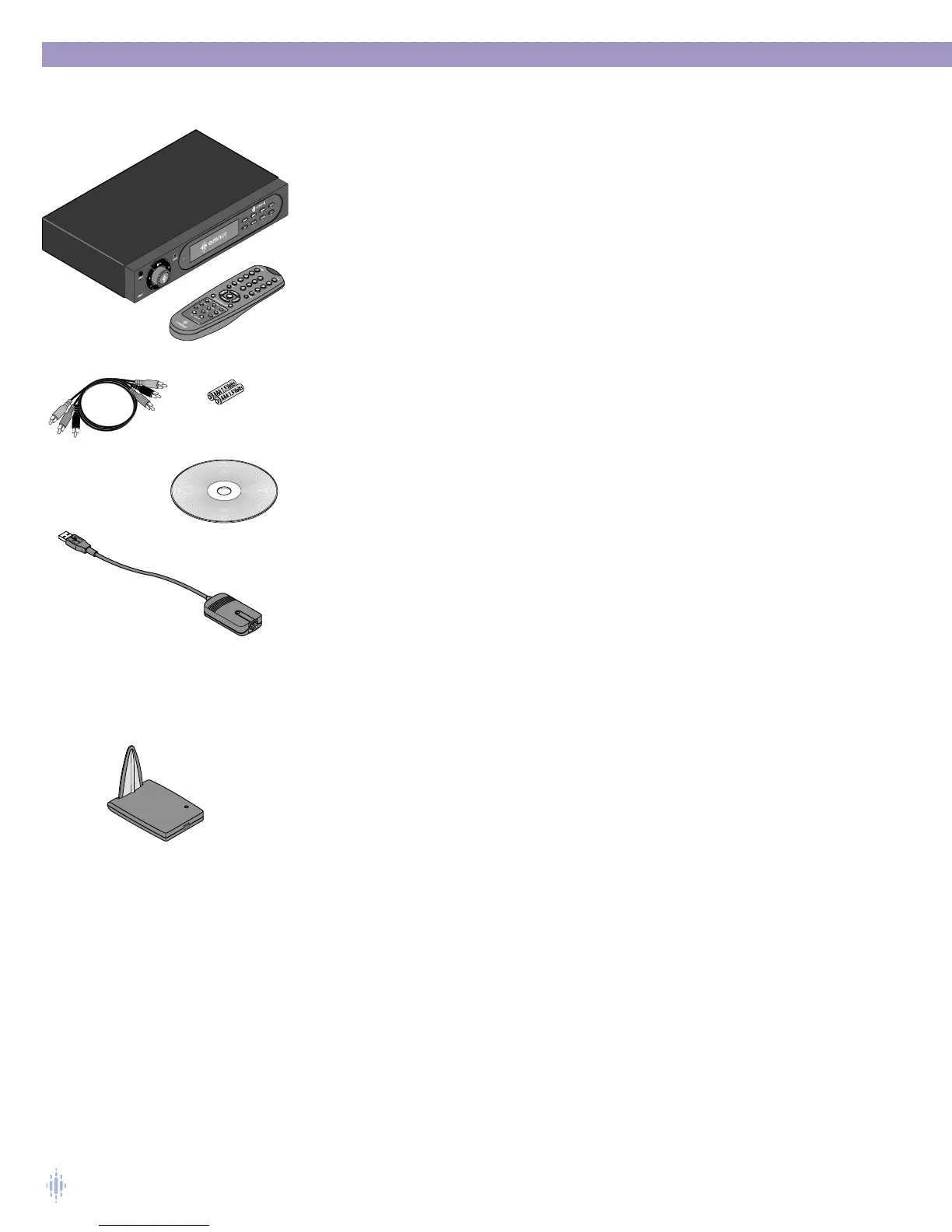
The following items are packaged with the Omnifi Digital Media Streamer:
• Omnifi Digital Media Streamer
• Omnifi USB-to-Ethernet adapter
• Omnifi remote control
• 2 AAA batteries
• RCA audio/composite video cable
• SimpleCenter™ CD-ROM
• Quick Start Guide
• User Manual
NOTE: A Wi-Fi Network Adapter can be purchased separately.
Remote Battery Installation
1. Remove the battery cover on the back of the remote.
2 Install two (2) AAA batteries with the polarities correct as show by the diagram
inside the battery compartment of the remote.
NOTE: Do not mix new and old batteries or different kinds of batteries.To avoid
corrosion, remove the batteries if the remote control will not be used for
one month or more. Remove dead batteries immediately to avoid damage
from corrosion.
Before proceeding, please observe the following precautions.
• Do not plug in the power cord until all other connections have been made.
• Always refer to the instructions that came with the component that you are
connecting to for specific procedures, warnings and options.
• For all analog connections, the red input jacks (R) are used for the right channel,
white input jacks (L) are used for the left channel, and yellow input jacks (V) are
used for the composite video connection.
• Make sure to insert all plugs and connectors securely. Improper connections can
result in noise, poor performance, or damage to the equipment.
• Do not bundle audio/video connection cables with power cords and speaker
cables. Doing so may adversely affect the picture and sound quality. For example,
run all the power cords down one side of the cabinet, all the signal cords down
the other side, and the speaker wires down the center.
2 AAA Batteries
CD-ROM
Remote
Omnifi
Digital Media
Streamer
USB to
Ethernet
Adapter
Optional
WiFi Adapter
RCA Cable



 To Next Page