PLAYING MUSIC
12
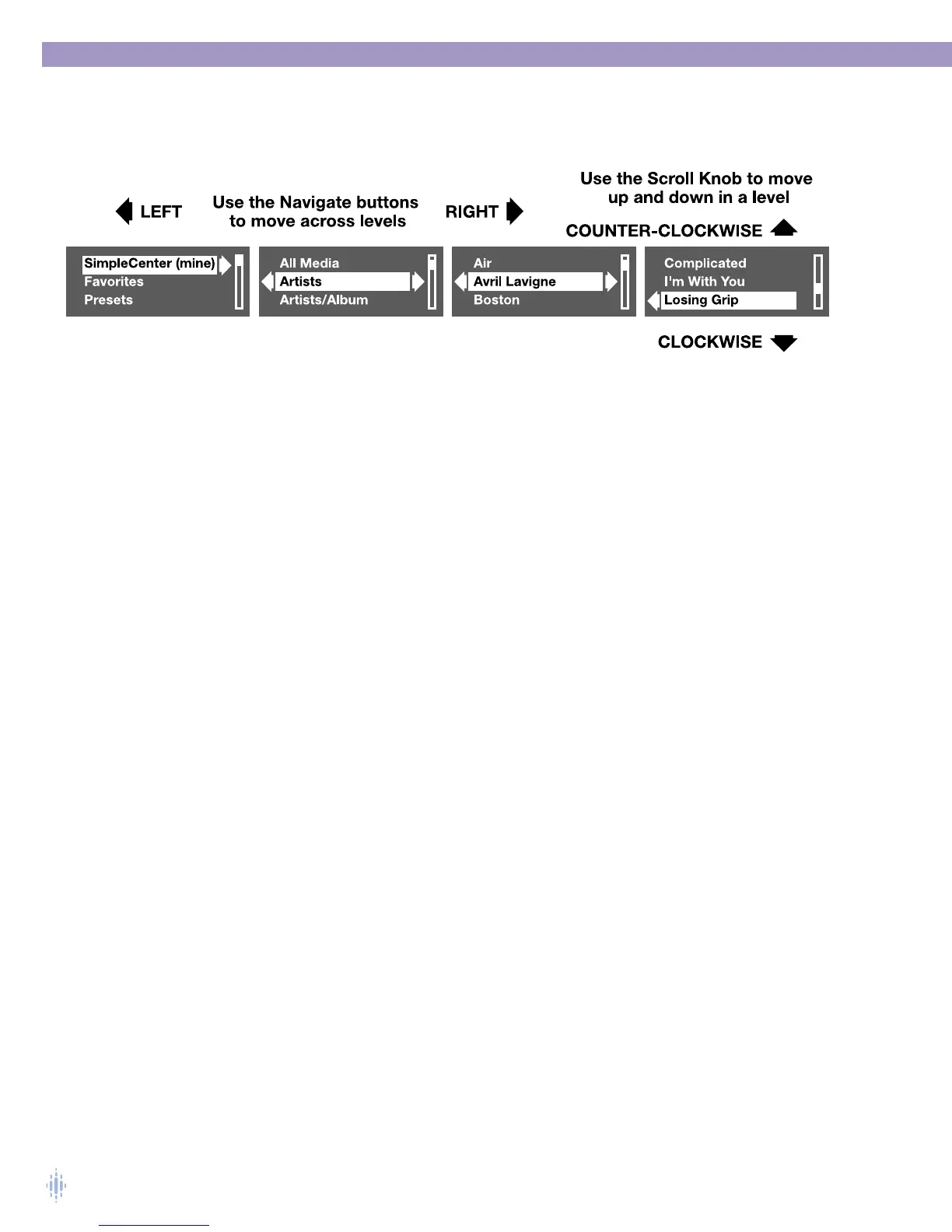
The Right Navigate or Select button is used to move down a level.The Left Navigate
button is used to move up to a higher level category. Figure 16 shows how to browse
using the Omnifi controls.
You can navigate through the categories of the
Media Library (All Media,Artists,
Artist/Album, Albums, Genres, Playlists) and also navigate within a category to individual
artists, albums, playlists, and tracks, as shown above. Omnifi also allows you to
configure settings, build a Favorites Playlist, and program Presets.
Items shown on the Omnifi display at the Media Library level match the contents
of the left pane in the Media Library tab of your SimpleCenter (All Media, Artists,
Artist/Album, Albums, Genres, Playlists) PC application. For information on how
SimpleCenter automatically organizes your music, see Chapter 5.The following is a list
and description of the options in the Media Library level on the Omnifi:
All Media A list of all your tracks in alphabetical order
Artist A list of all artists with tracks on your PC.
By activating the Select or Right Navigate button with the highlight is
on a specific artist, you will move down one level to a list of all of the
tracks of that artist in alphabetical order.
Artist/Album A list sorted by artists and by album.
By activating the Select or Right Navigate button with the highlight is
on a specific artist, you will move to a list of all of the albums then to
tracks sorted in alphabetical order.
Album A list of all albums.
If you navigate into the Album level by activating the Select or Right
Navigate button, and activate the button again with the highlight on a
specific album, you will move down one level to a list of the tracks on
that album.
Genre A list of all the music genres represented by tracks
on your PC.
If you select Genre and then activate the Select or Right Navigation
button with the highlight on a specific genre, you will move down one
level to a list of all the tracks of that genre in alphabetical order.
Playlists This level is a playlist group.
Playlists that you make or import using SimpleCenter are accessible
here by using the Select or Right Navigate button.
Using SimpleCenter, you can rename this level, or make other
custom-named playlist groups that contain playlists.
Figure 16



 To Next Page