2 Installation and connection
2-2 Connecting the equipment
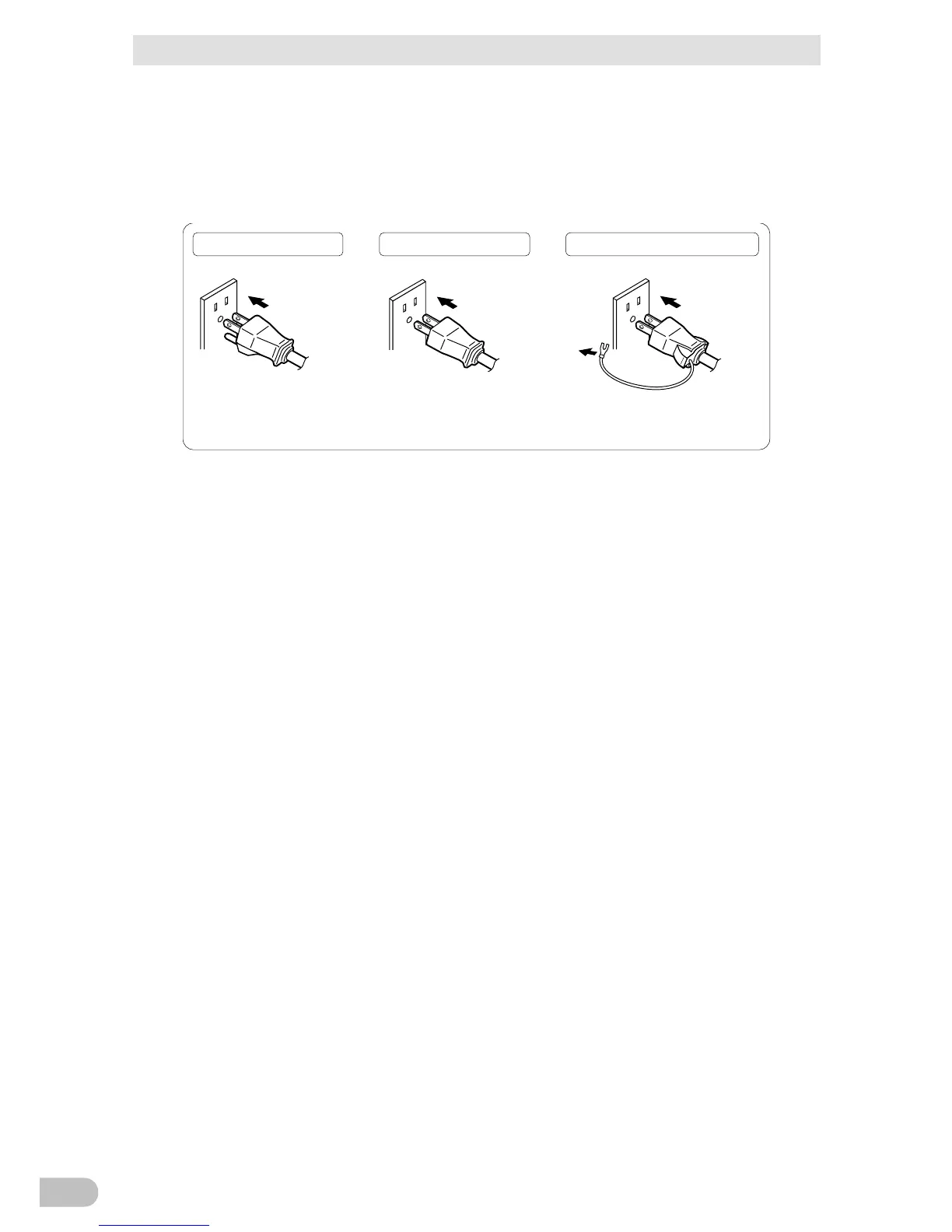
・ When the connected device has a 2-pin AC input plug, it can be connected directly to
the power supply output receptacle. When using a 2-pin input plug with a grounding
wire, connect the grounding wire to earth in building.
・ When you want to use an AC adaptor, connect it to a Power Supply Output Receptacle
of the UPS with space enough for the connection.
Connect it directl
y. Connect it directly. Connect the plug directly.
Plug of connected
device
Plug of connected
device
Plug of connected
device
Connect the grounding wire of
connect devices to Input surge
protection GND of the UPS.
Connect the grounding wire to
Input surge protection GND of the
UPS.
3. When using the UPS monitoring software, use the included RS232C cable. When using
the Windows standard UPS service or the contact signal, use the rated connection
cable (BUC26) to connect the PC.
* See also "5 To perform shutdown processing of the devices when a power failure occurs", and
"6 Using the contact signal functions"
Note: If you do not use the UPS monitoring software and Contact Signal, this step is not required.
BA75T/BA100T/BA100R
30



 To Next Page