4 Replacing the battery
4-2 Replacing the battery
4-2-2 Procedure for replacing the battery
For cautions when replacing the battery of the UPS, refer to “Caution for battery
replacement)” shown in the "Safety precautions" of the beginning of this manual.
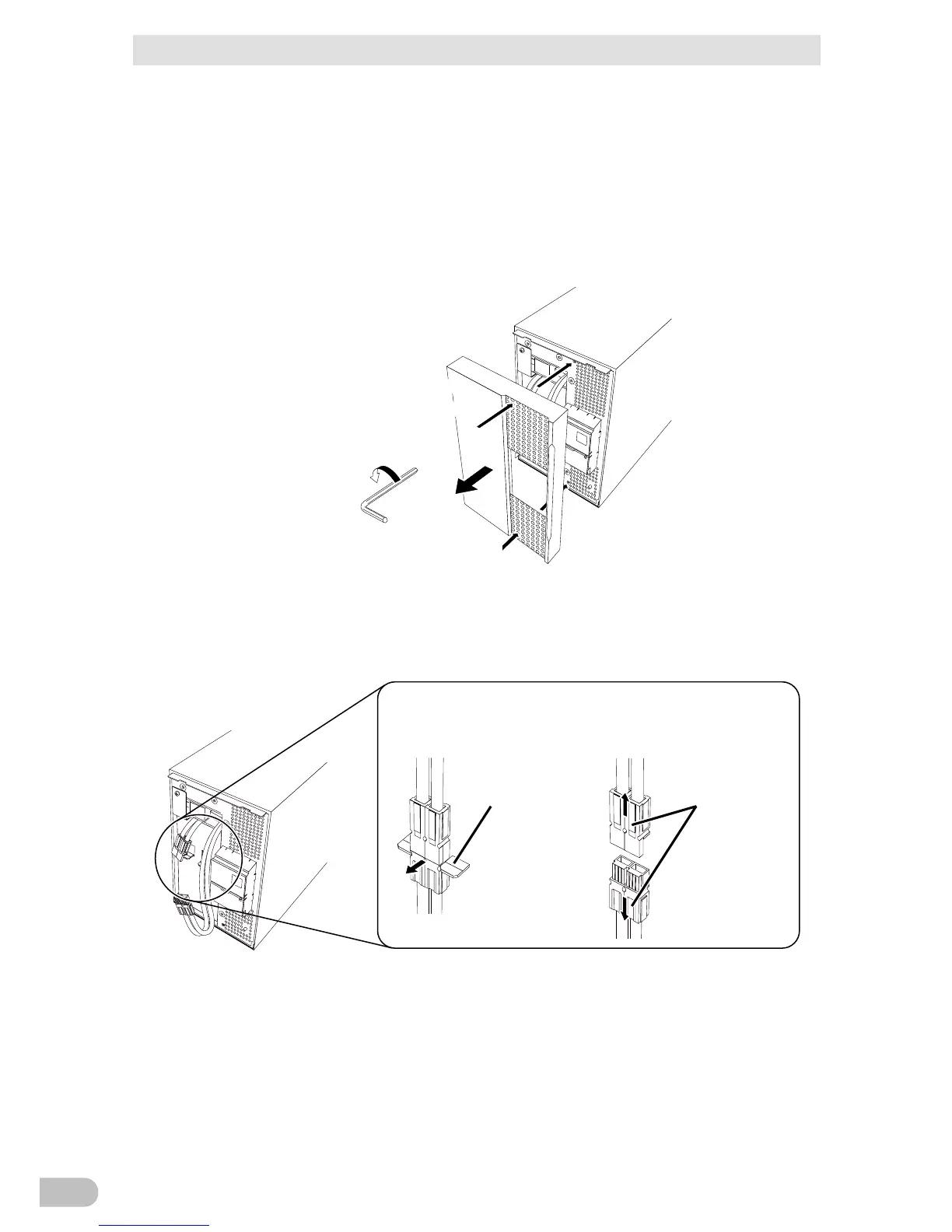
■ BA75T/BA100T
1. Use a hex screwdriver or wrench to loosen (turn counterclockwise) the 2 screws at the
top of the front panel of the unit, until they turn freely. (1
Lift the front panel up and pull toward you to remove. (2
2. Remove the battery cable from the cable holder. (1
Hold the battery connector, and pull the connectors apart. (2



 To Next Page