3 Check and start operation
3-2 Checking the operation
3-2 Checking the operation
When you finish connecting the unit, check that the Battery Mode is performed normally
according to the following procedure.
1. Press the unit’s “Power” switch to turn ON the power.
When the power turns on, the beeper sounds and self diagnosis starts automatically.
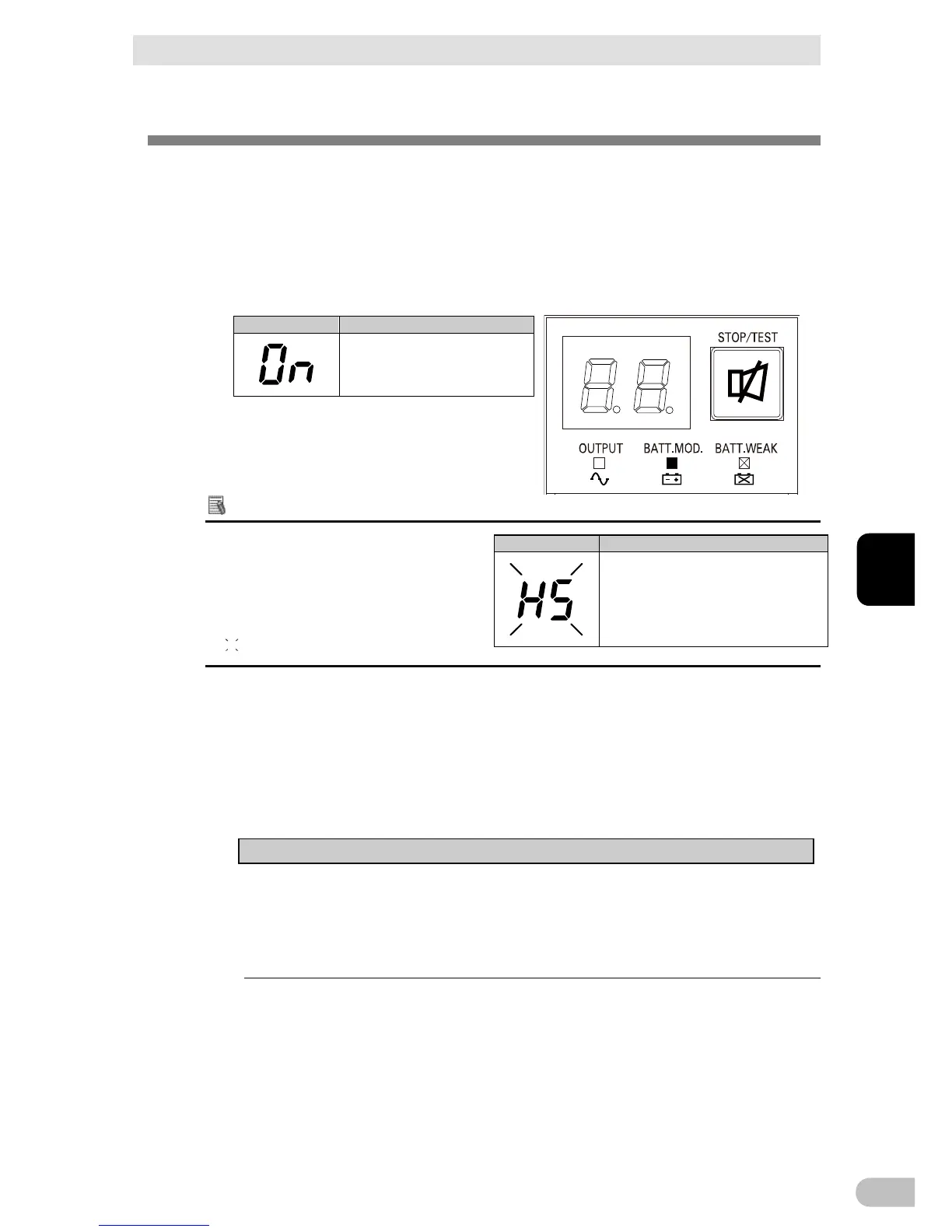
2. When the self-diagnosis test finishes normally, the unit’s operation switches to
commercial power and the status indication below is displayed.
Additional Information
When the battery capacity is lower than
the setting, the following display appears
on 7 segment LED.
(
indicates blinking)
3. Bring all the connected devices into operation. (Including devices connected to the AC
outlet of your PC.)
However, operate the connected devices in a way that allows the power supply to be
stopped at any time.
Note
● The UPS has been charged prior to shipment. However, if it is left for a long
period of time, it may have self-discharged.
We recommend charging the UPS before using it. When you connect it to a
commercial power source, battery charging automatically starts regardless of the
ON/OFF state of the “Power” Switch and charging completes within 8 hours.
Battery charge is low, so the unit is
waiting to start up.



 To Next Page