3 Check and start operation
3-3 Start and stop procedures and basic operation
■ Operation when using
You may either leave the “Power” switch of the unit ON (operation status) or turn it OFF
each time when stopping the connected system. Choose whichever operation method is
more convenient.
We recommend turning OFF the “Power” switch when you do not use connected devices
for a long time.
The battery can be charged once the AC input terminal is connected to a commercial
power source.
■ Operation after a power failure
・ If a power failure or abnormal input power supply occurs, the UPS automatically
switches to Battery Mode, continuing power output from the Power Supply Output
Receptacles and output terminal block supplied from the battery.
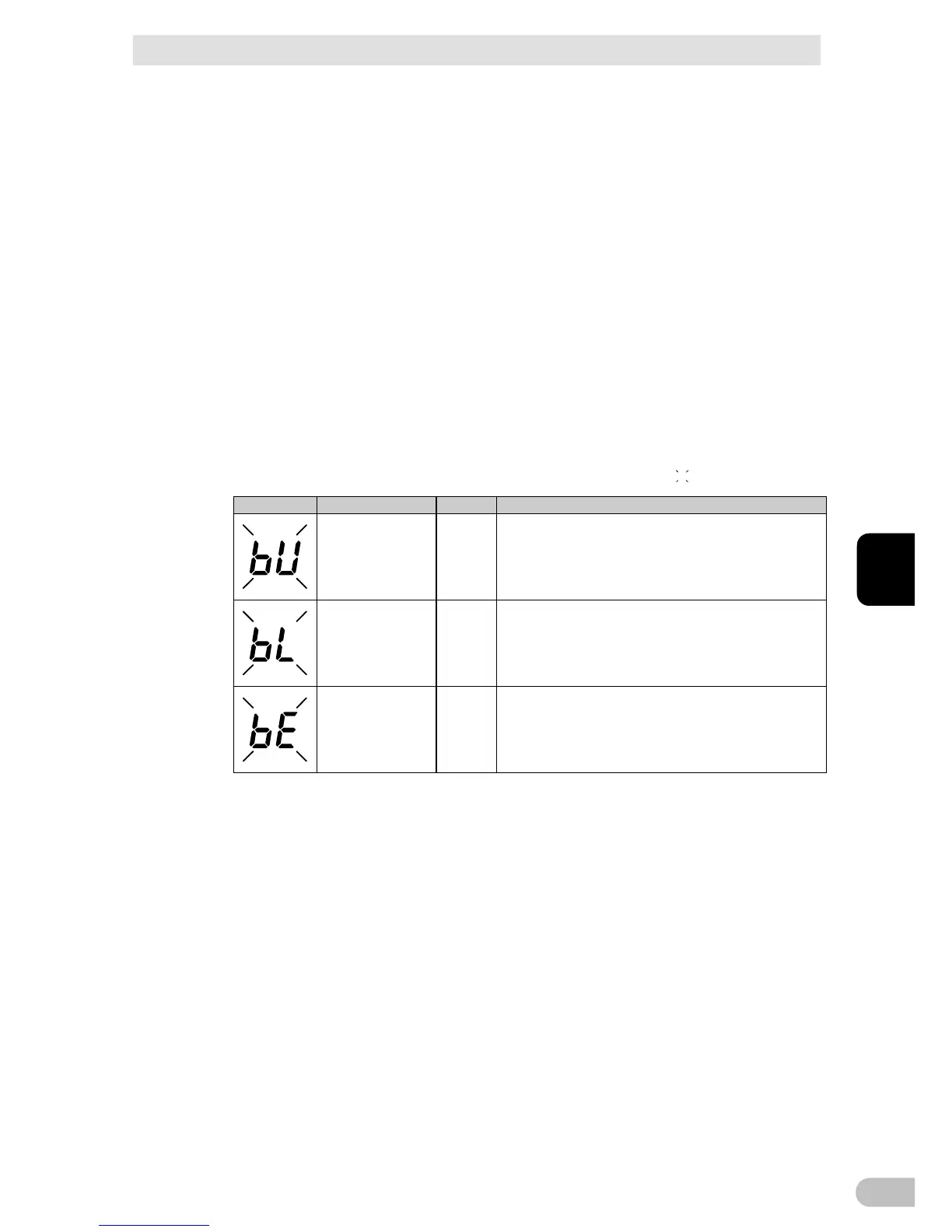
・ The status is displayed and the beeper sounds intermittently to alert the user.
See also “Setting” switch 1 can be used to turn the beeper ON/OFF.
(
indicates blinking)
Intermittent
4-second intervals
ON Backup is operating due to power failure or AC input error.
Output will stop if Battery Mode continues.
Intermittent
1-second intervals
ON Backup is operating due to power failure or AC input error.
Battery level is low, so output will stop soon.
None OFF Battery is dead, so output stopped.
■ Operation when a power failure is recovered
● When charge of the battery remains
The unit automatically resumes output via commercial power if it recovers from a power
failure/input power supply error while Backup is operating. The spent battery starts
charging.
● When charge of the battery does not remain
If a power failure or abnormal power input is resolved after the battery is discharged
completely and power output is stopped, the UPS restarts automatically and resumes
power output. The expended battery begins to charge.
BA75T/BA100T/BA100R
45
3



 To Next Page