Chapter 7: Operator Interface
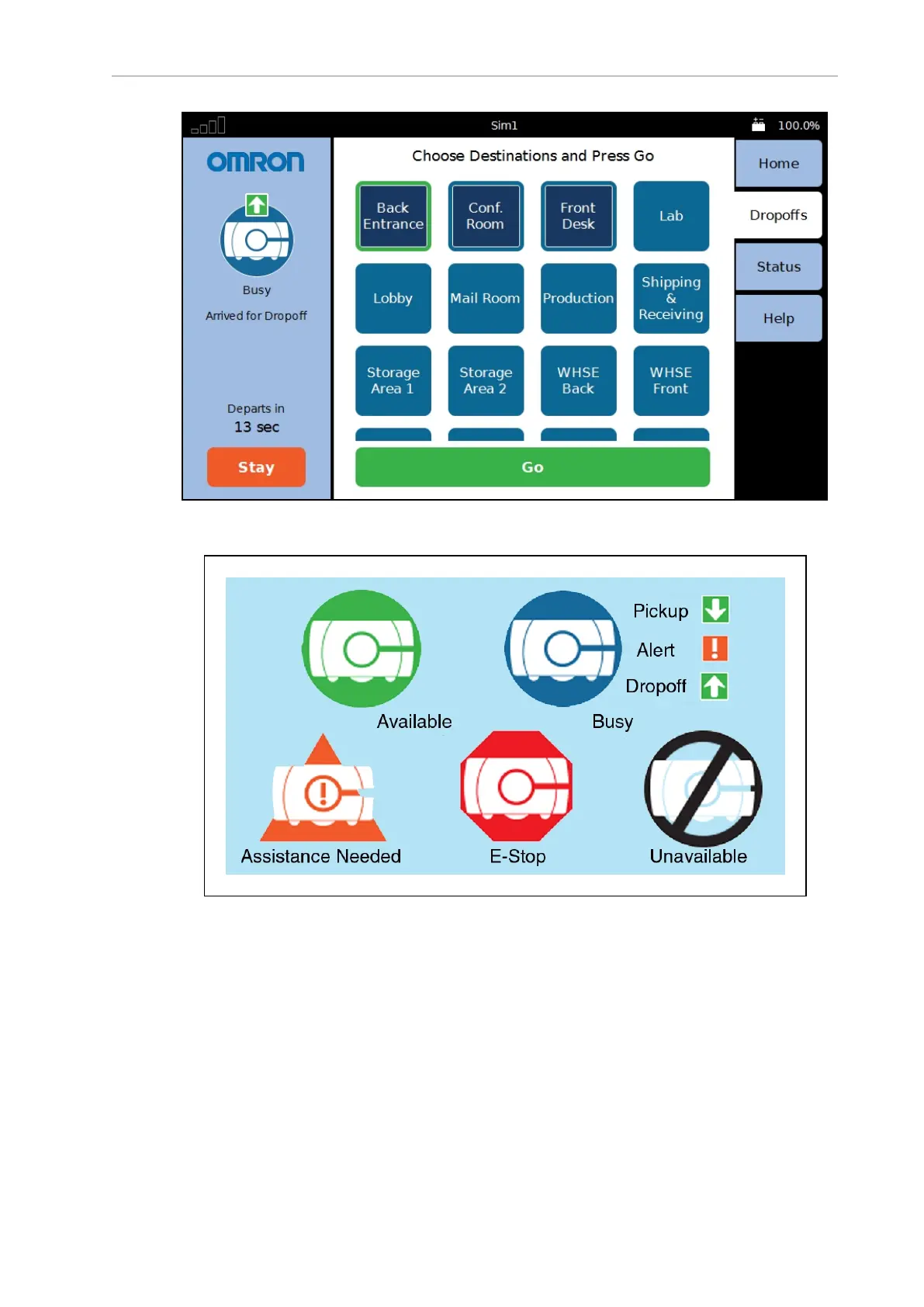
Figure 7-3. Screenshot Showing Top Bar and Left, Right, and Center Panes
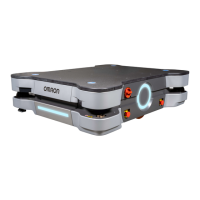
Figure 7-4. LD Platform Cart Transporter Status Icons
NOTE: The Busy icon may also include an arrow pointing down, indicating a
pickup, an arrow pointing up, indicating it is doing a dropoff, or an exclamation
mark, indicating an alert condition. Figure 7-3. shows a dropoff.
The bottom of the left side of the touchscreen provides a Stay button, to delay the departure of
the AMR, and a count-down timer, indicating when the AMR will depart.
14766-000 Rev H LD Cart Transporter User's Manual 113


 To Next Page