68
Special Settings and Communications Settings Section 4-8
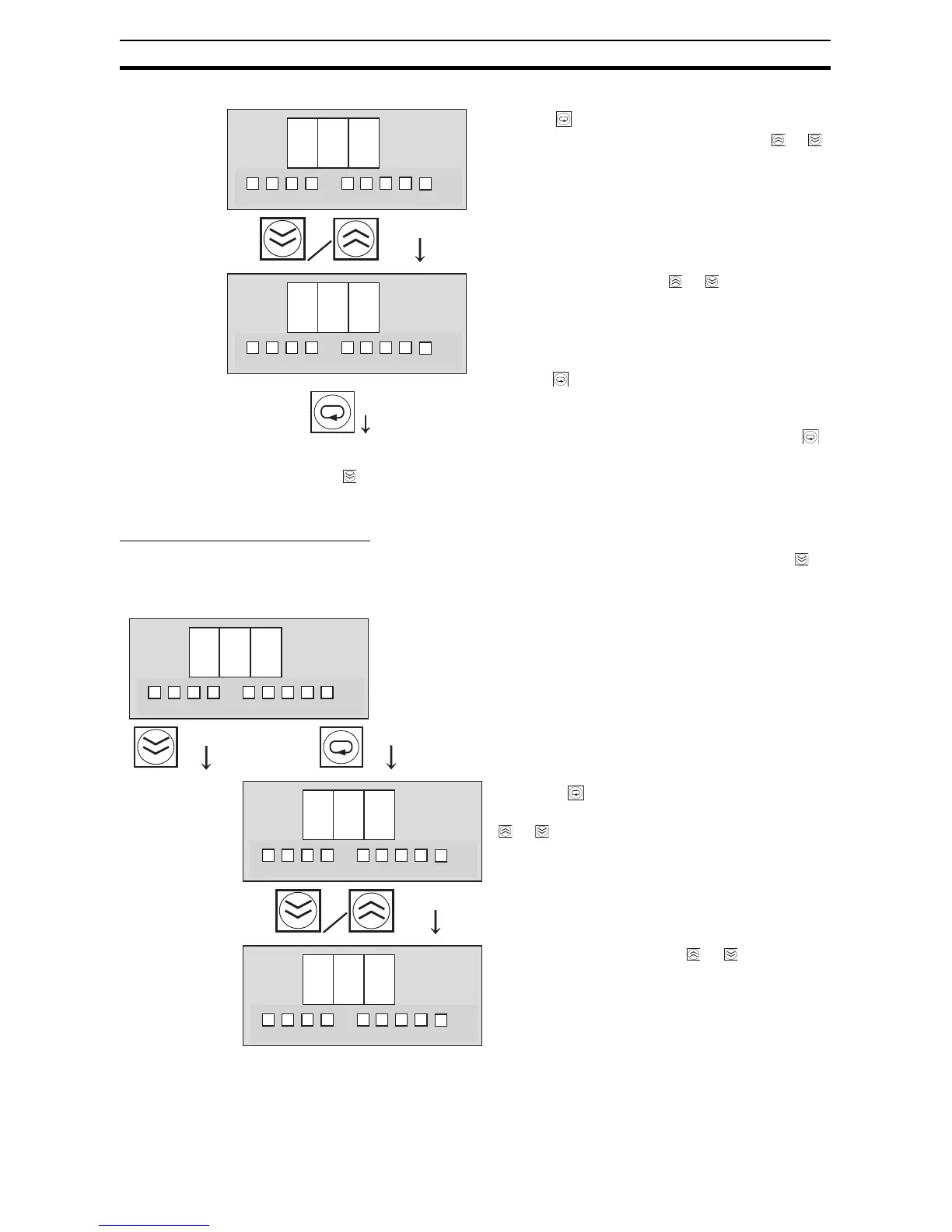
Data Length: LEN (Bit Length)
The data length setting display (LEN) will be displayed if the Down Key ( ) is
pressed from the baud rate setting display (BPS).
9 6
4 8
23
4
°C
kh
V
A
s
1
23
4
°C
kh
V
A
s
1
Switch to the
data length
setting.
Press the Key to display the baud rate setting.
The setting can be changed by pressing t
he or
Key
.
96: 9,600 bps
48: 4,800 bps
Change the setting with the or Key.
The S8M will automatically return to the BPS dis-
play if no key is pressed within 3 s.
When the Key is pressed, the setting will flash.
When the flashing stops, the new setting will be
saved and the S8M will return to the “BPS” display.
If you want to confirm the new setting, press the
Key again from the BPS display.
If the Down Key ( ) is pressed from the “BPS” display, the dis-
play will switch to the data length setting display (LEN).
l e
n
7
8
23
4
°C
kh
V
A
s
1
23
4
°C
kh
V
A
s
1
23
4
°C
kh
V
A
s
1
This parameter sets the data length to 7 or 8 bits.
Press the Key to display the data length set-
ting. The setting can be changed by pressing t
he
or Key
.
7: 7 bits
8: 8 bits
Change the setting with the or Key. The
S8M will automatically return to the LEN dis-
play if no key is pressed within 3 s.
Switch to the
stop bits set-
ting.



 To Next Page