30
SECTION 2
FL Remote ID
RFID System
User's Manual
SECTION 2
Installation, Connections, and Wiring
■ Power Supply Connector
Use the connector that comes with the Unit. You must provide the connecting cable.
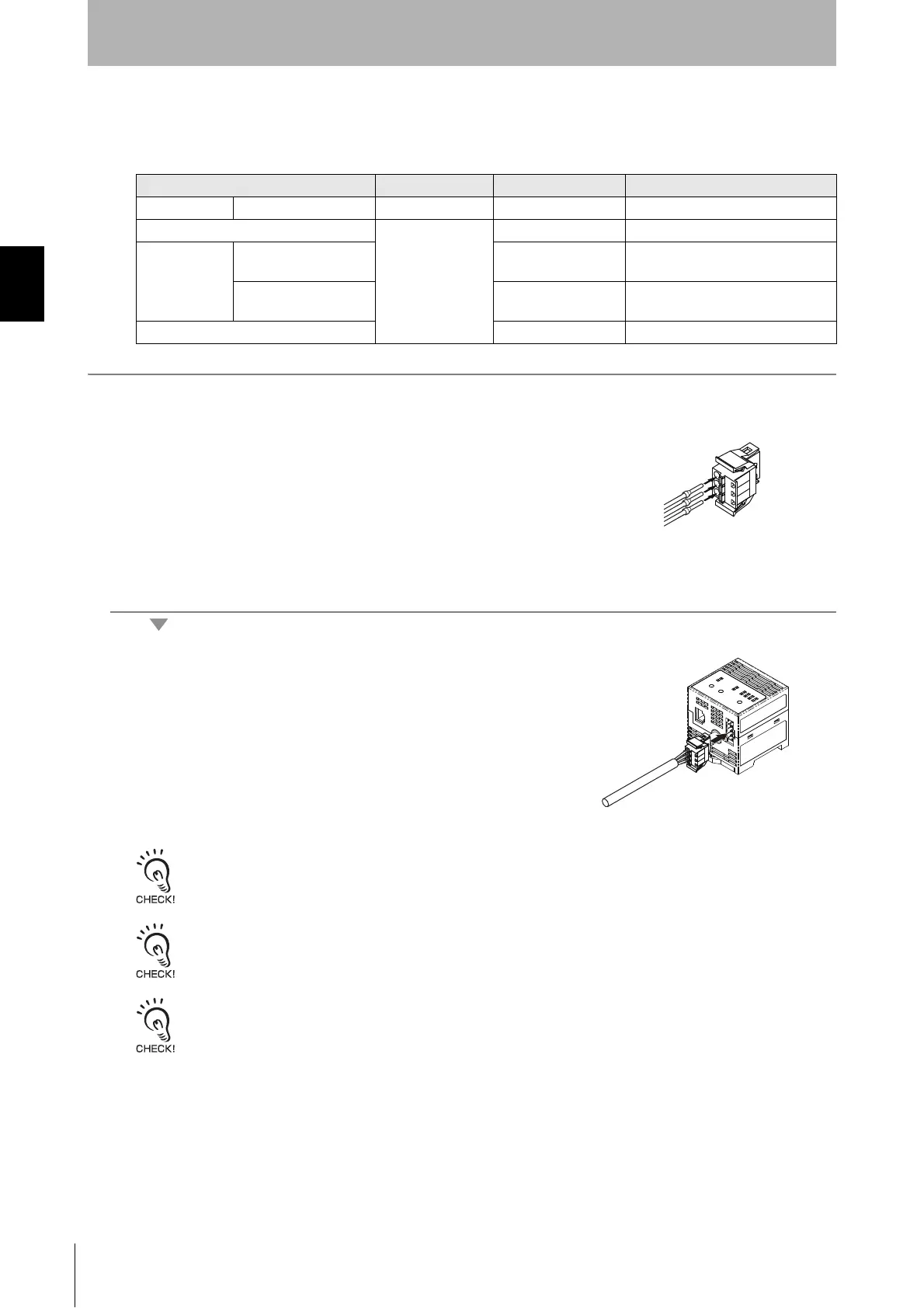
1. Attach the crimp terminals to the sections of the cable where the
sheath has been stripped.
2. Make sure the connector is facing the right direction and insert
each crimp terminal into the correct connector hole.
3. Once all of the cables have been connected to the connector,
attach the connector to the FL Remote ID Unit.
Align the cable connector with the connector on the FL Remote ID Unit. Hold the
connector body and push the connector firmly into place.
Removing the Connector
Remove the connector by pressing in on the lock on the cable connector to release the lock and pulling the connector
straight out. If the connector is difficult to remove, press on the FL Remote ID Unit while pulling on the connector.
Do not connect cables to the connector after attaching the connector to the FL Remote ID Unit.
Use the recommended Power Supply (S8VS-03024, OMRON).
Brand Model Note
Cable Power line --- --- 1.0 mm
2
(equivalent to AWG18)
Connector
Phoenix Contact
FKC2.5/3-ST-5.08-RF ---
Crimp Terminal When one line is con-
nected to one terminal
AI1-10RD
---
When two lines are con-
nected to one terminal
AI-TWIN21-10RD
---
Crimping Tool CRIMPFOX UD6 ---


 To Next Page