42
SECTION 3
Parameter Settings for FL Remote Communications
RFID System
User's Manual
SECTION 3
Preparations for Communications
Parameter Settings for FL Remote Communications
Set the following link parameters of the JTEKT PLC to enable using the FL Remote ID. Refer to the JTEKT
Master Operation Manual for details on how to set the Link No., Slot No., and Link Module Name.
Use JTEKT PCwin Ver 8.** Programming Tool to set the parameters of the FL Remote ID.
Communications Transmission Bytes
The number of communications transmission bytes for the FL Remote ID is shown in the following
table.
Example Settings
This section describes the parameters that can be set with PCwin.
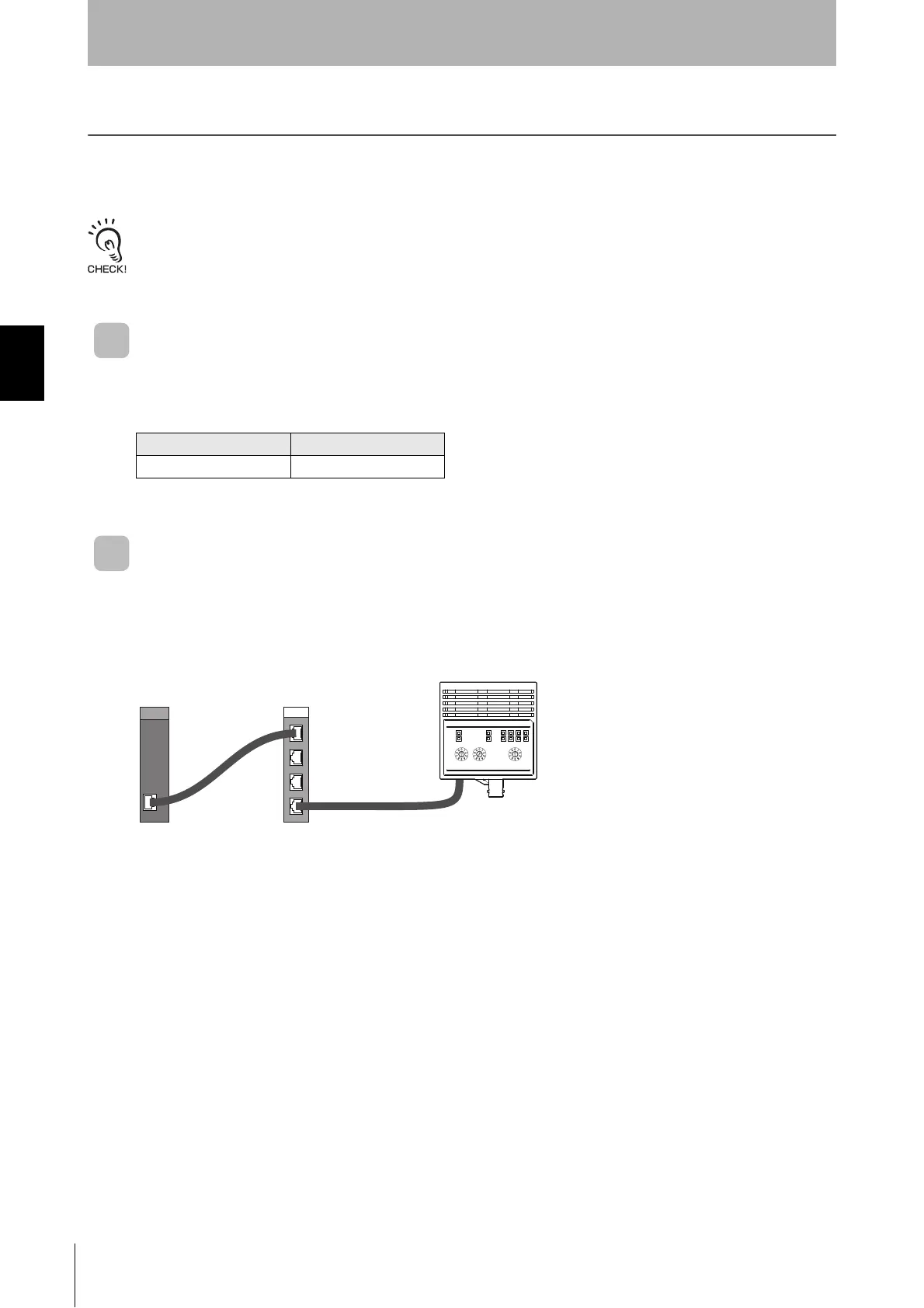
■ Example of System Configuration
■ I/O Module Settings
Select I/O Module from the PCwin Parameter Menu and select the rack number and slot number
where the Module is installed.
Click the Settings Button in the I/O Module Dialog Box and select the following settings for the I/O
Module.
• Module Type: (R) Special/Communications
• Module Name: FL Remote M
■ Link Parameter Settings
Select Link Parameter from the parameter menu and select the program number and link number.
Click Link Settings in the Link Parameter Settings Dialog Box. Select the following Link Module name.
• Link Module Name: FL Remote M
No. of input bytes No. of output bytes
88


 To Next Page