EasyManua.ls Logo

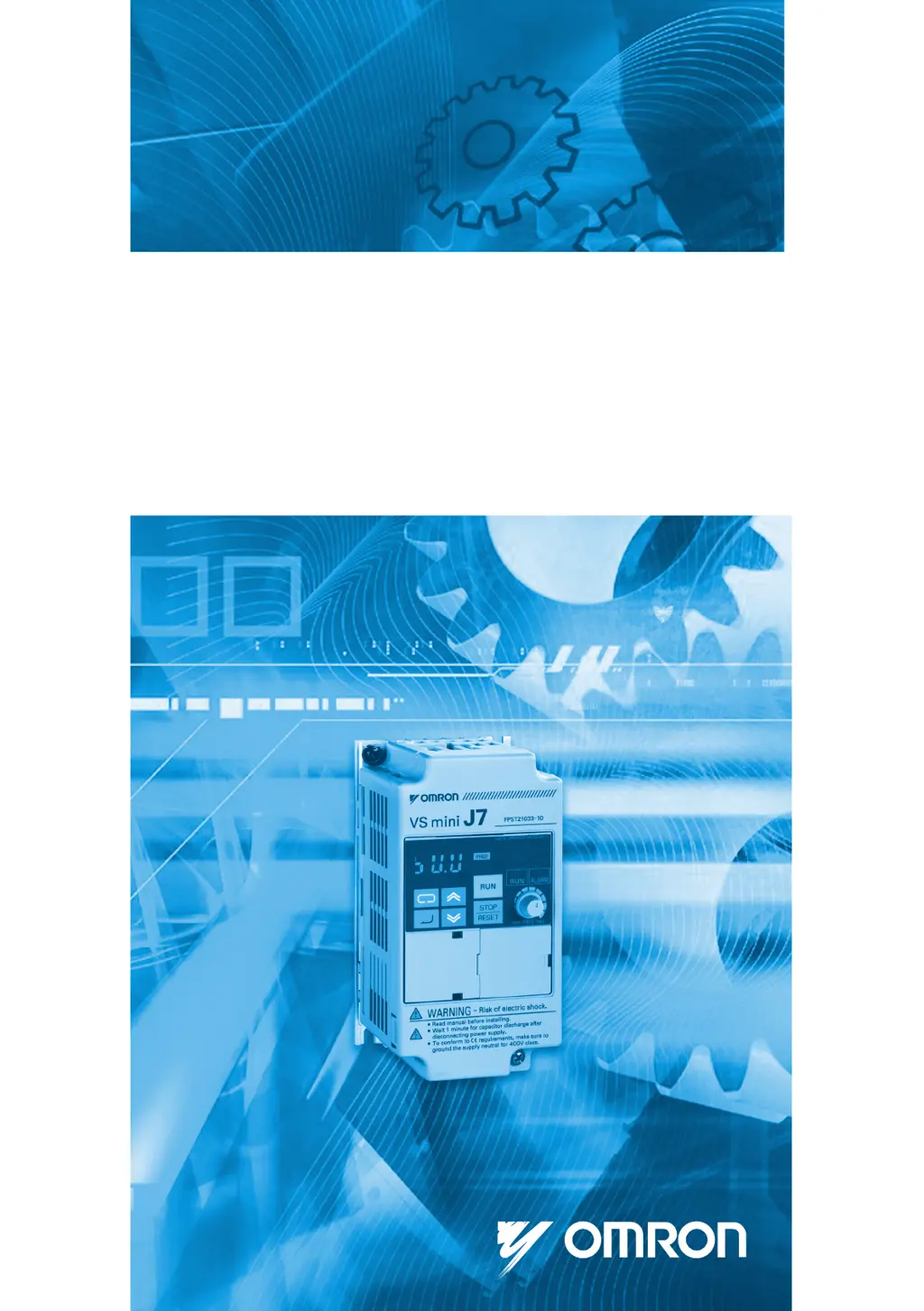
Omron VS mini J7 - User Manual

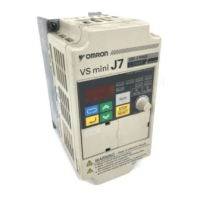
Omron VS mini J7
177 pages
Print Icon
To Next Page IconTo Next Page
Loading...
Compact General Purpose Inverter

Manual No.
I63E-EN-01
OMRONYASKAWAMOTIONCONTROLB.V.Wegalaan652132JDHoofddorpTheNetherlands
phone:+
31(0)235687400fax:+31(0)235687488www.omronyaskawa.com
Note: Specificationssubjectto change withoutnotice.
ManualNo. I63E-EN-01
 
Manual No. I63E-EN-01

Table of Contents

Questions and Answers

  • L
    Lindsey WashingtonJul 27, 2025
    How to fix Omron Inverter when the motor doesn't operate with an external signal?
    • J
      Jenna PittsJul 28, 2025
      If the motor doesn't operate when an external operation signal is input, several factors could be at play. Ensure the run command (n02) is set to 'Control Circuit Terminal' if you're using that method. If a 3-wire sequence is active, verify the S2 control terminal is closed or switch to a 2-wire sequence by adjusting the multi-function input (n37). Also, confirm that the input frequency reference exceeds the minimum output frequency (n14), and that local mode is not enabled by setting the LO/RE selection to 'RE'. Finally, for analog input, check that the frequency reference (n03) and SW settings are correctly configured.
  • R
    Robert PorterAug 11, 2025
    What to do if the Omron VS mini J7 motor stops and there's no torque?
    • S
      shanegonzalezAug 11, 2025
      If the Omron Inverter motor stops and no torque is output, it could be due to a few reasons. The stall prevention level during acceleration (n56) or running (n57) might be set too low, causing the output current to halt the output frequency. Check if these settings are appropriate. Alternatively, if the load is too heavy, stall prevention might be activated. In this case, you can lengthen the set acceleration time (n16) or reduce the load.
  • A
    Andrew JohnsonAug 19, 2025
    How to troubleshoot Omron Inverter when the digital operator won't turn on?
    • M
      Michael SchmidtAug 19, 2025
      If the digital operator does not turn ON, check if the power is being supplied. The breaker or other component on the power input side may not be turned ON.
  • H
    hpattonNov 4, 2025
    Why is the motor speed unstable in my Omron VS mini J7?
    • K
      Karen YoungNov 4, 2025
      Unstable motor speed in your Omron Inverter, especially with a light load, can stem from several causes. The stall prevention level during running (n57) might be too low, causing the output current to affect speed. The load could be too heavy, activating stall prevention. A high carrier frequency could also cause fluctuations, so try decreasing the carrier frequency (n46). If the V/f set value is too high for low-speed operation, adjust the V/f settings (n09 to n15) according to the load characteristics. Ensure that the maximum and base frequencies are set according to the motor specifications. This inverter should not be used for operations at 1.5 Hz or less. Unstable analog reference input with noise interference can also be a factor, so increase the set value for the filter time constan...

Summary

CHAPTER 1 Overview

1-1 Function

Describes the features, benefits, international standards compliance, and ease of use of the J7 Inverter.

1-2 Nomenclature

Details the names and functions of the inverter's panel components and digital operator.

CHAPTER 2 Design

2-1 Installation

Provides installation details, including dimensions and installation conditions for various models.

2-2 Wiring

Explains wiring precautions, terminal blocks, and connection methods for main and control circuits.

CHAPTER 3 Preparing for Operation and Monitoring

3-1 Nomenclature

Details the names and functions of the inverter's digital operator components and display.

3-2 Outline of Operation

Provides an overview of the inverter's operation, including selecting indicators and examples of settings.

CHAPTER 4 Test Run

4-1 Procedure for Test Run

Step-by-step guide for installing, wiring, connecting, checking status, and testing the inverter.

4-2 Operation Example

Illustrates examples of power connection, display status checks, initializing parameters, and setting motor current.

CHAPTER 5 Basic Operation

5-1 Initial Settings

Explains essential initial parameter settings for operating the inverter, such as write-prohibit and rated motor current.

5-2 V;f Control

Details how to set the V/f patterns for adjusting motor torque and performance based on frequency.

5-3 Setting the Local;Remote Mode

Describes how to set the inverter for local or remote operation modes using the digital operator or inputs.

5-4 Selecting the Operation Command

Explains how to select input methods for operation commands like RUN, STOP, and direction control.

5-5 Setting the Frequency Reference

Guides on setting the frequency reference using various methods, including digital operator and analog inputs.

5-6 Setting the Acceleration;Deceleration Time

Details how to set acceleration and deceleration times, including trapezoidal and S-shape characteristics.

5-7 Selecting the Reverse Rotation-prohibit

Explains how to enable or disable the reverse rotation command for systems that prohibit it.

5-8 Selecting the Interruption Mode

Specifies the inverter's behavior upon receiving a STOP command, choosing between deceleration or coasting.

5-9 Multi-function I;0

Covers the configuration and use of multi-function input and output terminals for flexible control.

5-10 Analog Monitor Output

Explains how to set up analog monitor outputs for frequency or current, including gain adjustments.

CHAPTER 6 Advanced Operation

6-1 Setting the Carrier Frequency

Guides on setting the carrier frequency for motor control, noise reduction, and performance tuning.

6-2 DC Injection Braking Function

Explains the DC injection braking function for motor stopping and control.

6-3 Stall Prevention Function

Details the stall prevention functions for decelerating, accelerating, and running conditions.

6-4 Overtorque Detection Function

Covers the overtorque detection function to protect the motor from excessive load and torque.

6-5 Torque Compensation Function

Explains how to increase motor torque by detecting load changes and setting compensation gain.

6-6 Slip Compensation Function

Describes the slip compensation function for improving speed accuracy under load conditions.

6-7 Other Functions

Covers various other advanced functions and parameter settings like motor protection and fault retry.

CHAPTER 7 Communications

7-1 RS-422;485 Communications Unit

Details the specifications, dimensions, and mounting of the RS-422/485 communications unit.

7-2 Inverter Settings

Covers inverter settings related to communications, including time-over, unit selection, and slave address.

7-3 Message Communications Basic Format

Explains the format of message data (DSR/response) and the MODBUS communications protocol.

7-4 DSR Message and Response

Details the format and examples of DSR messages for data read/write and loop-back tests.

7-5 Enter Command

Describes the Enter command used for copying parameter set values to EEPROM for persistent storage.

7-6 Setting the Communications Data

Guides on converting and setting register data, including negative values and unused bits, for communications.

7-7 Register Number Allocations in Detail

Provides a detailed list of register numbers and their functions for I/O, monitoring, and commands.

7-8 Communications Error Codes

Lists common communications error codes and their probable causes and remedies for troubleshooting.

7-9 Self-diagnostic Test

Explains how to perform a self-diagnostic test for the RS-422A/485 communications function.

CHAPTER 8 Communications

8-1 Protective and Diagnostic Functions

Details fatal error detection, probable causes, and remedies for inverter faults like OC, OV, and UV.

8-2 Troubleshooting

Provides guidance for diagnosing and resolving common inverter and motor operational issues.

8-3 Maintenance and Inspection

Outlines daily and periodic inspection procedures and safety precautions for maintaining the inverter.

CHAPTER 9 Specifications

9-1 Inverter Specifications

Presents comprehensive technical specifications for various inverter models, including power, output, and control characteristics.

9-2 Specifications of Accessories

Details the specifications for optional accessories like adapter panels, communication units, fans, and cables.

9-3 Option Specifications

Provides specifications for optional accessories such as EMC-compatible noise filters and their dimensions.

CHAPTER 10 List of Parameters

CHAPTER 11 Using the Inverter for a Motor

Omron VS mini J7 Specifications

General IconGeneral
ModelVS mini J7
CategoryInverter
Output Frequency0.1 to 400 Hz
Input Voltage200-240V AC
Output Voltage3-Phase 200 to 240 VAC
Rated Output CurrentVaries by model
Overload Capacity150% for 60 seconds
Control MethodSinusoidal PWM
Protection FeaturesOvercurrent, overvoltage, undervoltage, overheating, short circuit
Operating Temperature-10°C to +50°C
Storage Temperature-20°C to +65°C
Ambient Humidity95% RH or less (non-condensing)
AltitudeUp to 1000m
Vibration5.9 m/s² or less

Related product manuals