EasyManua.ls Logo

Omron VARISPEED F7 - User Manual

Omron VARISPEED F7
389 pages
Print Icon
To Next Page IconTo Next Page
Loading...
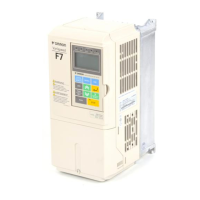
VARISPEED F7
Vector Control Frequency Inverter
USER’S MANUAL
Cat. No..
TOE--S616-55.2-OY

Table of Contents

Other manuals for Omron VARISPEED F7

Questions and Answers

  • M
    Michael SimpsonSep 12, 2025
    What causes Er-09 Accelerate on Omron Inverter?
    • J
      james59Sep 13, 2025
      If your Omron Inverter displays an Er-09 Accelerate error, and the motor did not accelerate in the specified time, increase the acceleration time and torque limits. If the motor is connected to the machine, disconnect it.
  • S
    Sean WoodsAug 25, 2025
    What should I do if my Omron Inverter is showing an OV DC Bus Overvolt error?
    • S
      Shelly HughesAug 25, 2025
      If your Omron Inverter displays an OV DC Bus Overvolt error, it indicates that the DC bus voltage has exceeded the overvoltage detection level. You can increase the deceleration time or connect a braking option. Also, check the power supply and decrease the voltage to meet the inverter’s specifications. Finally, check the braking chopper and resistor.
  • C
    Caitlin MannAug 25, 2025
    What does OL1 Motor Overload mean on my Omron VARISPEED F7 Inverter and how to fix it?
    • J
      john66Aug 26, 2025
      If your Omron Inverter is showing an OL1 Motor Overload error, it means the inverter’s I²t value exceeded the motor overload curve. Recheck the cycle time and the size of the load as well as the accel/decel times. Check the V/f characteristics. Also, check the setting of Motor Rated Current Setting.
  • K
    Kristina NunezSep 23, 2025
    What does OPE010 V/f Ptrn Setting mean on my Omron VARISPEED F7?
    • D
      Dustin MccormickSep 23, 2025
      If your Omron Inverter displays an OPE010 V/f Ptrn Setting error, check parameters. A frequency/voltage value may be set higher than the maximum frequency/voltage.
  • J
    Jamie PageSep 13, 2025
    What does CPF00 COM- ERR(OP&INV) mean on my Omron Inverter?
    • L
      Leslie GarciaSep 14, 2025
      If your Omron Inverter displays a CPF00 COM- ERR(OP&INV) error, disconnect the Digital Operator and then connect it again. Cycle the Inverter power supply. If the issue persists, replace the Inverter.
  • K
    Katherine GilmoreSep 23, 2025
    What does End-3 Rated FLA Alm mean on my Omron VARISPEED F7 Inverter?
    • C
      Caitlin BaileySep 23, 2025
      If your Omron Inverter displays an End-3 Rated FLA Alm error, check the motor rated current value.
  • A
    anthonymanuelSep 6, 2025
    What does CF Out of Control mean on my Omron VARISPEED F7?
    • N
      nheathSep 6, 2025
      If your Omron Inverter displays a CF Out of Control error, it indicates a control fault where a torque limit was reached continuously for 3 seconds or longer during a deceleration stop in Open Loop Vector control. Check the motor parameters.
  • A
    ambermyersSep 7, 2025
    What causes a PUF DC Bus Fuse Open error on an Omron VARISPEED F7 Inverter?
    • F
      Francisco TaylorSep 7, 2025
      If your Omron Inverter displays a PUF DC Bus Fuse Open error, it means that the fuse in the main circuit is blown. Check the motor and the motor cables for short circuits or insulation failures (phase-to-phase). Replace the inverter after correcting the fault.
  • P
    paul15Sep 23, 2025
    What does UV2 CTL PS Undervolt mean on my Omron Inverter?
    • A
      alexisrobertsSep 23, 2025
      If your Omron Inverter displays an UV2 CTL PS Undervolt error, remove all connection to the control terminals and cycle the power to the Inverter. Replace the Inverter.
  • K
    Kaitlyn SantosAug 31, 2025
    What causes DEV Speed Deviation on Omron Inverter?
    • T
      tthomasAug 31, 2025
      If your Omron Inverter displays a DEV Speed Deviation error, and the speed deviation has been greater than the setting, reduce the load and lengthen the acceleration and deceleration time. Check the mechanical system and the settings. Also, check the sequence and if the brake is opened when the inverter starts to increase the speed.

Summary

Handling Inverters

Varispeed F7 Introduction

Introduces the Varispeed F7 series, its applications, and available models.

Checking and Controlling the Installation Site

Provides guidelines for selecting and controlling the installation site for optimal conditions.

Wiring

Connection Diagram

Shows the overall connection diagram of the inverter and its main circuits.

Wiring Main Circuit Terminals

Details applicable wire sizes and closed-loop connectors for main circuit terminals.

Wiring Control Circuit Terminals

Covers wire sizes and connections for control circuit terminals.

Digital Operator and Modes

Digital Operator

Describes the displays and functions of the digital operator, including keys and status indicators.

Modes

Explains the inverter's modes and how to switch between them.

Trial Operation

Trial Operation Procedure

Outlines the step-by-step procedure for performing trial operation and basic settings.

Trial Operation

Details procedures for application confirmation, power ON, and checking display status.

User Parameters

User Parameter Tables

Lists user parameters, their descriptions, setting ranges, and control method compatibility.

Parameter Settings by Function

Application and Overload Selections

Explains setting Heavy/Normal Duty modes and their impact on carrier frequency and overload.

Troubleshooting

Protective and Diagnostic Functions

Describes fault detection, alarm detection, operator programming errors, and auto-tuning faults.

Troubleshooting

Provides guidance for troubleshooting parameter setting or motor operation issues.

Maintenance and Inspection

Specifications

Standard Inverter Specifications

Lists standard inverter specifications by capacity and model.

Specifications by Model

Provides detailed specifications for 200V and 400V class inverters, including electrical data.

Omron VARISPEED F7 Specifications

General IconGeneral
Cooling MethodForced air cooling
Input Voltage200-240V AC (3-phase), 380-480V AC (3-phase)
Control MethodV/f control, Sensorless vector control
Frequency Range400 Hz
Communication ProtocolsDeviceNet, Profibus DP
Overload Capacity150% for 60 seconds
Protection FeaturesOvercurrent, overvoltage, undervoltage, overload, short circuit, overheating
Operating Temperature-10°C to +50°C
Storage Temperature-20°C to +65°C
Humidity5% to 95% (non-condensing)
AltitudeUp to 1000m above sea level
DimensionsVaries by model
WeightVaries by model
Braking UnitBuilt-in (for certain models), optional external unit

Related product manuals