FT
-
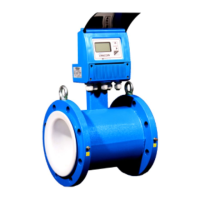
3500 ELECTROMAGNETIC FLOW METER
ONICON Incorporated 727.447.6140 Page 39 onicon.com
Meter Settings:
The user can set Meter Mode to be Unidirectional (for a pipe
with ow in one direction) or Bidirectional (for a pipe with ow
in two directions). Sensor Type is set by ONICON and cannot
be updated in the eld.
Note: Mode Indication on the main screen will indicate
the ow mode status based on the Meter Mode selection.
If bidirectional is selected, the main screen will show
Forward vs Reverse ow depending on the direction of the
measured ow. If the mode is selected as single, the meter
will show forward mode in normal condition and will go to
an alarm if it is on reversed ow.
Access this screen through Main Menu --> User
Cong --> Meter Mode
Access this screen through Main Menu --> User
Cong --> Meter Mode
Field Characterization:
Flow Characterization allow the user to congure the ow
reading based on eld data and conditions.
Filter Mode: Selection between Slow, Medium, Fast
Advanced / Slow: This lter allows
the user to read ow without
much reading uctuation due to
environmental noise environment
or ow disturbance on challenging
installations like elbow or tee.
Advanced / Medium: ONICON
Default lter
Advanced / Fast: This lter setting
can be used if the meter needs to
react faster to ow changes.
Flow Cut-o: This is the minimum value the meter will read
before reporting 0.
K-Factor: Multiplier of the main ow rate measurement.
Changing this value will void the calibration of the meter. A
proper balance method should be followed before changing
this number.


 To Next Page