Introduction 15
● Touch S or R at the top and at
the bottom of the scroll bar.
● Move the slider of the scroll bar
up and down with your finger.
To return to the top of the list, touch
the list title.
Note
In subsequent chapters, the
operating steps for scrolling to a list
item via the touch screen will be
described as "...scroll to <item
name>".
Scrolling pages
Note
Pages are only scrollable if there is
more than one page available.
To scroll from one page to another:
● Place your finger anywhere on
the screen and move it left to
scroll to the next page or right to
scroll to the previous page.
Note
Constant pressure must be applied
and the finger must be moved at
constant speed.
● Touch q or p on the screen.
Note
In subsequent chapters, the
operating steps for scrolling pages
via the touch screen will be
described as "...scroll to...page...".
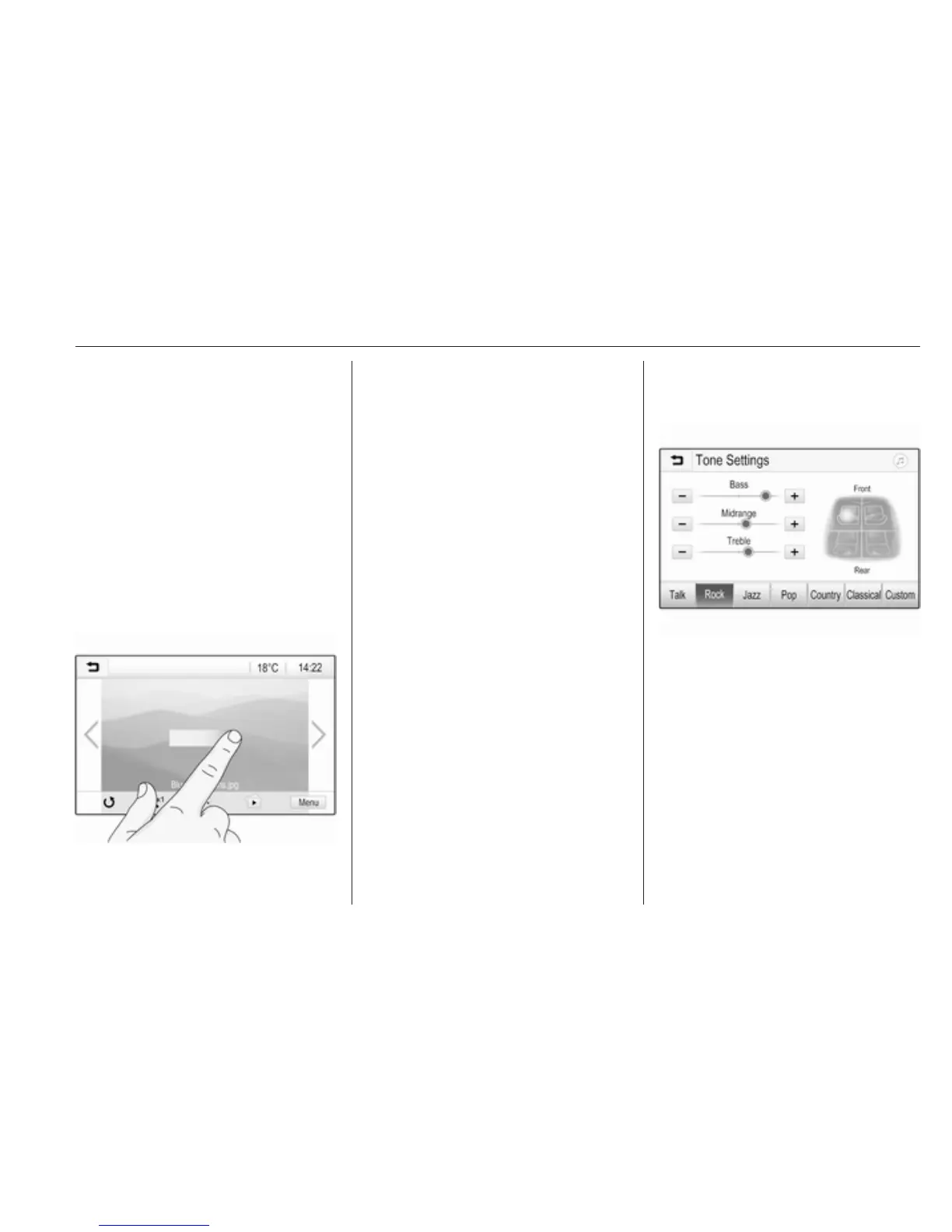
Tone settings
In the tone settings menu, the tone
characteristics can be set. The menu
may be accessed from each audio
main menu.
To open the tone settings menu,
select Menu in the bottom line of the
respective audio main menu. If
necessary, scroll through the list of
menu items and select Tone
Settings. The respective menu is
displayed.
Equaliser mode
Use this setting to optimise the tone
for the style of music, e.g. Rock or
Classical.
Select the desired sound style in the
interaction selector bar at the bottom
of the screen. If you choose Custom,
you can manually adjust the following
settings.



 To Next Page