40 Phone
Rejecting a call
To reject the call, select J in the
message or press xn on the
steering wheel.
Changing the ring tone
Press ; and then select SETTINGS.
Select Bluetooth and then Ringtones
to display the respective menu. A list
of all devices paired is displayed.
Select the desired device. A list of all
ringtones available for this device is
displayed.
Select one of the ringtones.
Functions during a call
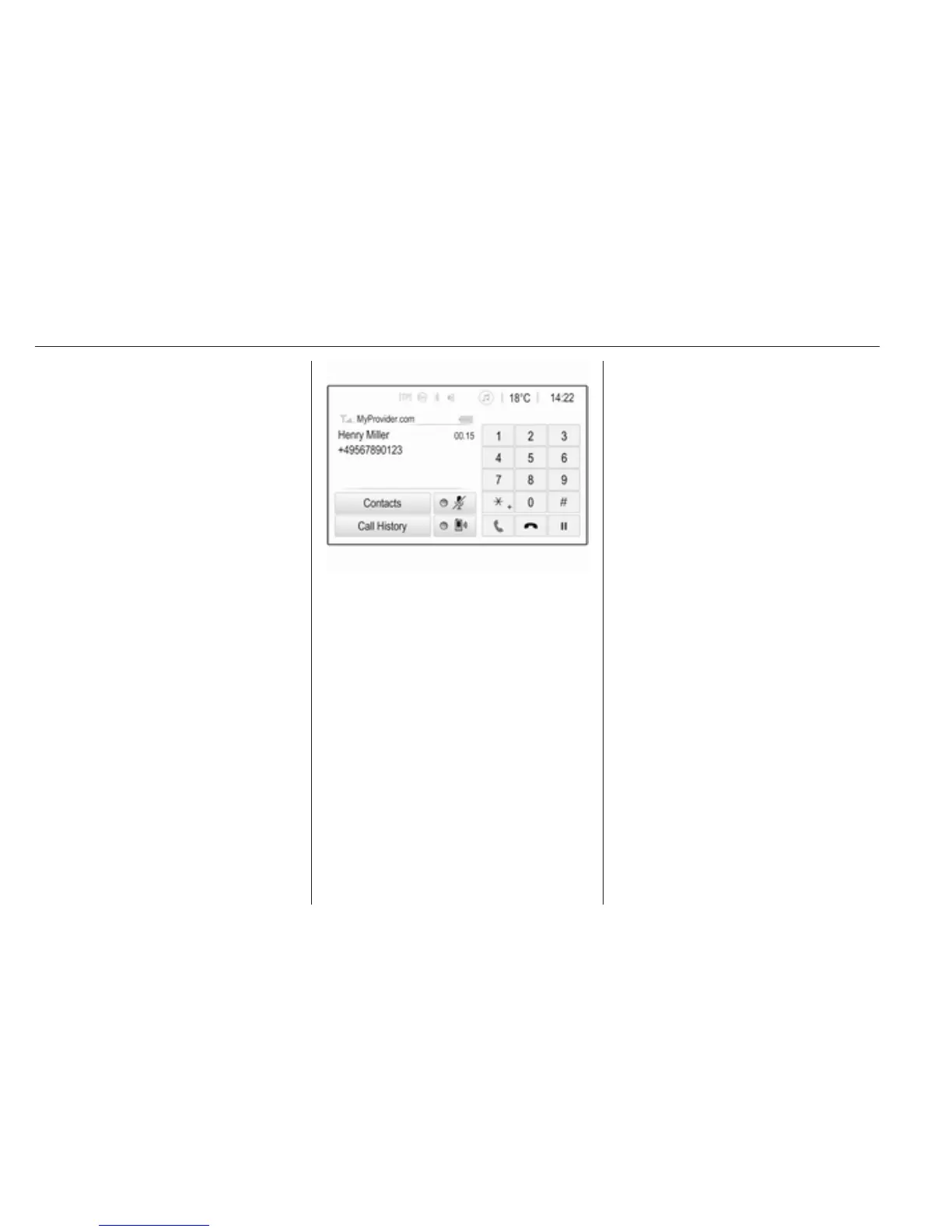
During an ongoing phone call, the
phone main menu is displayed.
Deactivating the handsfree mode
temporarily
To continue the conversation via the
mobile phone, activate m.
To return to the handsfree mode,
deactivate m.
Deactivating the microphone
temporarily
To mute the microphone, activate n.
To reactivate the microphone,
deactivate n.
Ending a phone call
Select J to end the call.
Voice mail box
You may operate your voice mail box
via the Infotainment system.
Voice mail number
Press ; and then select SETTINGS.
Select Bluetooth. Scroll through the
list and select Voice Mail Numbers.
A list of all devices paired is
displayed.
Select the respective phone. A
keypad is displayed.
Enter the voice mail number for the
respective phone.
Calling the voice mail box
Press ; and then select PHONE.
Select t on the screen. The mail
box is called.
Alternatively, enter the voice mail
number via the phone keypad.



 To Next Page