30 External devices
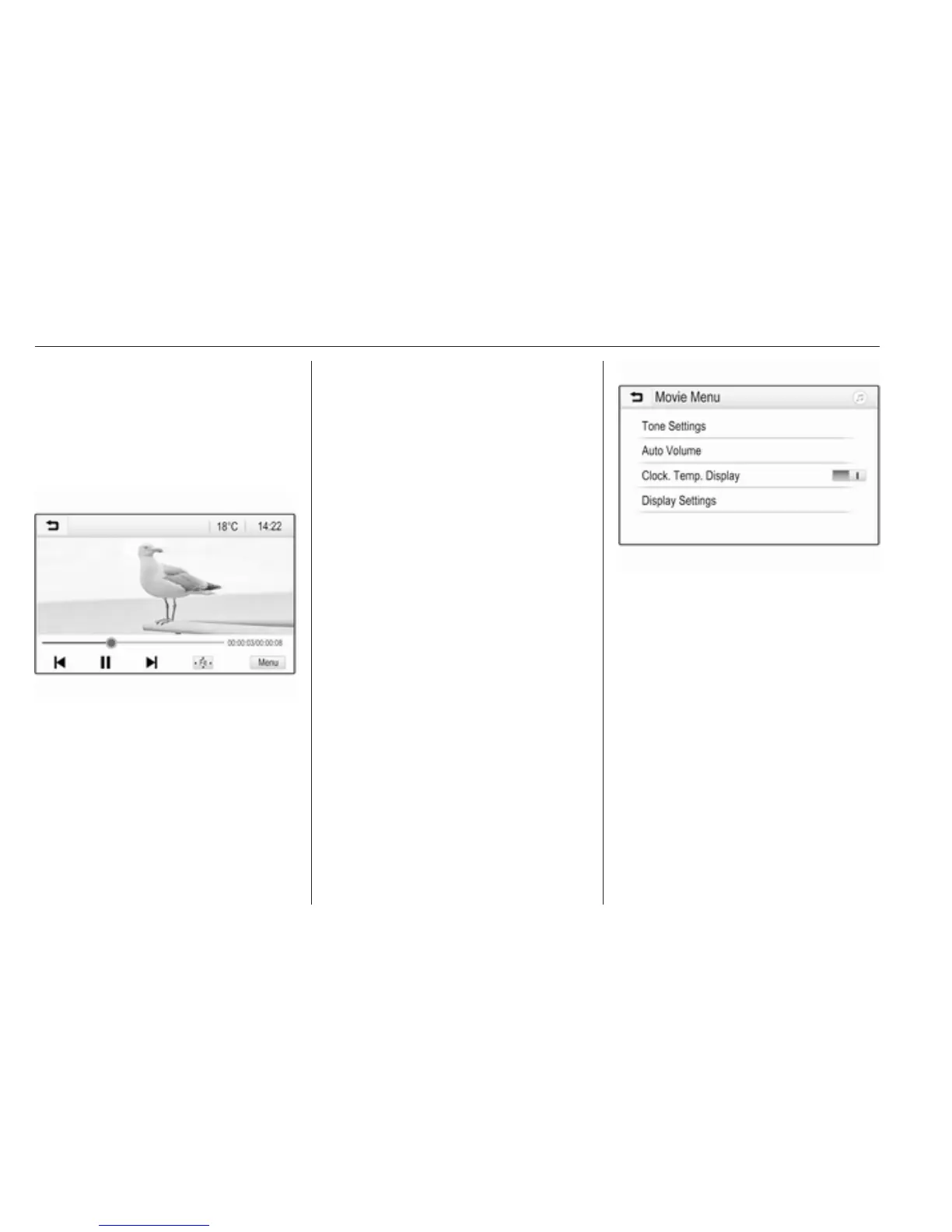
Press ; and then select GALLERY
to open the media main menu.
Touch m to open the movie main
menu and then select the desired
folder and/or movie.
The movie is shown.
Function buttons
Full screen
Select x to display the movie in full
screen mode. Touch the screen to
exit full screen mode.
Interrupting and resuming playback
Touch = to interrupt playback. The
screen button changes to l.
Touch l to resume playback.
Playing the next or previous track
Touch c to play the next movie file.
Touch d within the first 5 seconds of
the movie playing to return to the
previous movie file.
Returning to the beginning of the
current movie
Touch d after 5 seconds of the movie
playing.
Fast forwarding and rewinding
Touch and hold d or c. Release to
return to normal playback mode.
Movie menu
Select Menu in the bottom line of the
screen to display the Movie Menu.
Clock and temperature display
If you want the time and temperature
to be displayed in full screen mode,
activate Clock. Temp. Display.
Display settings
Select Display Settings to open a
submenu for adjustment of brightness
and contrast.
Touch + and - to adjust the settings.
Using smartphone
applications
The phone projection applications
Apple CarPlay and Android Auto
display selected apps from your



 To Next Page