I N S T A L L A T I O N
14
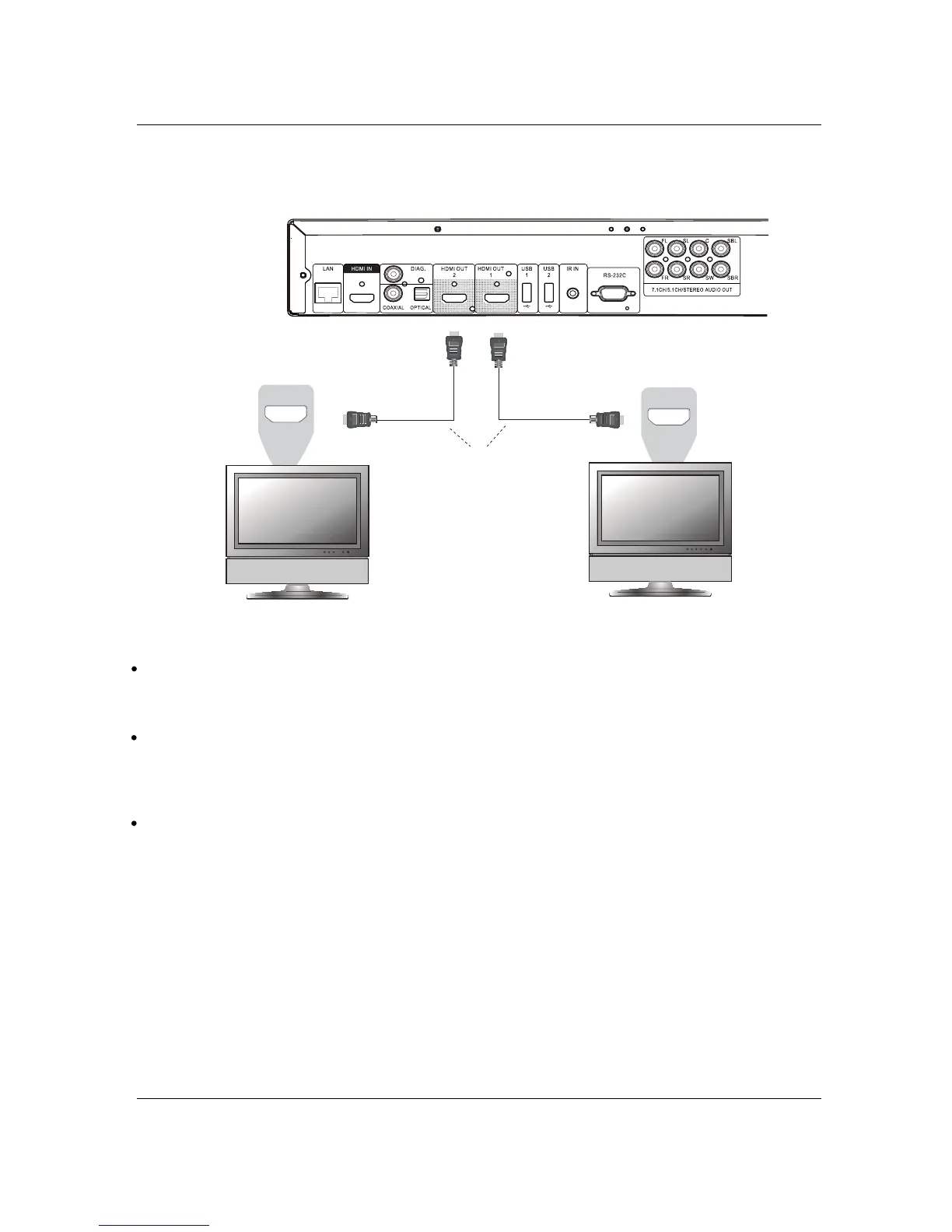
Connecting to Two TVs via HDMI
HDMI In
HDMI In
Rear Panel
HDMI Cables
TV 1
TV 2
The two HDMI outputs (HDMI 1 OUT and HDMI 2 OUT) available on the rear panel of BDP-103 can
be connected to two TVs at the same time, and each output can deliver both digital video and audio
signals.
We recommend that you connect your main TV (the one with larger screen size or the one that you
would watch more often) to HDMI 1 OUT in order to benefit from the dedicated video processor, and
set the Dual HDMI Output option in the Setup Menu to Dual Display to make sure that the HDMI 2
OUT can also send out audio and video signals (see more details on page 53).
You may connect the DIAG (diagnostic) output to one of your TVs for troubleshooting purposes.
Refer to page 13 for more details.



 To Next Page