S E T U P M E N U O PTIONS
53
Video Setup
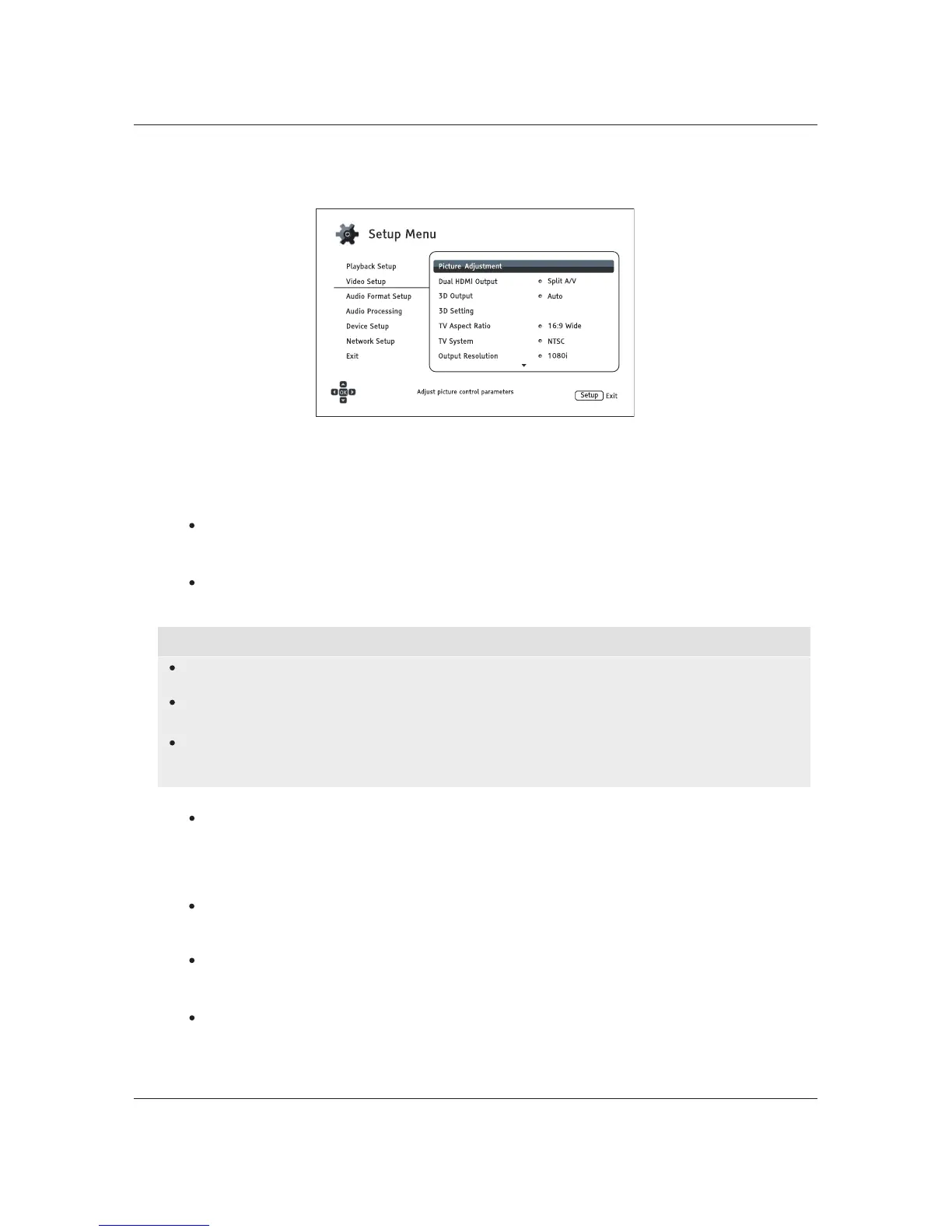
The Video Setup section of the Setup Menu allows you to configure video output options.
/Auto
1. Picture Adjustment: Adjusts picture control settings. The BDP-103 provides a wide array of
picture controls. Please refer to the Picture Adjustment section on page 56 for details about
each control.
2. Dual HDMI Output: Allows you to select the output mode when both HDMI Output ports are in
use. If only one HDMI Output is active, this selection will not apply.
Split A/V (recommended) – Use HDMI 1 OUTas the dedicated video output port and
HDMI 2 OUT as the dedicated audio output port. This setting will ensure the best possible
picture quality an
d the highest possible audio resolution.
Dual Display – Send digital audio and video signals to both HDMI Outputs simultaneously.
This setting is only recommended when two HDMI displays are required, since the surround
sound audio signal may be down-mixed to stereo and the original audio quality may be lost.
NOTE
The player can automatically adjust the resolution of digital audio and video signals depending
on the capabilities of the connected television and receivers.
For HDMI 1 OUT, the dedicated QDEO video processor will be used unless Source Direct is
selected, in which case QDEO is bypassed.
In Split A/V mode, HDMI 1 OUT has video only with no audio, but HDMI 2 OUT will have audio
and possibly video. This is because HDMI embeds audio into video data so there must always
be a video signal, even if it’s only a blank screen, to carry audio through.
3. 3D Output: Allows you to choose the video output mode for 3D content.
Auto – Outputs 3D if supported both by both the disc content and the display. The player
automatically checks for the existence of 3D content on the disc and the 3D compatibility of
the TV or projector. If both criteria are met, the player sends 3D video from its HDMI output
terminals; otherwise, only 2D video is sent out. 3D glasses (which are not sold by OPPO)
are required to enjoy the 3D movie on your TV.
Off – Always output 2D video format, even when 3D video exists
on the disc. This guarantees
the video quality if your TV is not 3D compatible, or if some necessary components (such as
the 3D glasses) are missing.
Forced – Always output 3D video format for 3D Blu-ray Discs. You may experienceablack
screen (no video output) if your TV is not 3D compatible.
4. 3D Setting: Adjusts the playback settings for better 3D visual quality.
Blank HDMI 2 (Yes/No) – Allows you to force HDMI 2 OUT to output a blank 2D screen when
HDMI 1 OUT outputs 3D video. During 3D movie playback, when HDMI 1 is connected to a
3D display and HDMI 2 is connected to a non-3D receiver which is in turn connected to the
same 3D display, you may encounter an issue where there is no audio coming from the
receiver. Setting this option to "
Yes" can resolve this issue.



 To Next Page