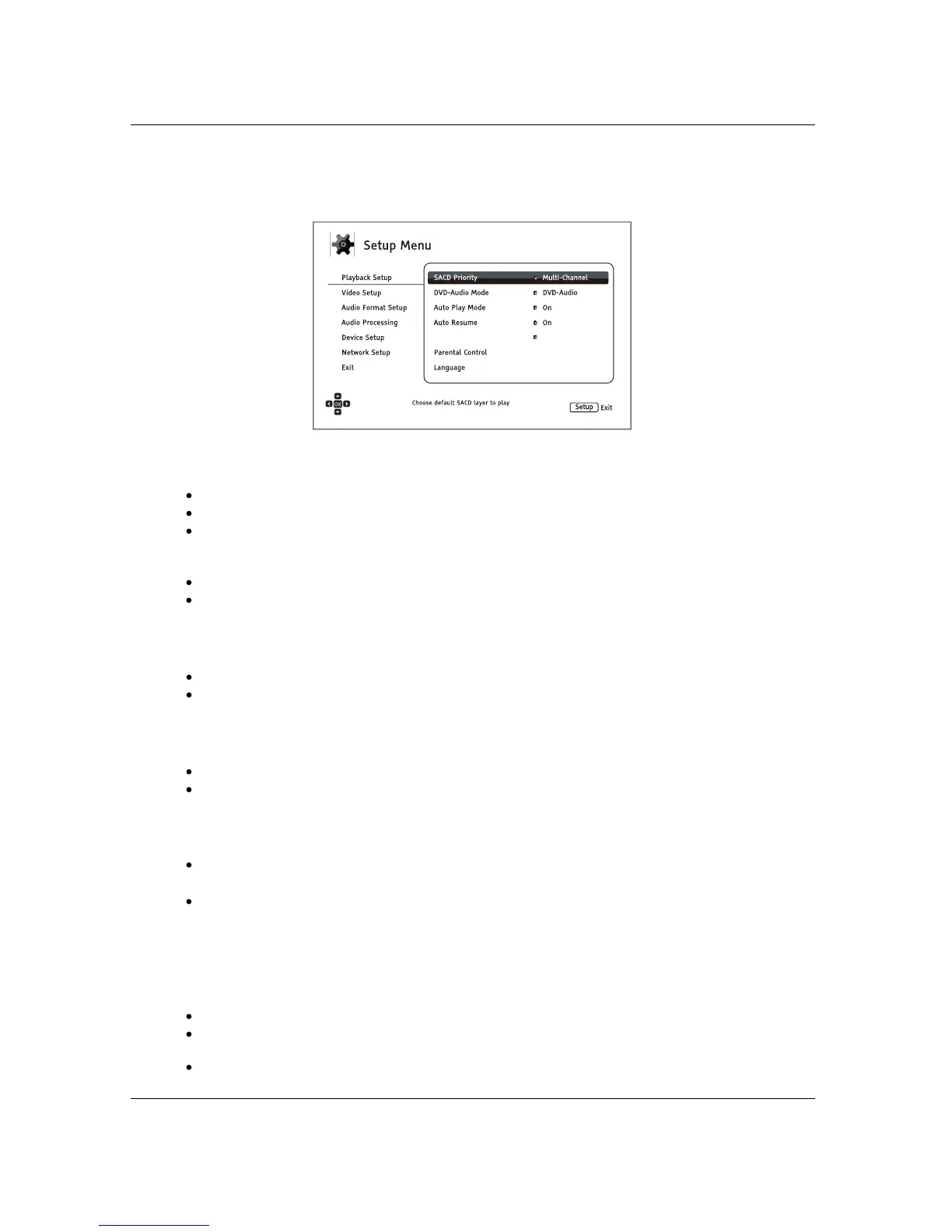
S E T U P M E N U O PTIONS
51
Playback Setup
The Playback Setup section is designed to configure playback preferences. The setup items in this section are:
1. SACD Priority: Select which audio layer to play for SACD (Super Audio CD).
Multi-Channel – Play the high resolution multi-channel surround audio layer
Stereo – Play the high resolution 2-channel stereo audio layer
CD Mode – Play the CD layer of a hybrid SACD disc
2. DVD-Audio Mode: Select which portion of a DVD-Audio disc to play.
DVD-Audio – Play the DVD-Audio portion of the disc with high-resolution audio
DVD-Video – Play the DVD-Video portion of the disc with Dolby Digital or DTS audio
3. Auto Play Mode: Select whether the player will start playing a CD, SACD, DVD or Blu-ray disc
automatically.
On – The disc starts playing upon insertion into the player.
Off – The player waits for the user to start playback by pressing the PLAY button.
4. Auto Resume
5. Power On Input: Allows you to set the initial input source after power on. It is recommended
that you set this option only if you plan to use the player as a dedicated processor or pre-amplifier.
: Select whether disc playback will start from the previously saved point or not.
This setting applies to CDs, SACDs, DVDs and certain Blu-ray Discs.
On – Playback automatically starts from the previously saved point.
Off
Last Input – Power on with the last input source. Depending on the availability of the input
device, you may experience a blank screen on the display or “No signal” warning message.
Blu-Ray (default) – Power on with the regular Blu-ray Home Menu. This choice is
recommended for regular use.
– Playback starts from the beginning.
6. Parental Control: Sets parental co
ntrol ratings in order to prevent minors from watching
inappropriate content. This function depends on whether the disc has been properly rated and
encoded.
Press the ENTER button to bring up the rating selection menu.
Adjust the parental control settings by entering the current parental control password. If you
have not yet set a parental control password, default the password is “0000”.
The Parental Control Menu contains the following sub-items:
Power On Input Blu-ray



 To Next Page