M E D I A F I L E P L A YBA C K
44
NOTE
When a data disc or USB drive is inserted, the player automatically starts to index files and
buildadatabase in the background. Depending on the number and size of files, this process
could take up to several minutes. Customers can only access the Category list (Artist, Album
and Genre) when the database has been built, otherwise, a warning message will appear.
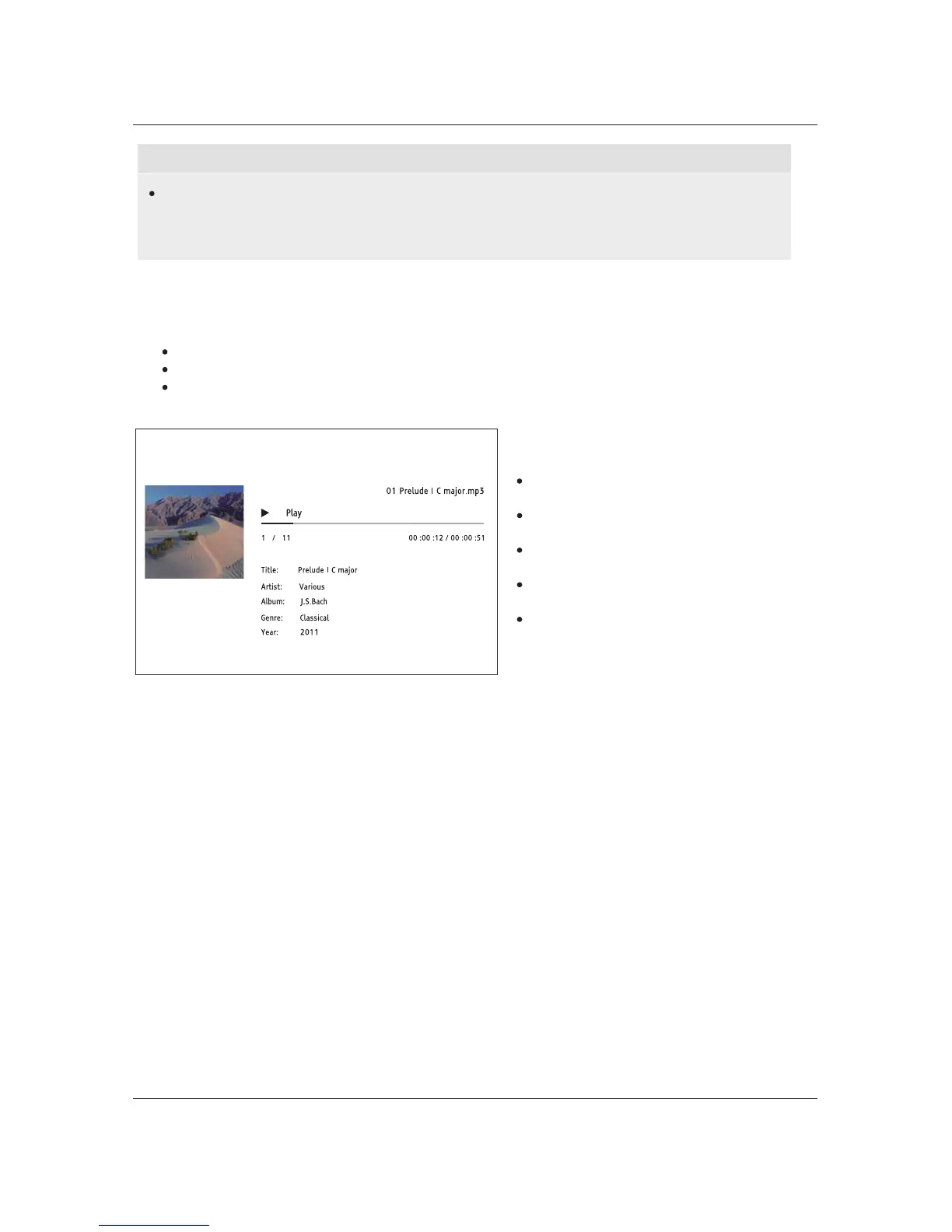
If a music file starts playing and there is no other user operation, the Now Playing screen will appear
after a few seconds. You can also get to this screen by pressing the OPTION button and then selecting
Now Playing. This screen provides the following information:
Shows playback status: Play, Pause, Track and Time.
Display and change playback mode: Shuffle/Random, Repeat One/All.
Music information: Displays information like album art and tags, either embedded in the original
file or found online from the Grace
note database.
The following operations are available while
the Now Playing screen is shown:
Normal playback control: PLAY, STOP,
PAUSE, PREV/NEXT, REV, and FWD
Special playback modes: REPEAT and
Shuffle/Random (BLUE color button)
Press the OPTION button to access the
Option menu. (More details on page 24)
Return to the Browser without stopping
the music: RETURN
Stop playback and return to the
Browser: Press STOP



 To Next Page