14
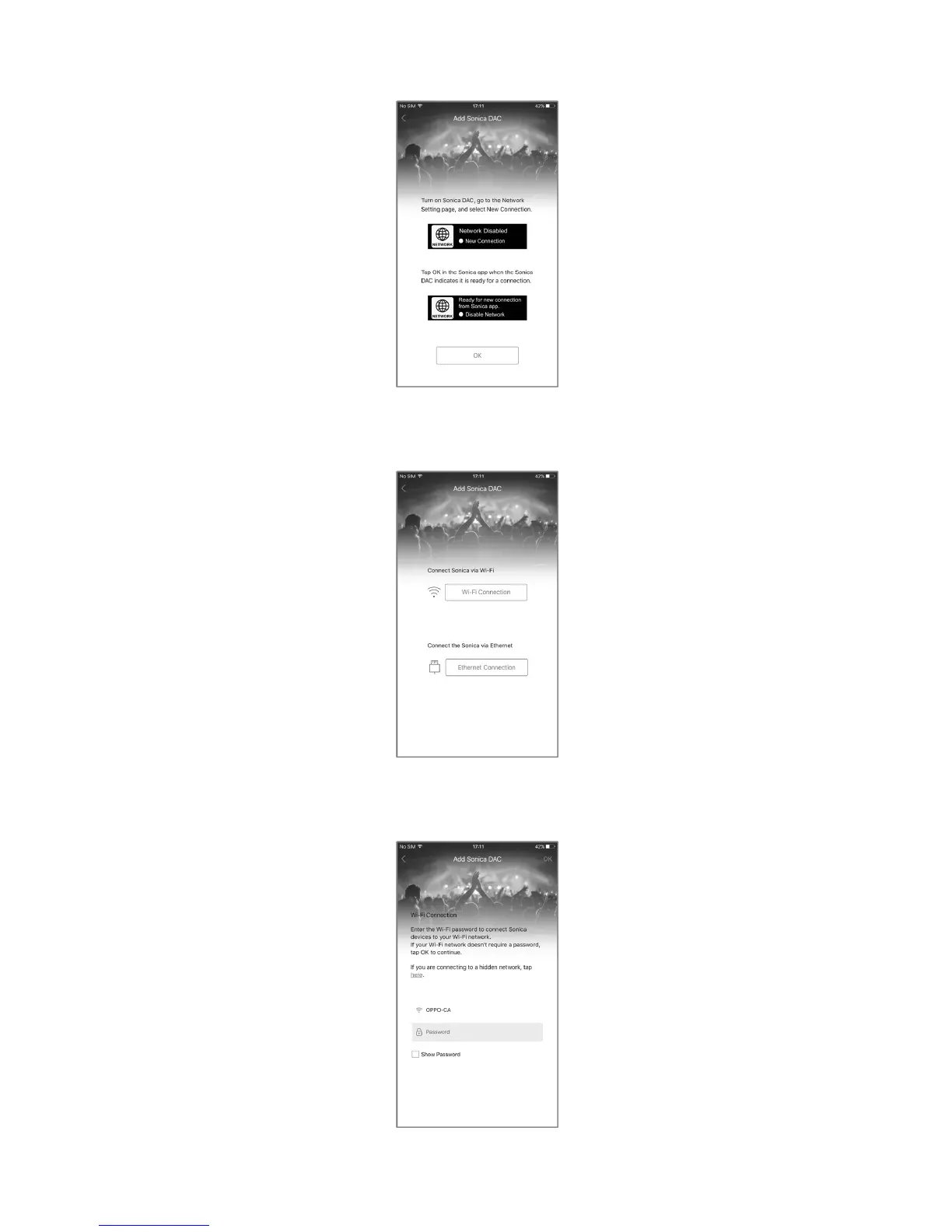
Step8:ToaddaSonicaDACtoyournetwork,followtheinstructionsandtapOKtocontinue.
Step 9: Select “Wi‐Fi Connection” or “Ethernet Connection” depending on how you plan to connect
SonicaDACtoyournetwork.
Step10a:ForaWi‐Ficonnection,enterthe
networkpasswordandtapOKonthetop‐rightcornerofthe
appscreen.
Step10b:ForanEthernetconnection,thereisnoneedtoenteranypassword.



 To Next Page