15
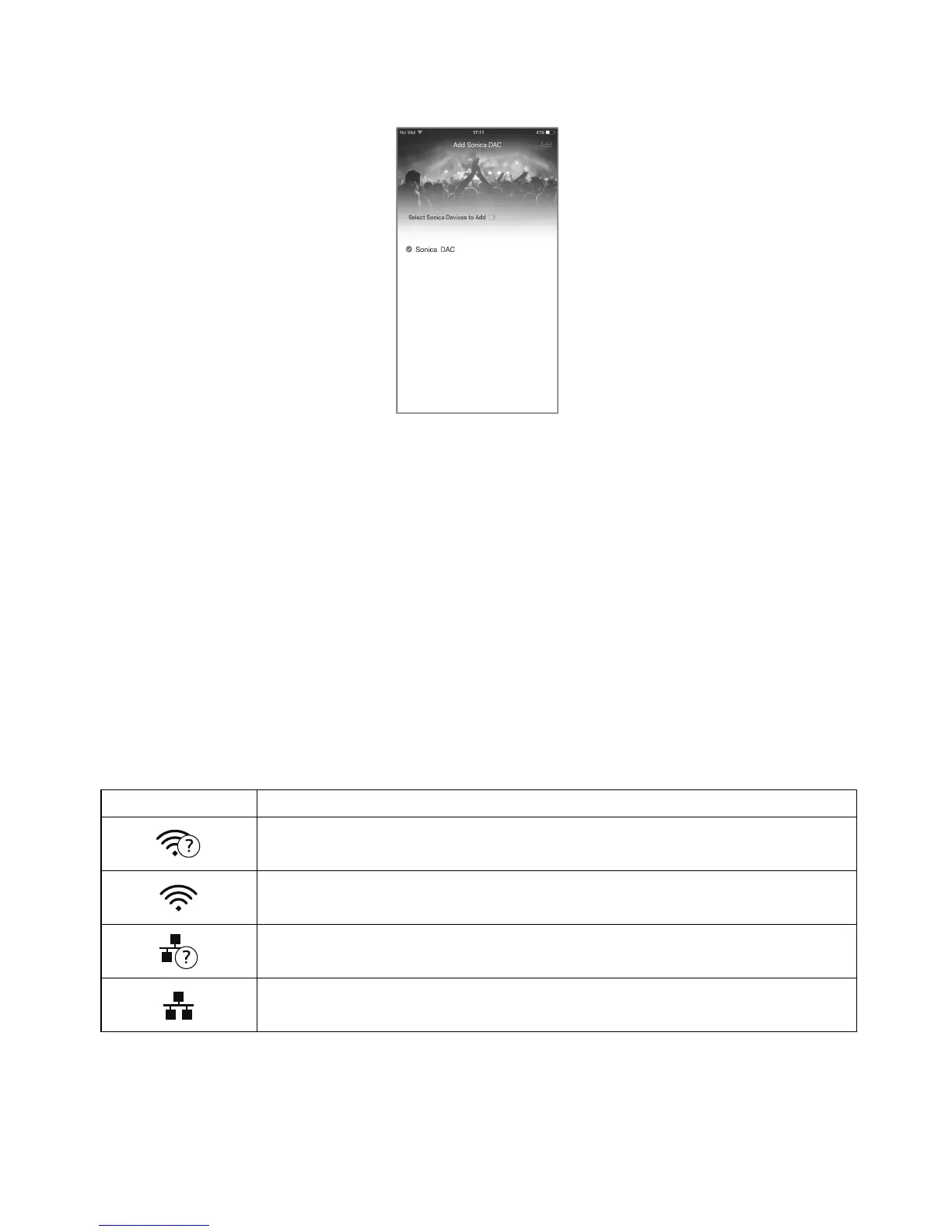
Step 11: The Sonica app will locate the Sonica DAC and automatically select it for adding it to the
network.Tapthe“Add”buttononthetop‐rightcorneroftheappscreen.
TheSonicaDACwillbeaddedtothenetworkandreadyforstreaming.
Thefollowingnetworkoperations
arepossibledependingonthecurrentconnectionstatus:
NewConnection‐SonicaDACwillenableitsnetworkinterfacesandbereadyforanewconnection
fromtheSonicaapp.
DisableNetwork–IfyoudonotplantouseanynetworkstreamingfeaturesofyourSonicaDAC,you
can
disableitsnetworkfunctions.
Enable Network‐If Sonica DAC’ s network is turned off, selecting this operation will turn on the
networkagain.Sonica DAC willtry to reconnectto thepreviously configurednetworkviaWi‐Fior
Ethernet.
The network connection status is indicated by an icon near the top
right corner of the Front Panel
Display:
Symbol IndicatedNetworkStatus
Wi‐Fiisenabledandistryingtoconnecttotherouter.
Wi‐Fiisconnected.
Ethernetisenabledandistryingtoconnecttotherouter.
Ethernetisconnected.
ResetFactoryDefaultSettings
IfyouneedtoresetSonicaDACtoitsfactorydefaultsettings,accesstheResetFactoryDefaultsscreen



 To Next Page