9
Note: Depending on the operating system and playback software used, driver software and specific
software settings may be required in order to enable the computer to play audio into Sonica DAC.
PleasevisitthesupportpageonOPPODigitalwebsitefordriverdownloadandadditionalhelpguides.
OpticalDigitalAudioInput
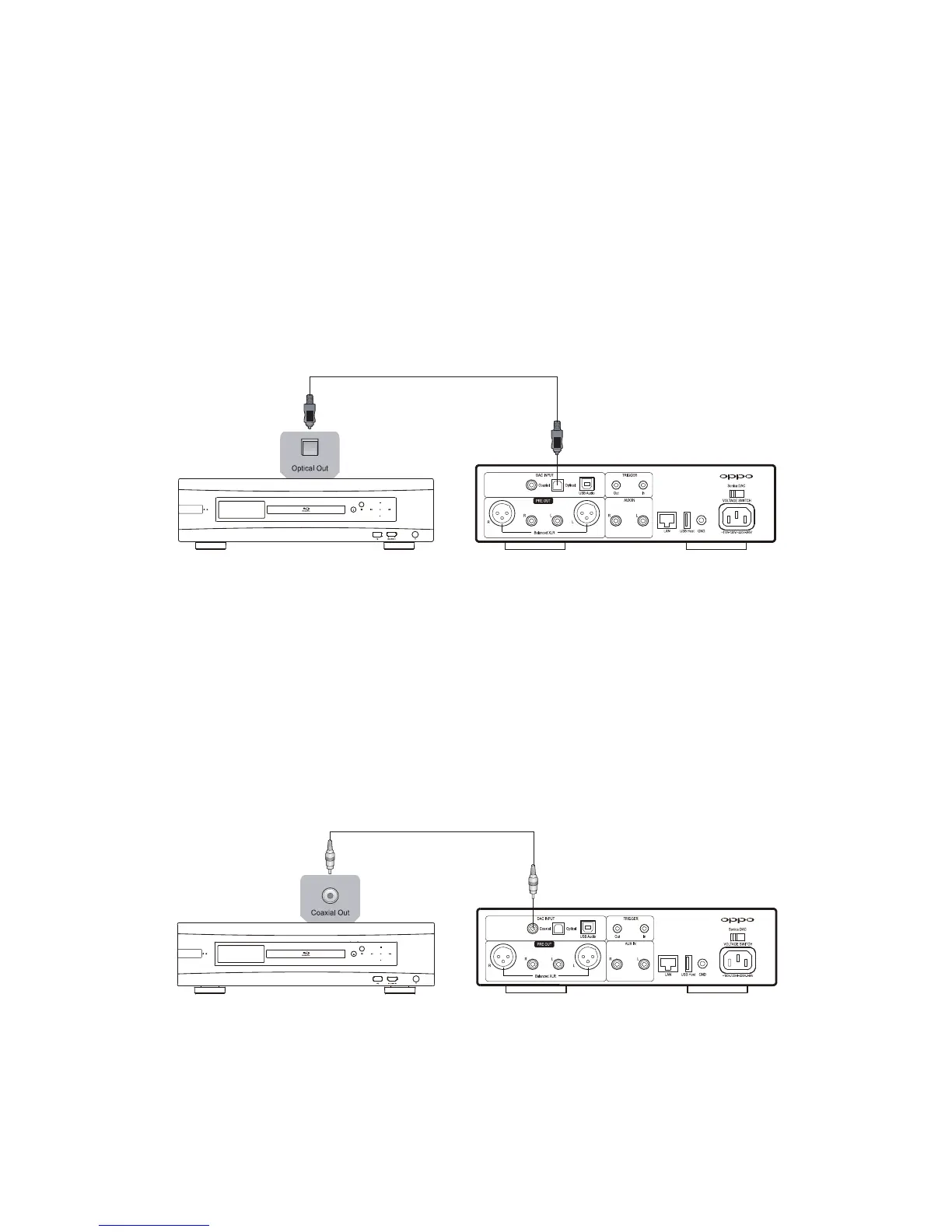
You can connect a device with an optical digital output intothe Optical Digital Audio Input of Sonica
DACusinganopticaldigital(alsoknownasaTOSLINKcable).Thedigitalsignalwillbeconvertedbythe
ES9038PRODACandsentto theanaloglineleveloutputs. Thisinputsourceis
labeledOPTICALonthe
SourceSelectionscreen.
CoaxialDigitalAudioInput
YoucanconnectadevicewithacoaxialdigitaloutputintotheCoaxialDigitalAudioInputofSonicaDAC
using a coaxial digital (75 ohm) cable. The digitalsignal will be converted by the ES9038PRO DAC and
sent to the analog line level outputs. This input source is labeled COAXIAL on
the Source Selection
screen.
SettingsandAdvancedOperations
Settings and advanced operations of the Sonica DAC can be accessed by pressing and rotating the



 To Next Page