7
BasicOperations
PowerON/OFF
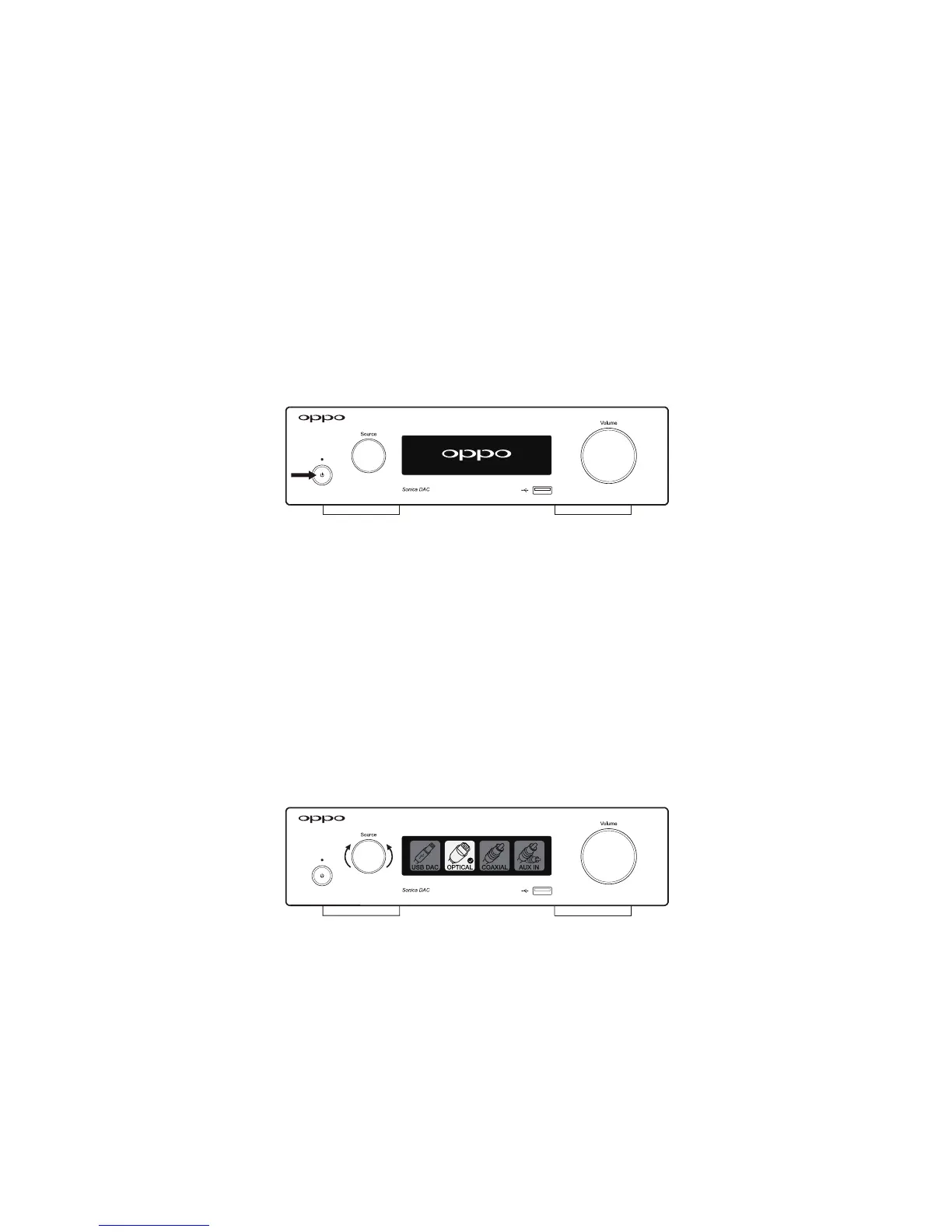
WhenSonicaDACisinitiallyconnectedtoACpower, itremainsinstandbymodeandthePowerStatus
Indicatorwillstayred.PressthePowerButtontoturniton.ThePowerStatusIndicatorwillturnblue
andtheOPPOlogowillappearonthescreen.
Once the Sonica DAC is
on, pressing the Power Button again will turn it off. Sonica DAC does not
respondtonetworkstreamingrequestswhenitisoff.
SourceSelection
The active input source can be selected by rotating the Source Selector / Function Knob. The Front
PanelDisplaywillshowaSourceSelectionscreenwithfourinputsources:USBDAC,OPTICAL,COAXIAL,
and AUX IN. The currently selected input source is indicated by a check mark ().
Rotate the Source
Selector/FunctionKnobineitherdirectiontoselectanewinputsourceandpresstheSourceSelector
/FunctionKnobtoswitchtoyourselection.
In addition to the above input sources that are selectable using the Source Selector and Front Panel
Display, Sonica DAC
also supports additional music sources such as network streaming, Bluetooth,
AirPlay, and USB disk drives. These additional sources are selected through the Sonica app or
automatically by connecting the devices. While the Sonica DAC is playing from any of the additional
musicsources,selectinganinput sourcebyrotatingtheSource
Selector/FunctionKnobwilloverride
theexistingsource.



 To Next Page