5
SonicaApp
TheSonicaappisafreesmartphoneandtabletappcontrollerfortheOPPOSonicafamilyofproducts.It
enablesyoutoplaymusicstoredonyourmobiledevice,fromasupportedmusicstreamingservice(e.g.,
TIDAL),froma mediaserveronyour homenetwork,orfroma USBdriveplugged
intotheUSBportof
theSonica DAC. WiththeSonicaapp,youareincompletecontrol,andcanchoosewhatmusictoplay
andwhatdevicetoplayfrom.
The Minimum OS requirements for the Sonica app are Android 4.0 or iOS 8.0. The minimum OS
requirements for the
USB DAC are Windows 7 or Mac OS X 10.8 Mountain Lion. Availability and
performanceofcertainfeatures,servicesandapplicationsaredevice‐andnetwork‐dependentandmay
notbeavailableinallareas.AirPlayworkswithiPhone,iPad,andiPodtouchwithiOS4.3.3orlater,Mac
OSX10.8
MountainLion,andMacsandPCswithiTunes10.2.2orlater.
OutputConnections
Sonica DAC offers both RCA and XLR Balanced outputs. The output level is controlled by the Volume
Knob.Youcanbypassthevolumecontrolifyoursetuprequiresafixedleveloutput.SeeBypassModein
theSettingsandAdvancedOperationssectiononpage10fordetailedinstructions.
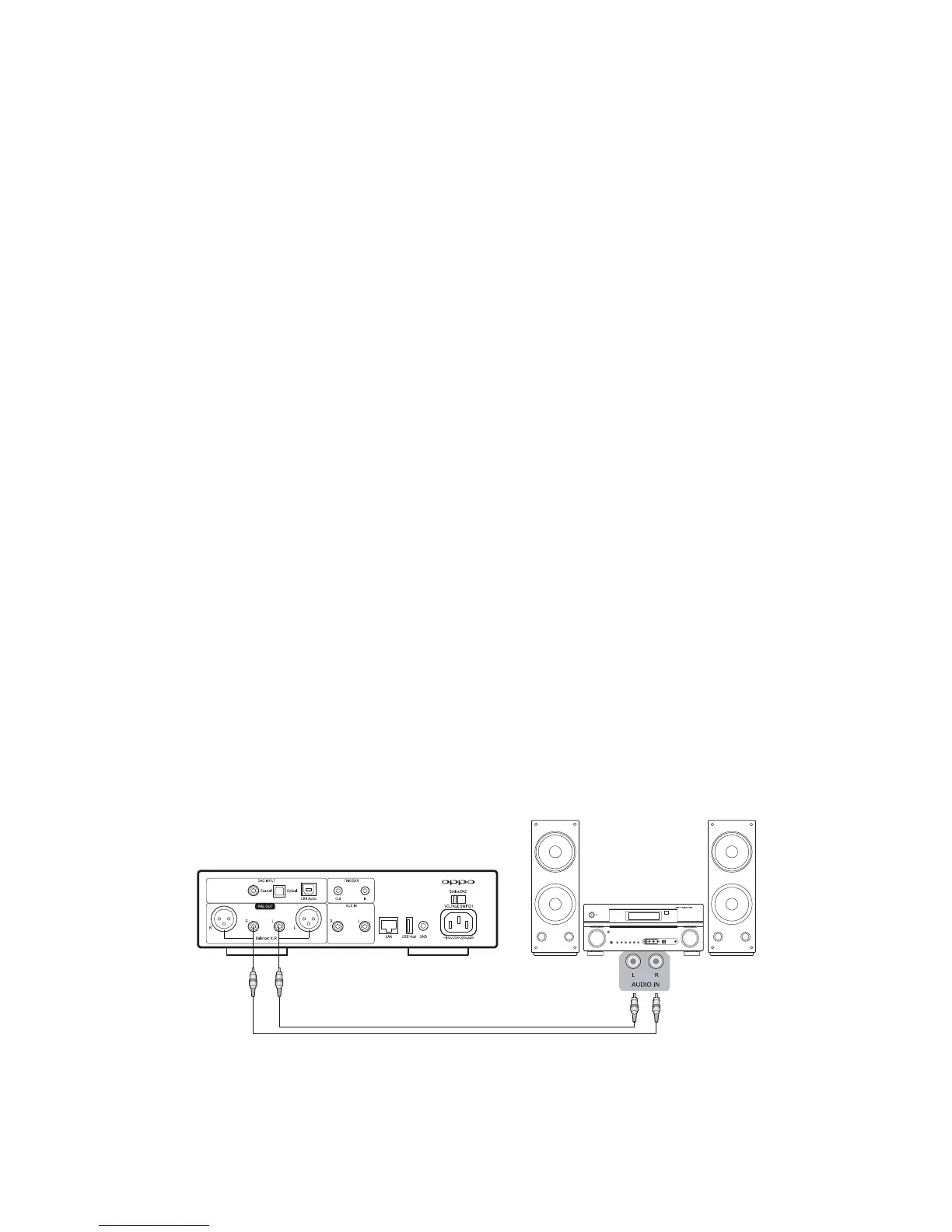
RCAStereoAudioOutput
RCA is the most common analog audio connection. If your pre‐amplifier, power amplifier, or active
speakersoffer RCA analoginputs, you mayuseapair ofRCAaudiointerconnectcables toconnectthe
SonicaDAC’ sRCAStereoAudioOutputtotheRCAinputofyourdevice.



 To Next Page