8
VolumeControl
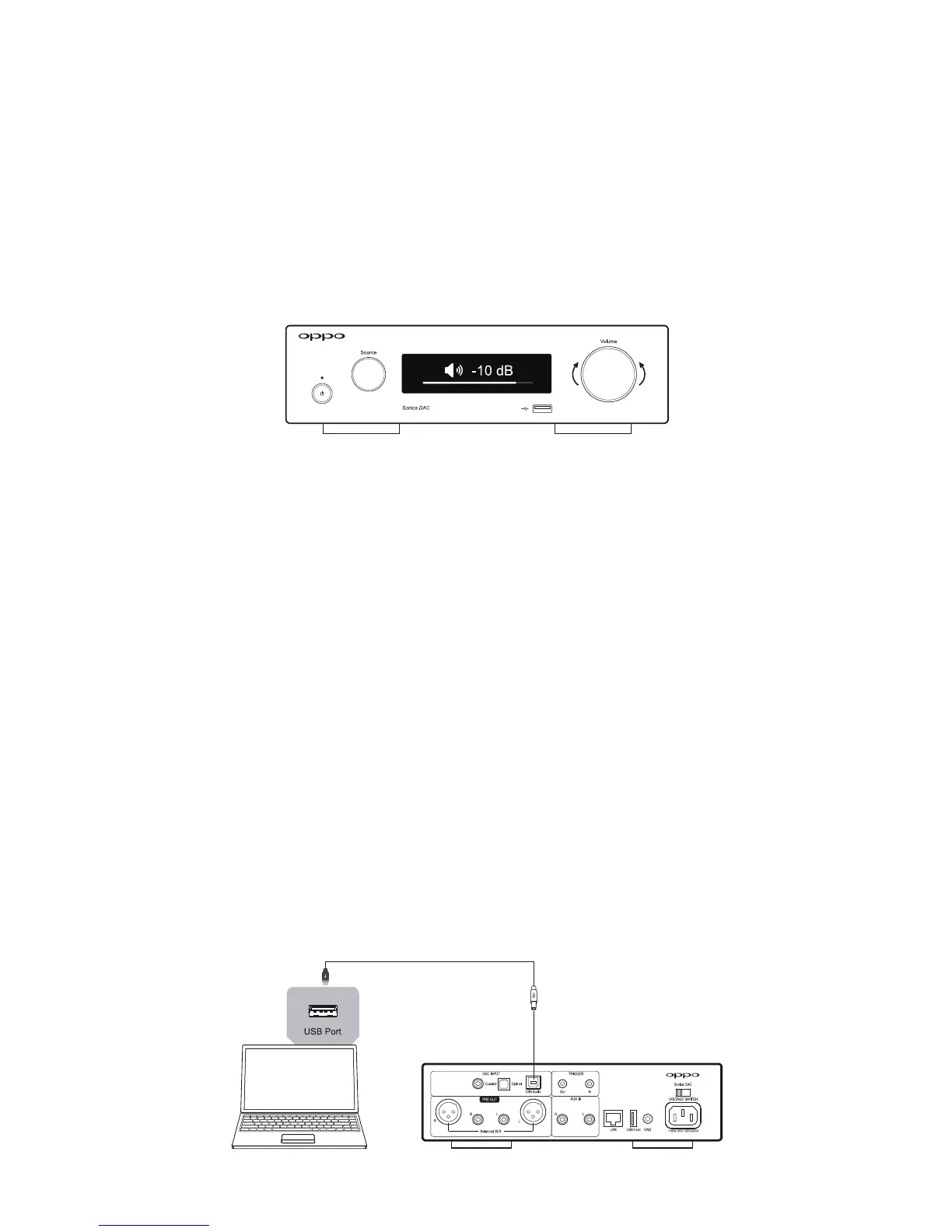
Rotating the Volume Knob clockwise or counter‐clockwise will increase or decrease the volume level.
Whenthevolumelevelisreducedtotheminimum,aMuteiconwillappearonthescreen.
Note:WhentheactiveinputsourceisinBypassmode,volumecontrolisdisabledandtheoutputwill
be
atthefullvolumelevel.SeeBypassModeintheSettingsandAdvancedOperationssectiononpage10
fordetailedinformation.
UsingSonicaDACasaTraditionalDAC
SonicaDACcanbeusedasastandalonehighperformanceDAC.TheUSBAudioinputsupportsPCMup
to 32‐bit/ 768 kHzand uptoDSD512. The coaxialand opticaldigital audio inputs supportPCMup to
192kHzandDSDoverPCMuptoDSD64.Inorderto
maintainthehighestpossibleaudioquality,audio
from the USB, coaxial, and optical inputs is routed directly into the ES9038PRO Sabre DAC chip. It is
thereforenotpossibletostreamaudiofromtheseinputstootherSonicaspeakersonthenetwork.
USBAudioInput(TypeB)
You can connect your computer directly to Sonica DAC using a USB Type A to USB Type B cable. This
allows your computer to function as the digital playback source with any music library management
softwareyouprefer,whileusingtheSonicaDACtoachieveoptimaldigital‐to‐analogaudioperformance.
ThedigitalsignalwillbeconvertedbytheES9038PRODACandsenttothelineleveloutputs.Theinput
sourceislabeledUSBDAContheSourceSelectionscreen.



 To Next Page