Operation
Version 1.2.4 - 2022-10-26 29Translation of original instruction
S275N | S275NV EN
S275N_S275NV_GB_4.fm
Lock the adjustment by moving the locking lever to the right.
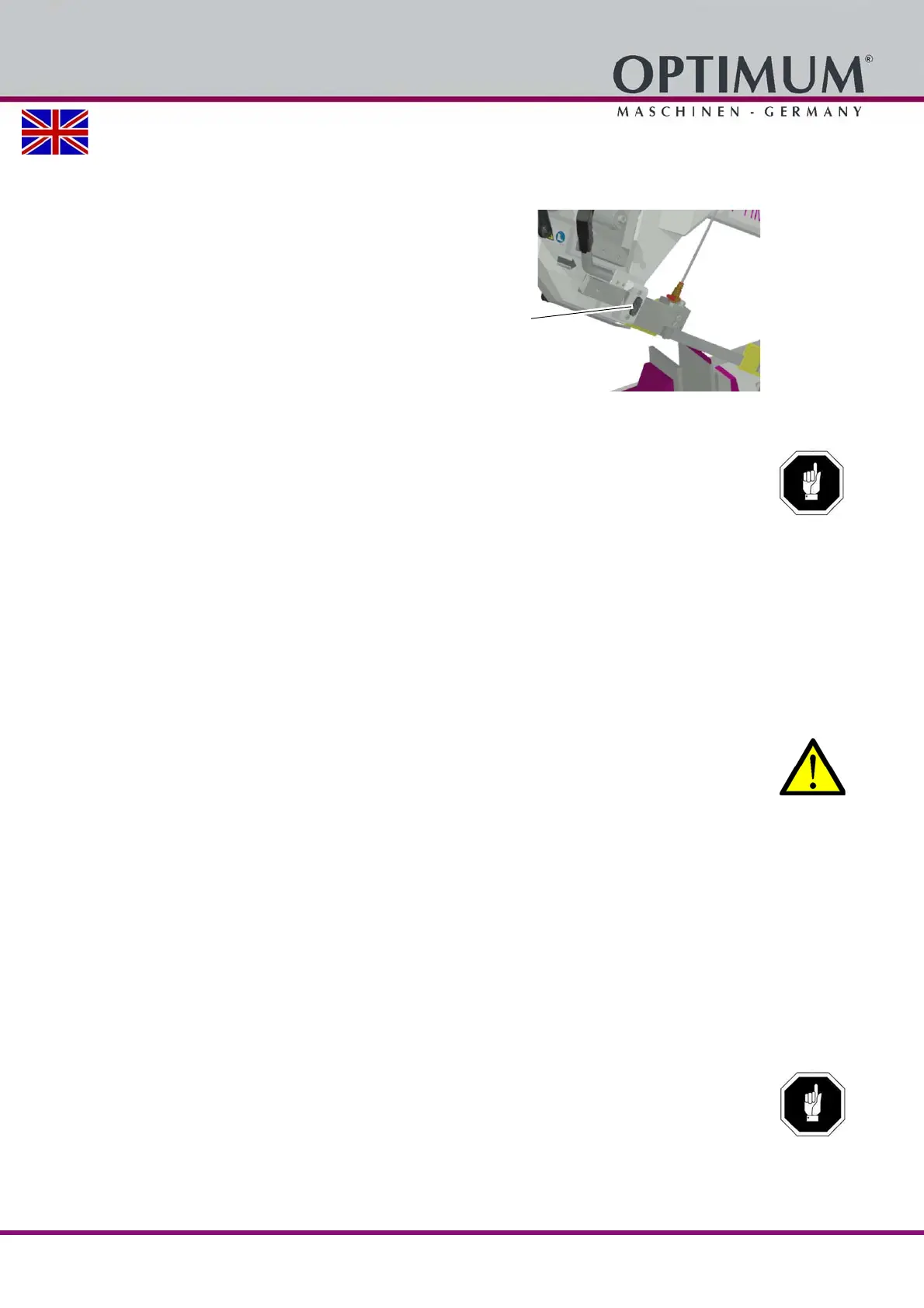
4.5 Adjusting the saw belt guide
Change the position of the saw belt
guidance depending on the size of the
pieces to be cut.
Loosen the clamping screw.
Adjust the saw belt guidance close to
the workpiece without influencing or
hindering the sawing procedure.
Img.4-4: Saw belt guide
Retighten the clamping screw.
ATTENTION!
An unnecessarily wide space between the work piece and the saw belt guide, in
combination with a high feed rate very quickly causes the saw belt to wear down.
4.6 Switching on the machine
Check that the Emergency-stop switch is not pressed or unlocked. Turn the Emergency-
stop switch to the right in order to unlock it.
Actuate the push button „ON“.
4.7 Switching off the machine
Actuate the push button "OFF".
Disconnect during an extended standstill the power plug.
CAUTION!
The emergency stop switch may only be activated in an emergency. A normal shut-down
of the machine must not be executed using the emergency stop switch.
4.8 Resetting an emergency stop condition
Unlock the emergency stop switch again.
4.9 Adjusting the speed of the saw belt
4.9.1 Selector switch / speed controller
There are two speeds at your disposal on S275N.
L - slow
H - rapid
The speed setting on S275NV is infinitely variable.
ATTENTION!
Wait until the saw blade has come to a complete halt before changing the speed using
the selector.



 To Next Page