OPTIMUM
MASCHINEN - GERMANY
808D
Page 146 Operating and Programming — Milling
ISO Mode
Brief instruction 808D Milling
Basic Theory
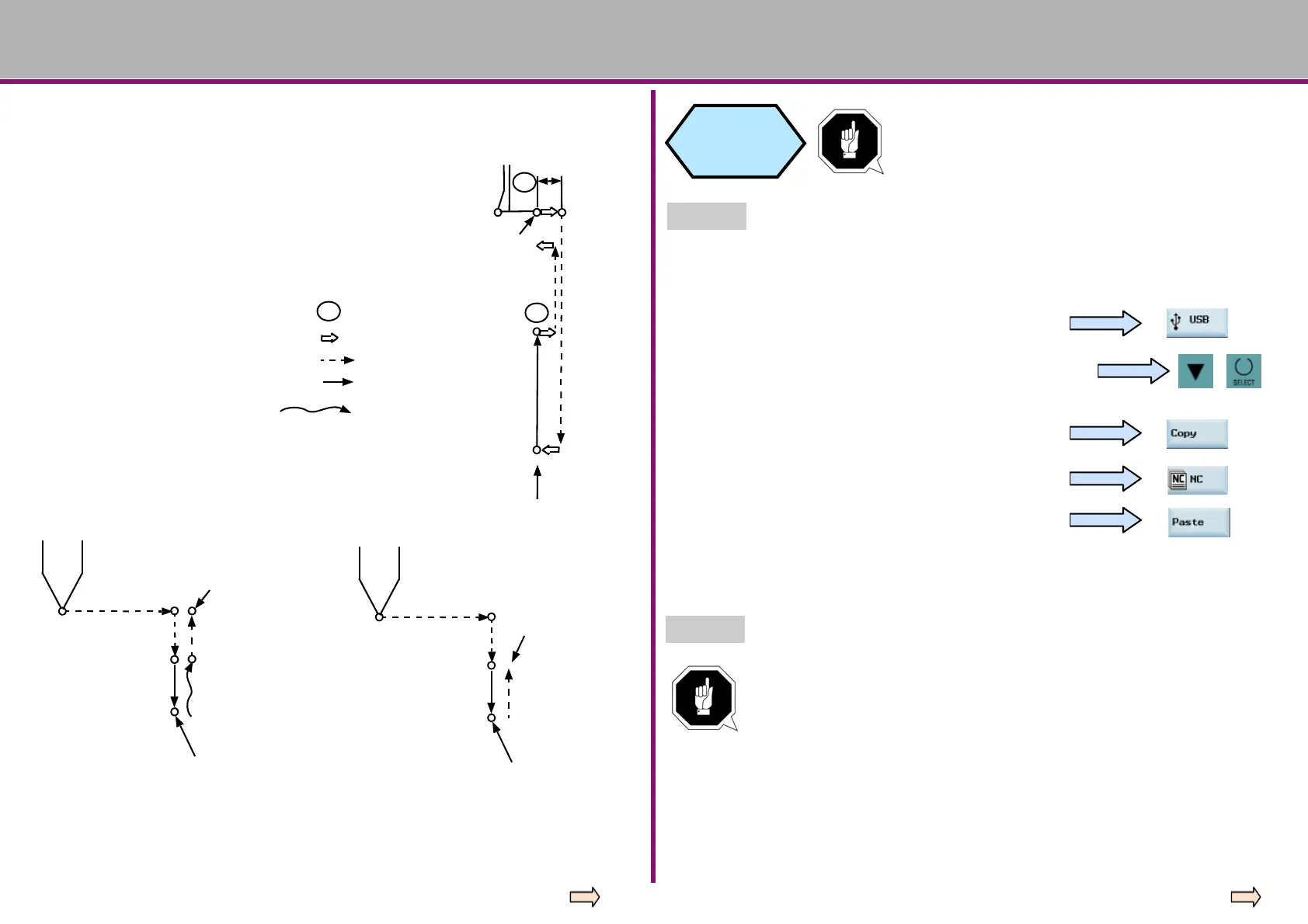
G87 Boring cycle Ⅰ / reverse boring
cycle Ⅱ
Common programming structures:
G87 X—Y—Z—R—Q—P—F—L
Motion process:
① Drilling motion (-Z) → cutting feed
② Motion at the bottom of the hole →
spindle stops
③ Retraction motion (+Z) → manual
operation or fast feed
G87 execution operation graphic:
Fixed cycle Ⅰ
G87 execution operation graphic:
OSS
OSS
spindle start
Fixed cycle II→
Z point
R point
spindle start
OSS
Positioning of Spindles
Tools move
Fast feed
Cutting feed
Manual feed
spindle start
Origin
Z point
spindle stop
Using G98
spindle start
Z point
spindle stop
Using G99
R point
Press the “USB” SK on the PPU.
ISO program
transfer and
operation
Step 1
The ISO mode function provided by the 808D can
easily operate the existing ISO program!
Transfer ISO files in USB device to 808D.
Connect the USB device with the stored target programs to the USB interface on the
PPU.
Use the “Cursor + Select” keys to select the required
program which is then highlighted.
Press the “Copy” SK on the PPU.
Press the “NC” SK on the PPU.
Press the “Paste” SK on the PPU.
A specified ISO program is then stored in the 808D system and can be edited and
executed as described above.
Step 2
Make the necessary changes to the ISO programs.
Programs in ISO mode in the 808D have their own rules. Suitable
changes must be made at the appropriate positions so that you can run
the ISO programs!















 To Next Page