OPTIMUM
MASCHINEN - GERMANY
User interface, machine control panel
Version 1.0 dated 2015-05-27 Page 44 Original operating instructions
F3GB
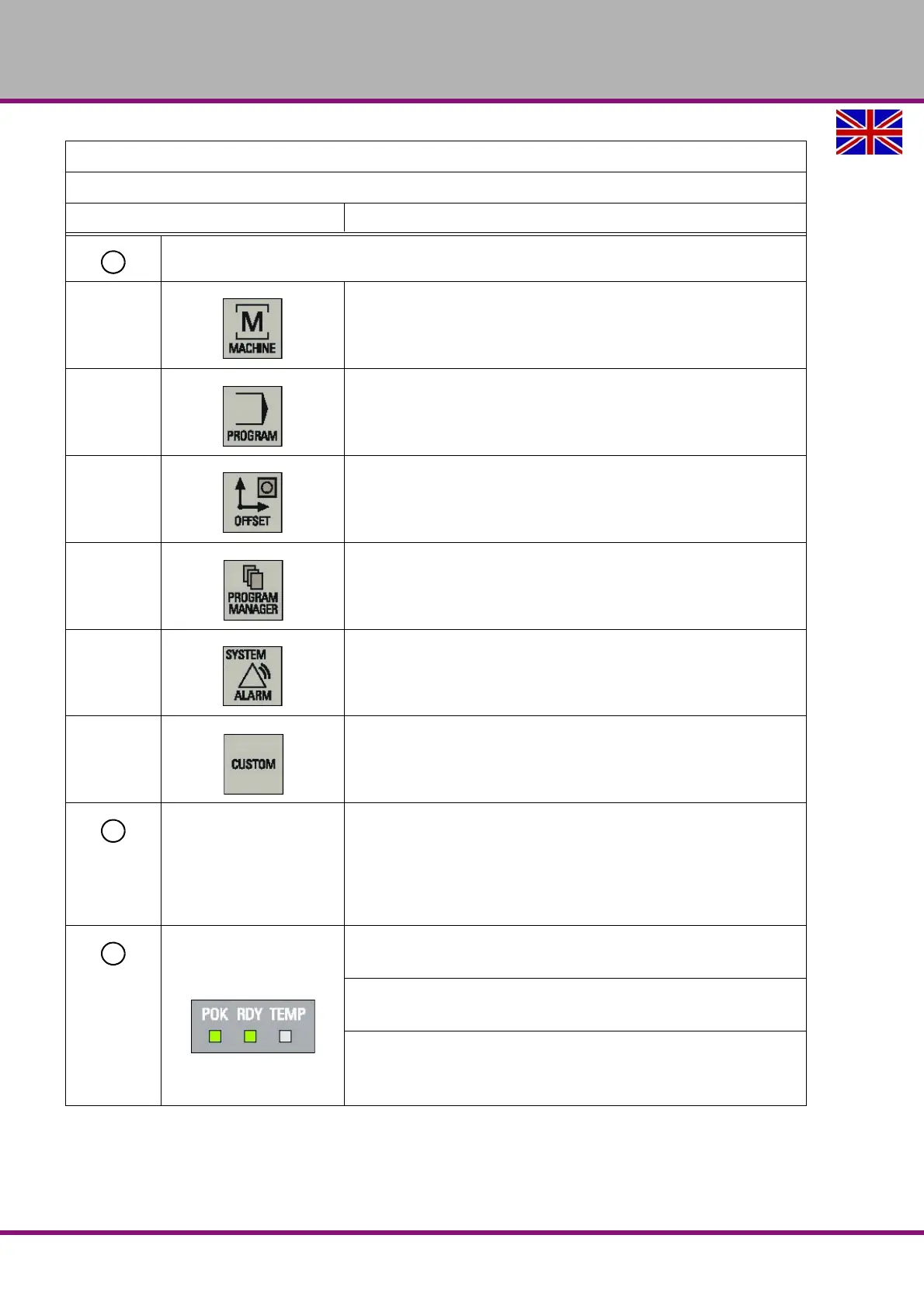
Operating area keys
Opens the "Machine" operating area
Opens the "Program" operating area
Opens the "Offset" operating area
Opens the "Program" operating area
Pressing this key opens the "Alarm" operating area.
Holding down <SHIFT> while you press this key opens the "System"
operating area.
Enables user's extension application, for example, to generate user
dialogs with the EasyXLanguage function.
For more information about this function, refer to the SINUMERIK 808D
Function Manual.
USB interface
Connects to a USB device
Examples:
• Connects to an external USB memory sticker to transfer data
between the USB sticker and the CNC.
• Connects to an external USB keyboard for use as an external NC
keyboard.
Status LEDs
LED "POK"
Lights up green: The power supply for the CNC is switched on.
LED "RDY"
Lights up green: The CNC is ready for operation.
LED "TEMP"
Unlit: The CNC temperature is within the specified range.
Lights up orange: The CNC temperature is out of range.
Elements on the PPU
Excerpt from the manual of the operating instructions for "SINUMERIK 808D OPM Operation"
Description















 To Next Page