Using your terminal © Hypercom EMEA Ltd. 2011 59
Settlement (continued)
Responses
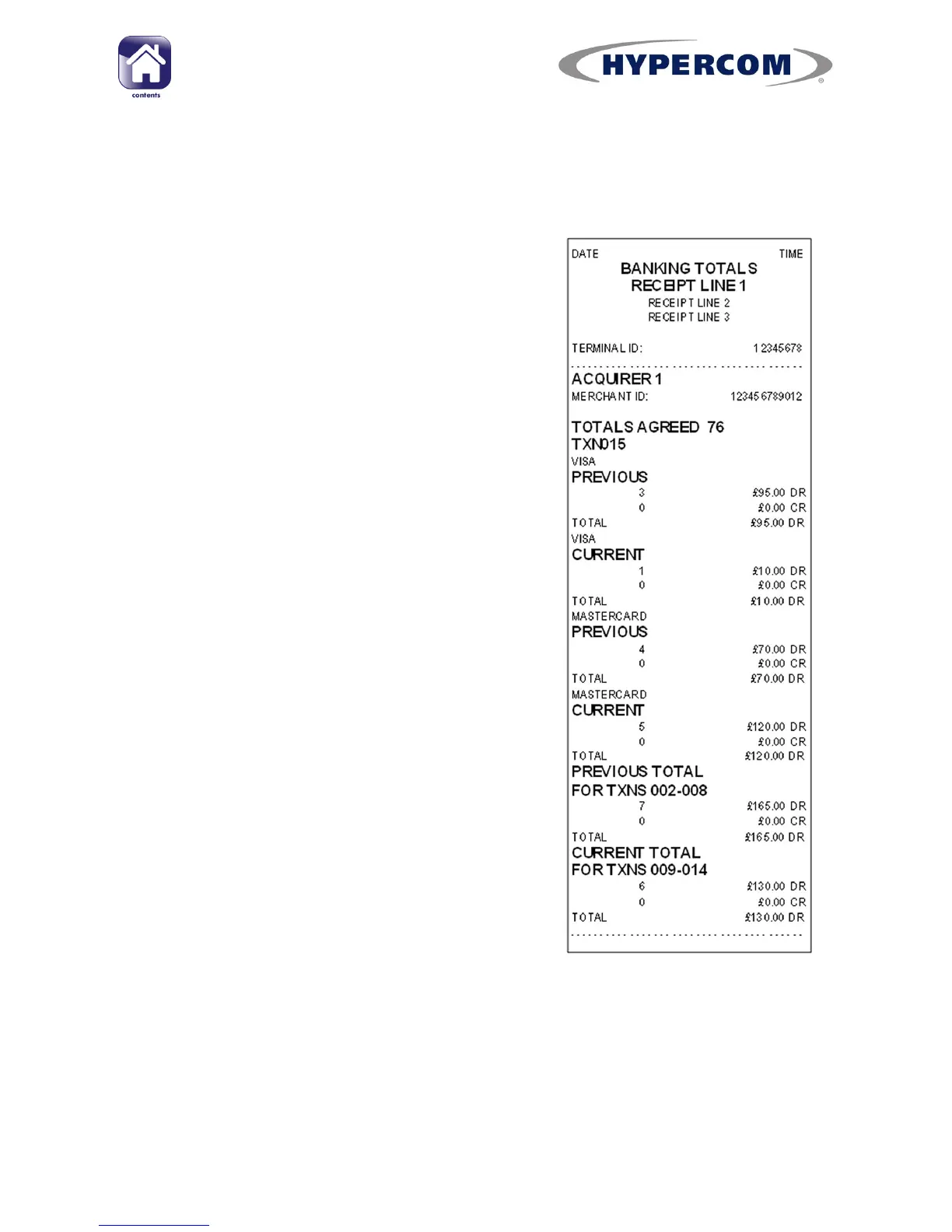
Totals Agree
Everything was received by your Acquirer(s)
and the totals in the terminal match their
totals.
Totals Disagree
There has been a discrepancy in the total
value of the transactions that the Acquirer
has and those in the terminal (i.e. the totals
are out of balance).
The terminal will print the error code „73‟ on
the receipt of each transaction after the
discrepancy occurred. This will require you to
review the receipts for that day‟s transactions
to find the one that caused the error, and you
will need to contact your Acquirer.
PLEASE NOTE: Manual program updates will
reset the totals and may cause this response.
Totals Unconfirmed
The terminal was unable to connect to your
Acquirer(s)
(See page 67 for help with
troubleshooting communication problems or
call the helpdesk).
Cannot Confirm
The terminal was unable to connect to your
Acquirer(s). This is only displayed when the
terminal has previously attempted a
Settlement that had a Totals Unconfirmed
response.
PLEASE NOTE: If you are unsure of any aspect relating to the Settlement
procedure, please contact your Acquirer or the helpdesk.



 To Next Page