58 © Hypercom EMEA Ltd. 2011 Using your terminal
Settlement
At the end of each business day, the Settlement procedure must be
performed on the terminal unless set to automatically settle at a particular
time of day (if you unsure whether your terminal settles automatically,
please contact your helpdesk).
For the totals to display correctly, this must be done during the „Banking
Window‟ time set by your Acquirer. During a Settlement, the terminal will
connect to your acquirer/s and ensure that all transactions processed on
the terminal have been received by them.
The terminal may contain stored transactions for a number of reasons
such as low-risk transactions, contactless transactions. If any transactions
are stored in the terminal, a successful Settlement will automatically send
them to your acquirers.
Procedure
Step 1
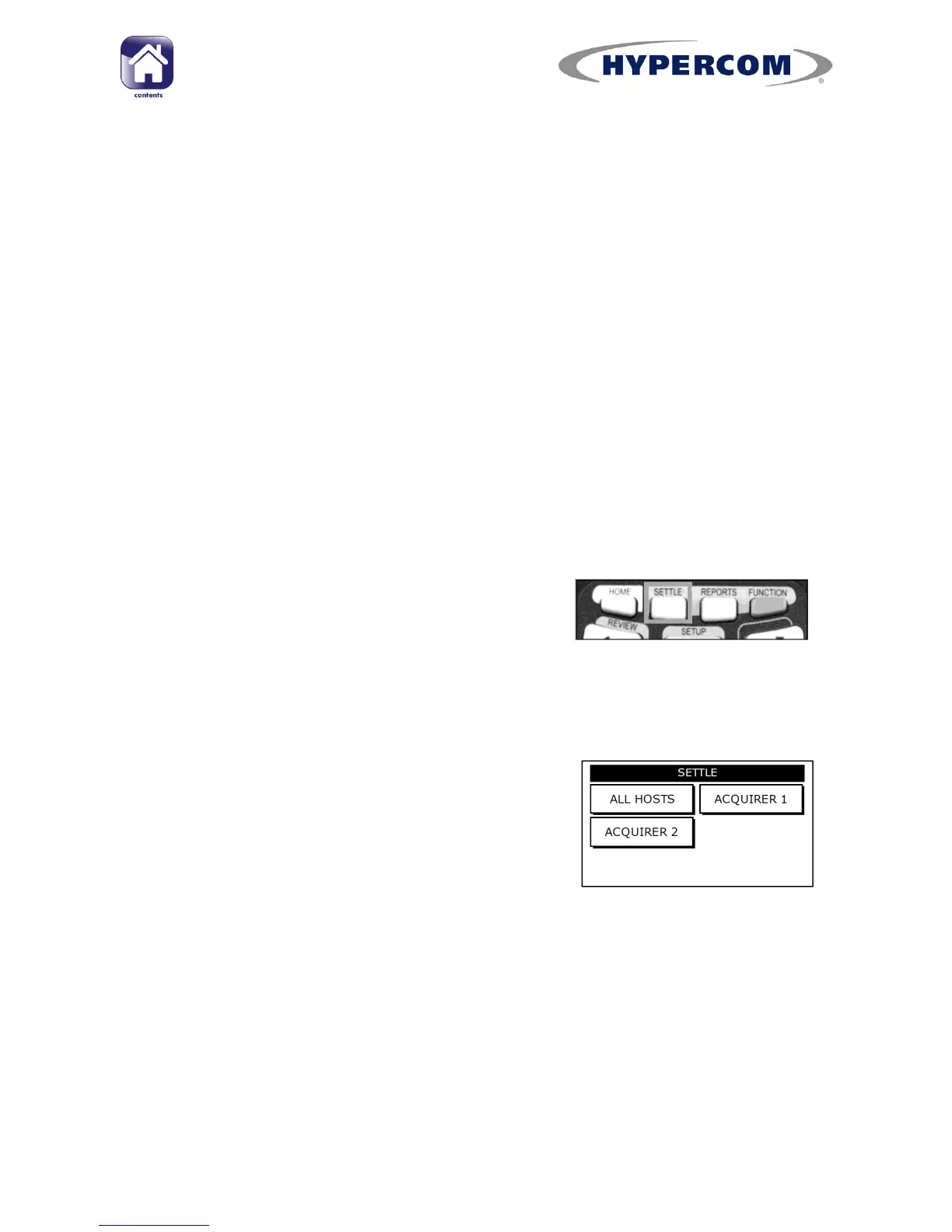
Ensure the idle screen is displayed. Then press
the SETTLE button on the keypad.
Step 2
When the screen displays SWIPE SUPERVISOR CARD, swipe the Supervisor
Card.
Step 3
If your terminal is configured with multiple
Acquirers, select the Acquirer you want to settle
(ALL HOSTS is recommended).
The terminal will connect to the selected Acquirer(s) and print out the
Settlement report(s). The Settlement totals will then be reset to zero.
If you do not complete this procedure, it may result in your terminal failing
to automatically update and may expose you to the risk of charge-backs.



 To Next Page