DVD Projector
*
17
English
Turn On the DVD Player
1. Remove the lens cap.
2. Ensure that the power cord and signal cable are securely
connected. The DVD LED will flash green.
3. Turn on the lamp by pressing [Stand By] button on the con-
trol panel. And the DVD LED will turn green.
If the DVD player load the disc, you will see a message
“Read disc” displayed on the projector’s screen. If the DVD
player does not load the disc, the start-up screen will display
on the projector’s screen.
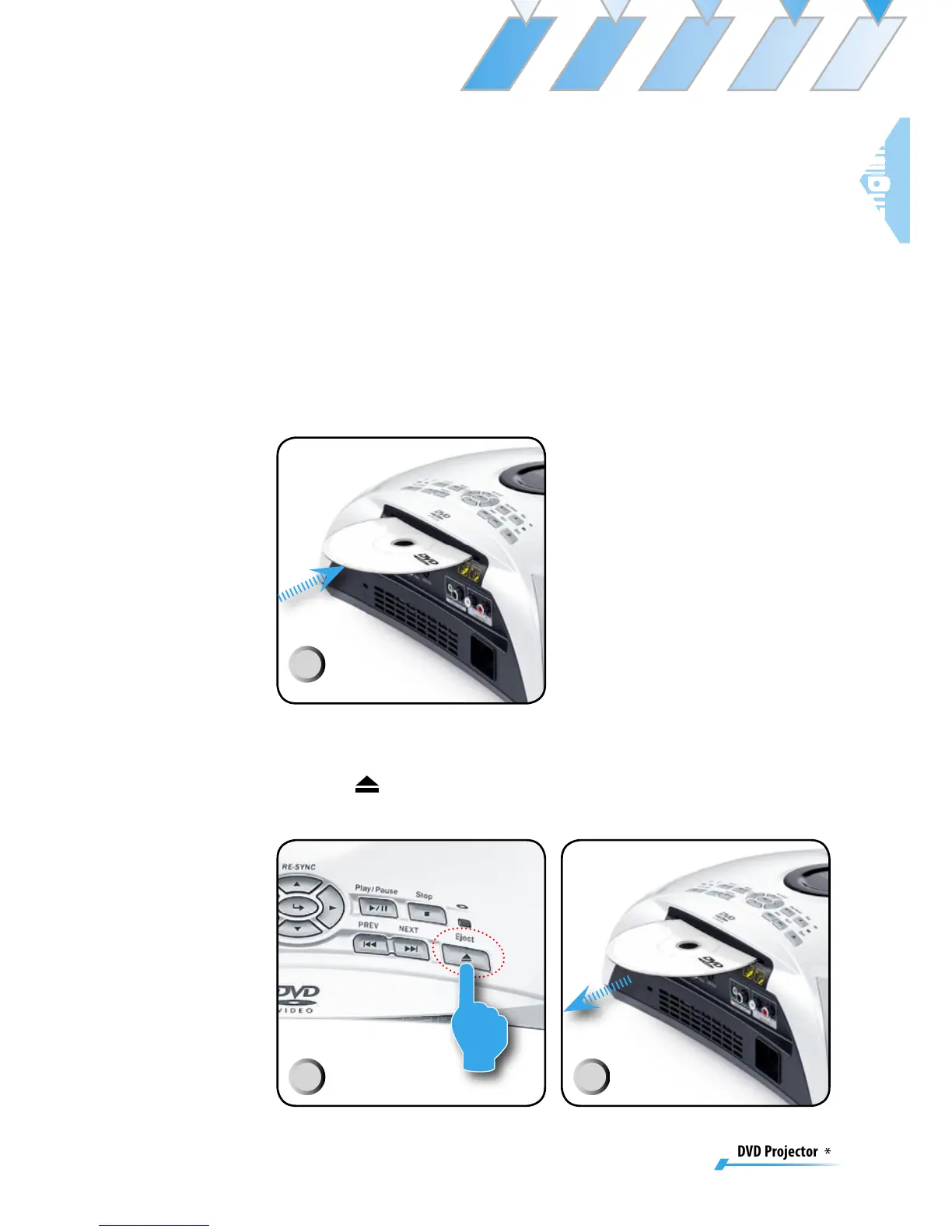
4. Insert the DVD disc on the unit.
Turn Off the DVD Player
1. Press [Eject] on DVD panel.
2. Remove the DVD disc on the unit.
1
2
3



 To Next Page