EasyManua.ls Logo

Optoma DV11 - DVD Player Problems

Optoma DV11
60 pages
Print Icon
To Next Page IconTo Next Page
To Previous Page IconTo Previous Page
Loading...
52
*
DVD Projector
English
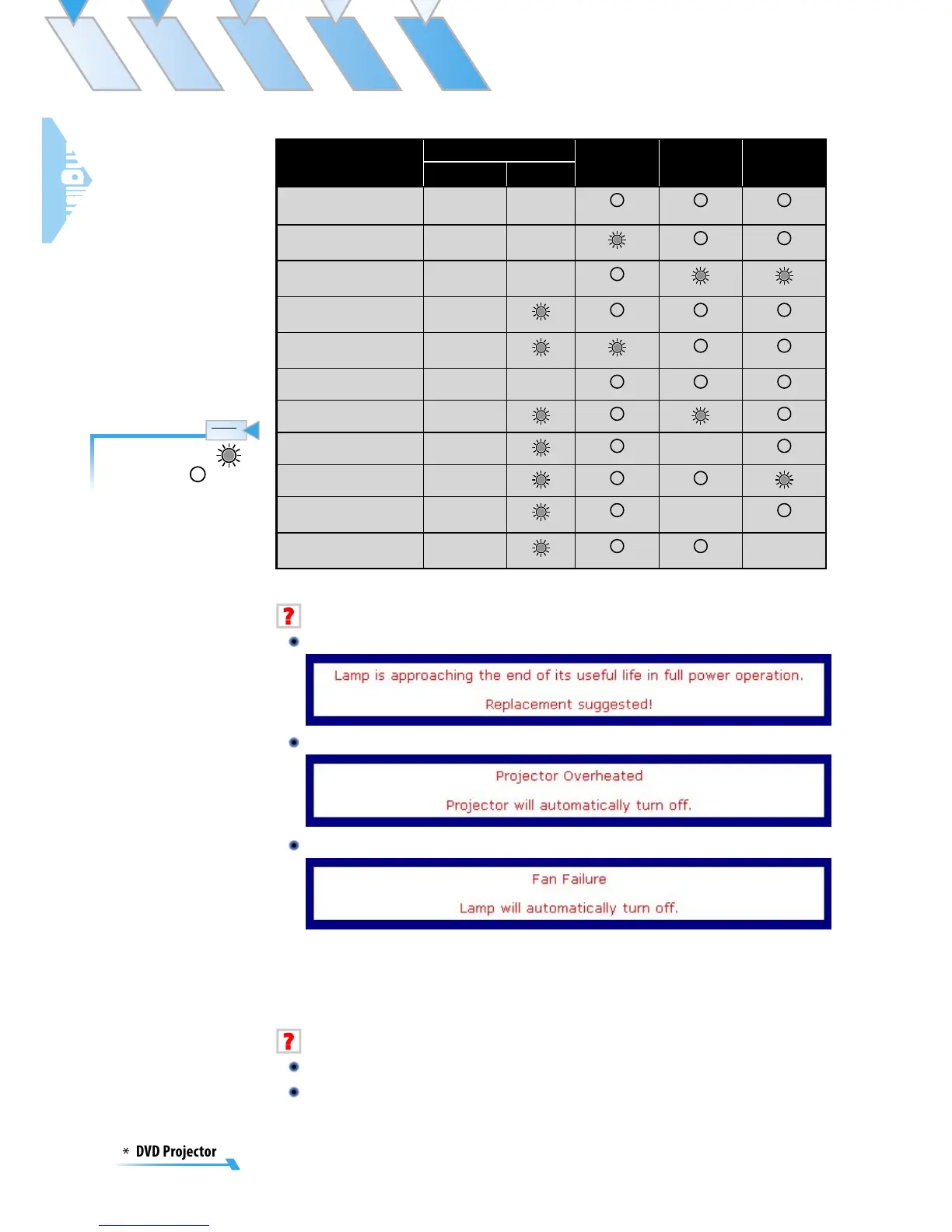
Message
Power LED DVD LED
(Green)
Temp LED
(Orange)
Lamp LED
(Orange)
(Blue) (Green)
Standby State
(Input power cord)
Flashing
Standby State (Play
DVD)
Flashing
Standby State (Burn in
Mode)
Flashing
Power On/Lamp
lighting
Lamp lighting (DVD
Playing)
Power Off/Cooling Flashing
Error (Overheated)
Error (Fan Failed) Flashing
Error (Lamp Failed)
Error (Photo Senser
Failed)
Flashing
Error (Color Wheel
Senser Failed)
Flashing
Message Reminders
Replacing the lamp:
Over temperature:
Fan failed:
DVD Player Problems
If a message shows an error message:
Make sure the disc is inserted with the label facing up.
Ensure disc is clean, in good condition and is not scratched.
Steady light =>
No light =>
Note
Note

Table of Contents

Other manuals for Optoma DV11

Related product manuals