DVD Projector
*
31
English
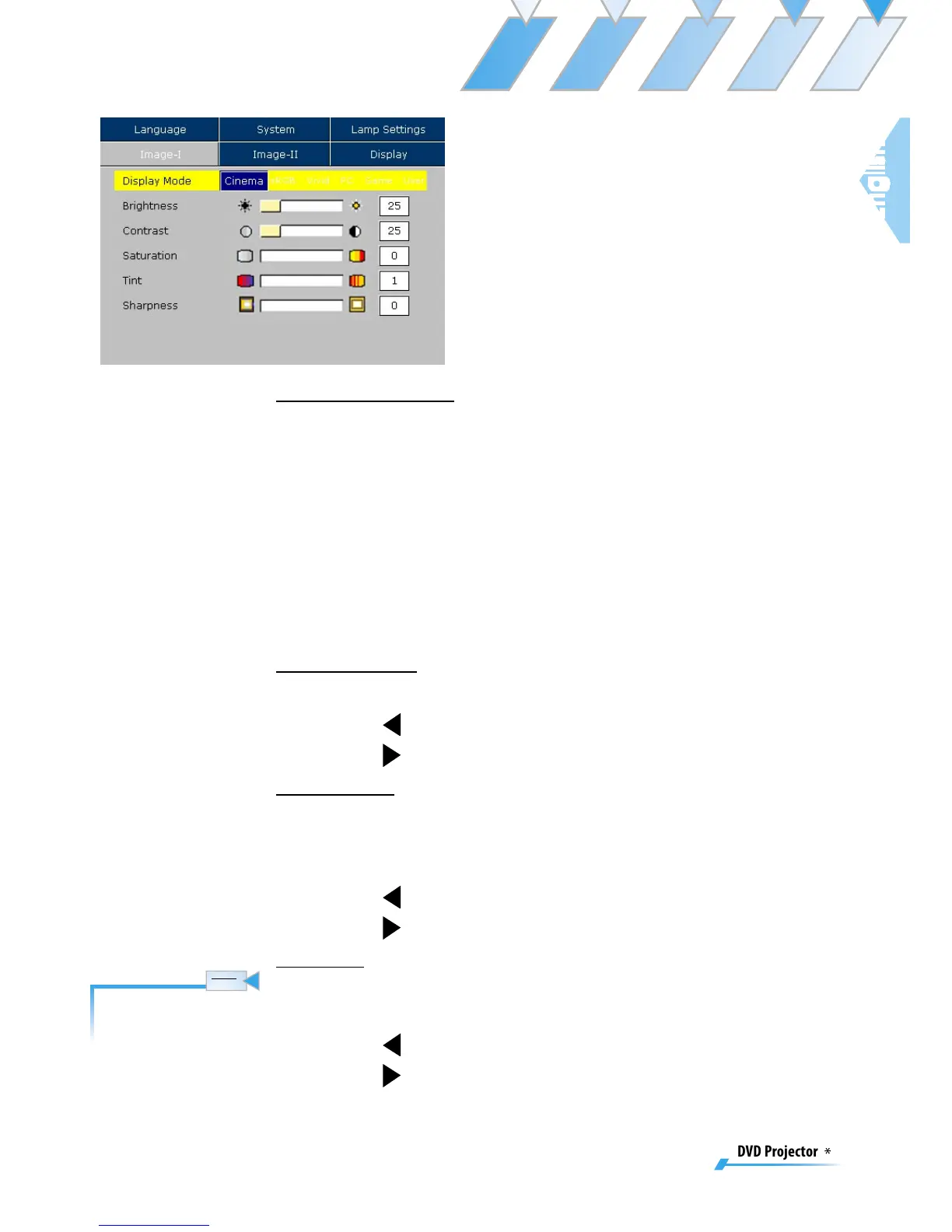
Image-I
Display Mode
There are many factory presets optimized for various types of
images.
▀■ Cinema: For home theater.
▀■ sRGB: For standard PC colour. (best colour reproduction)
▀■ Vivid: For dynamic frame.
▀■ PC: For computer or notebook. (brightest image)
▀■ Game: For game.
▀■ User: Memorize user’s settings.
Brightness
Adjust the brightness of the image.
▀■ Press to darken an image.
▀■ Press
to lighten an image.
Contrast
Contrast controls the degree of difference between the light-
est and darkest parts of the picture. Adjusting the contrast
changes the amount of black and white with an image.
▀■ Press to decrease the contrast.
▀■ Press
to increase the contrast.
Color
Adjust a video image from black and white to fully saturated
color.
▀■ Press to decrease the amount of color in an image.
▀■ Press
to increase the amount of color in an image.
The “Color” sub menu
is not supported under
the analog RGB input
source.



 To Next Page