40
*
DVD Projector
English
How to Operate WMA/MP3/JPEG Program
1. When you place the MP3/JPEG disc, the DVD player will automati-
cally detect the program.
2. Prioritize to enter the first table of MP3 automatically. And play the
first song under this file folder (Cursor suspend in “01” position)
3. Use
keys to select the function menu. And the marked icon
will turn transparency into full color.
4. Use
keys to select the desired track. After the selected star, it
will begin to flash.
5. Press [Enter]/[Play] button to play.
6. Press [Return] button to go back the program.
7. To exit program, press [Menu].
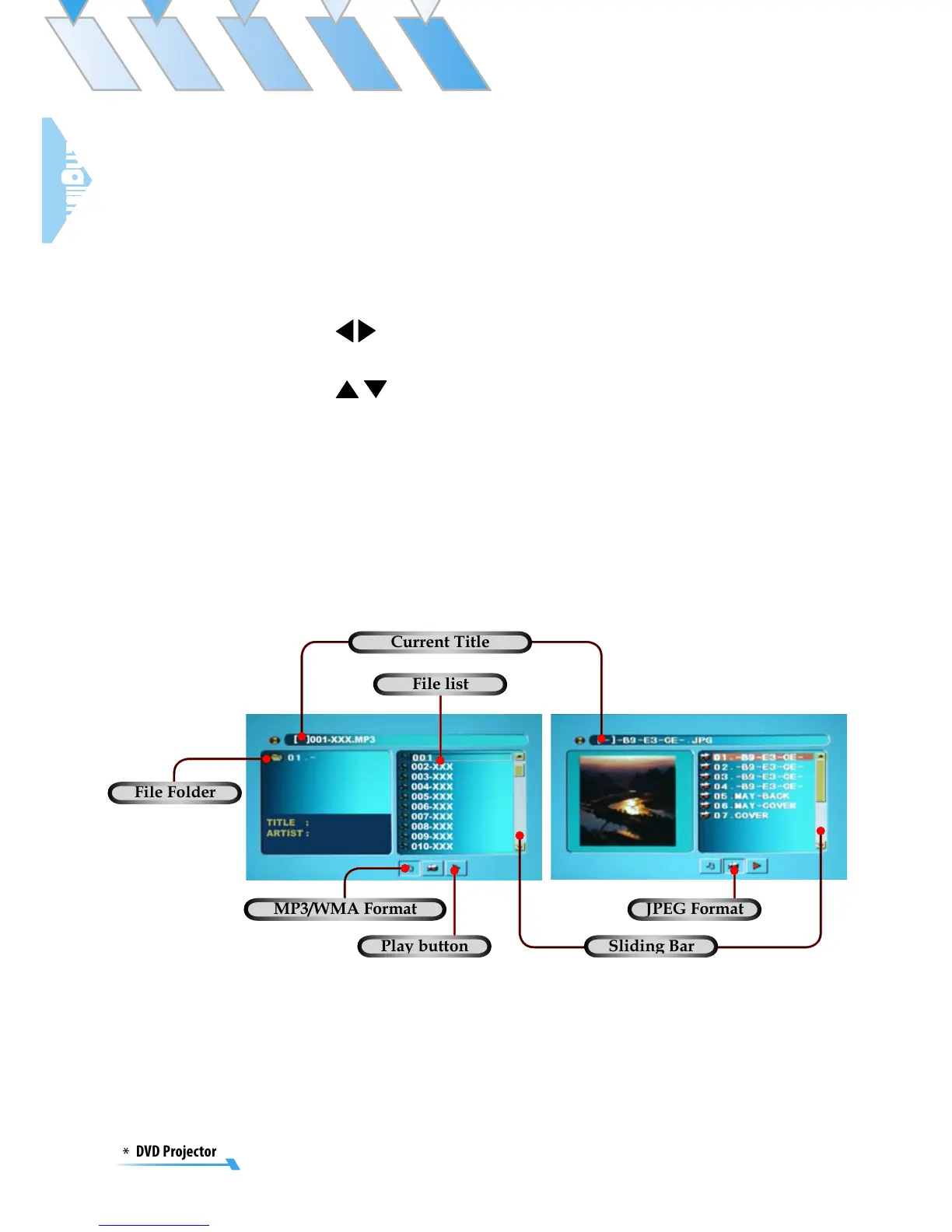
Current Title
File Folder
Sliding Bar
JPEG Format
Play button
MP3/WMA Format
File list



 To Next Page