DVD Projector
*
41
English
How to Operate DVD Menu
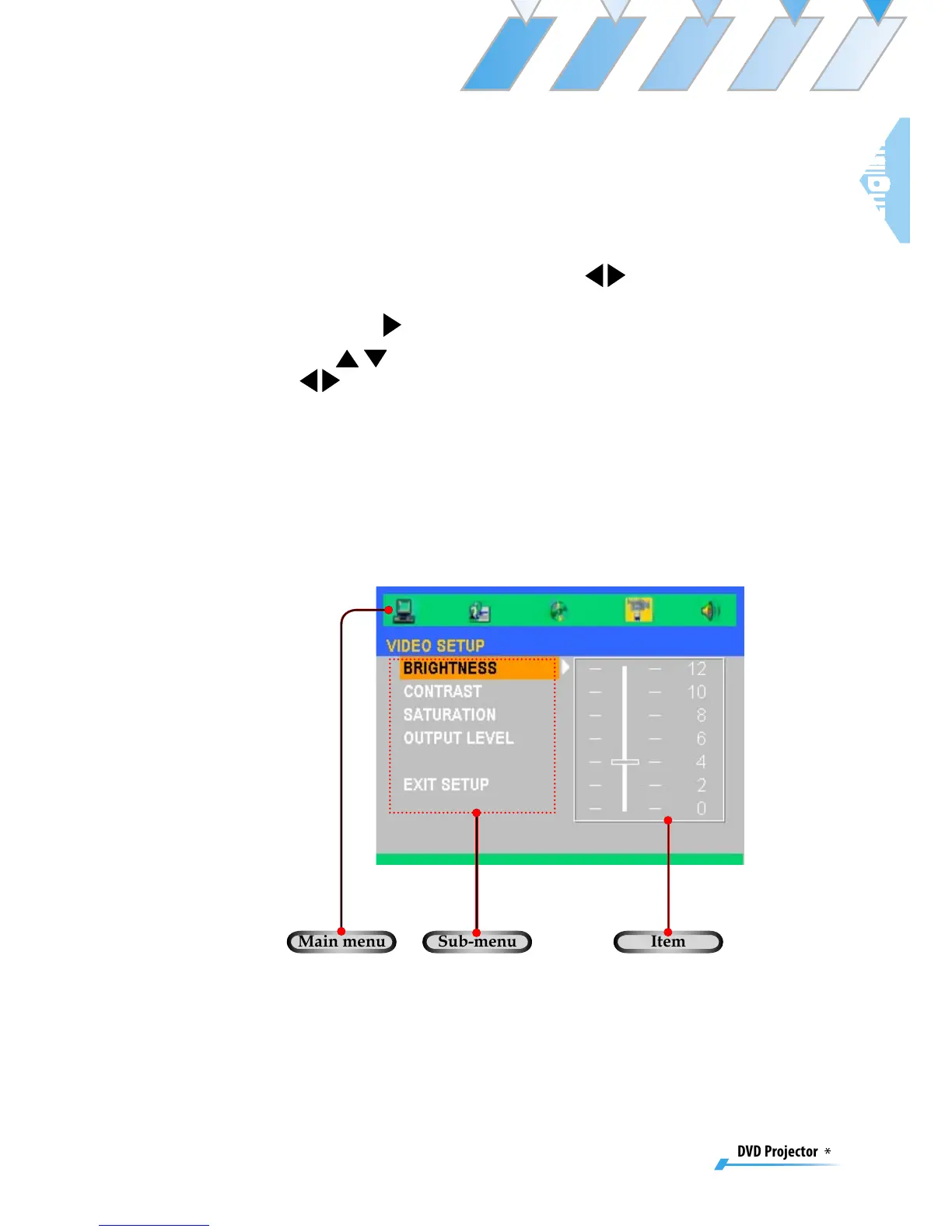
1. To open the DVD OSD menu, press [Projector Menu] on the remote
control, go to “System-->DVD Setup”.
2. When DVD OSD is displayed, use
keys to select any item in
the main menu. While making a selection on a particular page, press
[Enter] or
key to enter sub menu.
3. Use
keys to select the desired item and adjust the settings by
key.
4. Select the next item to be adjusted in the sub menu and adjust as
described above.
5. Choose the “Exit Setup” to confirm, and the screen will return to the
main menu.
6. To exit, press [Setup]/[Enter].
Main menu Sub-menu
Item



 To Next Page