DVD Projector
*
33
English
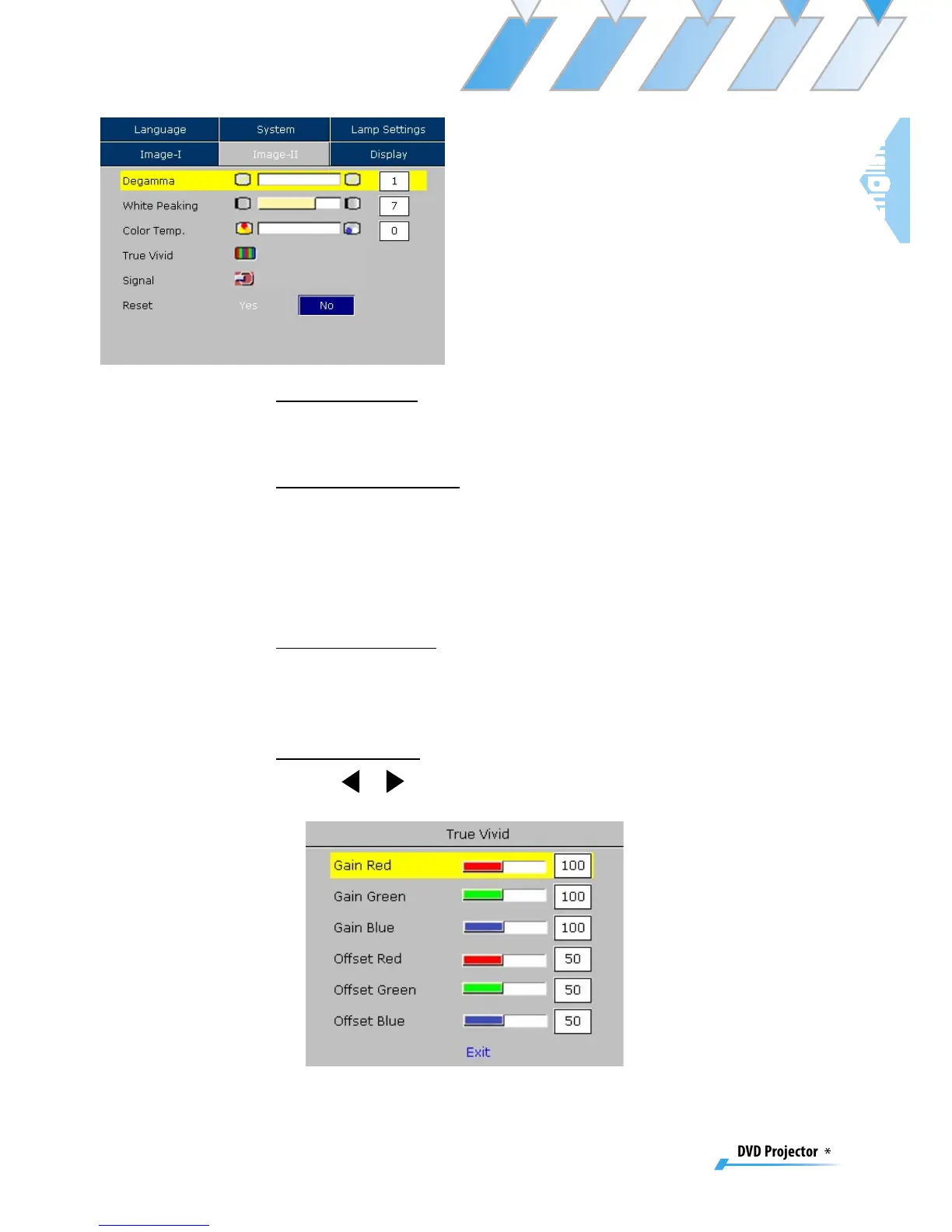
Image-II
De gamma
This allows you to choose a degamma table that has been fine-
tuned to bring out the best image quality for the input.
White Peaking
Use the white peaking control to set the white peaking level of the
DMD chip. “1” stands for minimal peaking, and “10” stands for
maximum peaking. If you prefer a stronger image, adjust toward
the maximum setting. For a smoother, more natural image, adjust
toward the minimum setting.
Color Temp.
Adjust the color temperature. The range is from “0” to “2.” At a
higher temperature, the screen looks colder; at a lower tempera-
ture, the screen looks warmer.
True Vivid
Use
or
to select Red, Green, or Blue for brightness (Offset) and
contrast (Gain).



 To Next Page